So, you’ve got a killer home theater setup in mind. The new 8K TV is mounted perfectly on the wall, or maybe you’re setting up a projector for the ultimate movie night. There’s just one problem: your gear—the game console, Blu-ray player, or AV receiver—is all the way across the room. This is where the 25 foot HDMI cable comes in, bridging the distance and making your dream setup a reality. But grabbing any old long cable off the shelf can lead to a world of frustration.
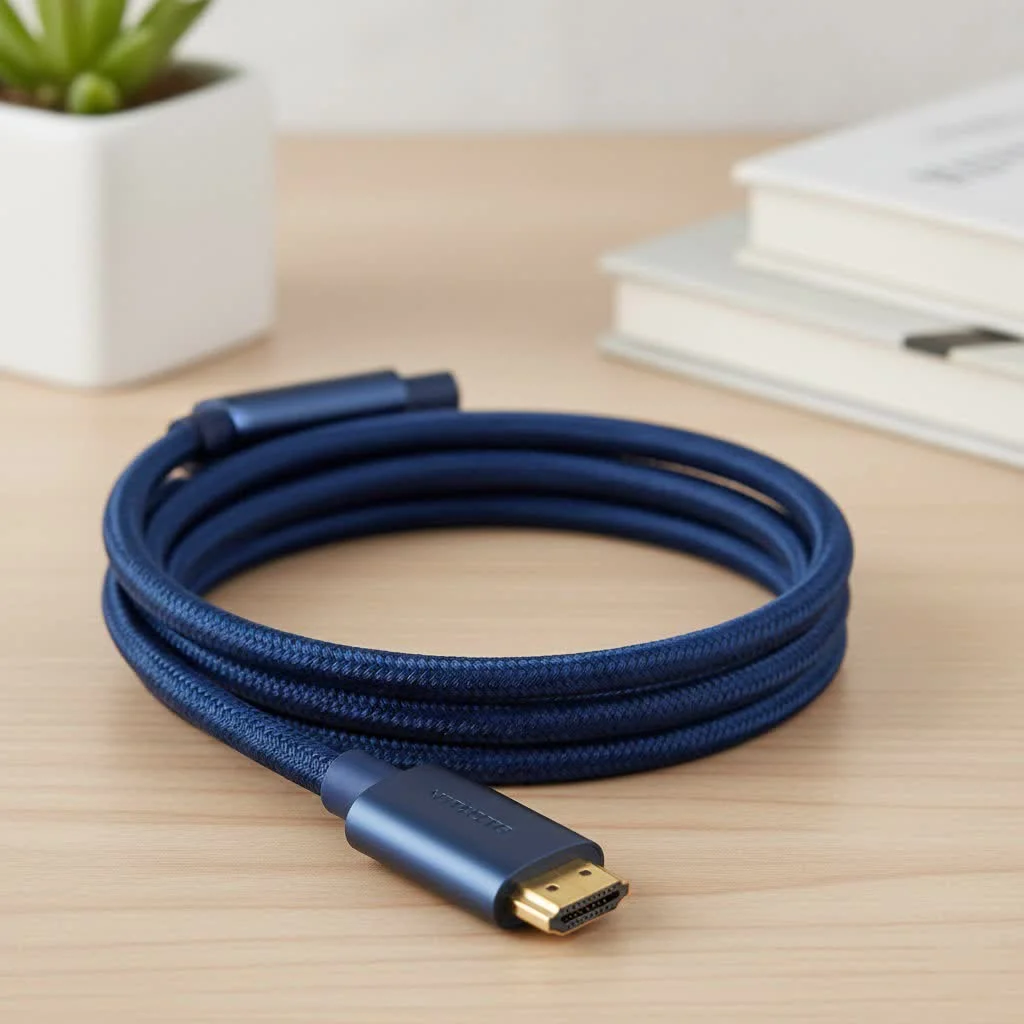
At 25 feet, you’re pushing the limits of standard HDMI technology. Signal degradation becomes a real concern, potentially leaving you with a flickering screen, strange color artifacts, or no picture at all. Don’t worry, though. This guide will walk you through everything you need to know to choose the perfect 25-foot cable, ensuring a flawless, high-fidelity connection for gaming, movies, and more.
The Challenge: Why Length Matters for HDMI
HDMI cables work by transmitting complex digital signals. Over short distances, this is a piece of cake. But as the cable gets longer, the signal has farther to travel and can weaken along the way—a phenomenon known as attenuation. Think of it like shouting to a friend across a long hallway; the farther away they are, the fainter your voice becomes.
For a 25 foot HDMI cable, this signal loss can be significant enough to prevent your TV or projector from displaying the picture correctly, especially when you’re trying to push high-bandwidth content like 4K at 120Hz or 8K video. This is why not all long HDMI cables are created equal.
Passive, Active, or Fiber Optic: Decoding the T-shirt
When you’re shopping for a 25-foot cable, you’ll encounter three main types. Understanding the difference is the most critical step in making the right choice.
Standard Passive HDMI Cables
These are the most common and affordable type of HDMI cable. They simply pass the signal from the source to the display with no internal electronics. For older standards like HDMI 1.4 or even HDMI 2.0 (for 4K at 60Hz), a well-made passive cable might just work at 25 feet. However, it’s often considered the maximum reliable length before problems start to appear. For the demanding speeds of HDMI 2.1, a passive cable of this length is unlikely to succeed.
Active (Booster) HDMI Cables
Active HDMI cables look just like passive ones but have a secret weapon: a built-in signal booster. This small chip, usually integrated into the connector head, takes the incoming signal, amplifies it, and sends it on its way, compensating for the loss over the long distance.
“For any run over 15 feet, especially for 4K content, I almost always recommend an active cable,” says David Chen, a professional home theater installer. “It’s a simple, cost-effective way to guarantee a stable signal and avoid troubleshooting headaches down the line.”
These cables are directional, meaning one end is labeled “Source” (for your console or player) and the other “Display” (for your TV or projector). Plugging it in backward will result in no signal, so pay attention during installation!
Fiber Optic HDMI Cables
|
Our Picks for the Best HDMI Cable in 2026
As an Amazon Associate I earn from qualifying purchases.
|
||
| Num | Product | Action |
|---|---|---|
| 1 | 10K 8K HDMI 2.1 Cable 2-Pack 6.6FT, Highwings Certified 48Gbps Ultra High Speed Slim HDMI Cord,Support 4K@120Hz 8K@60Hz, HDCP 2.2&2.3, Dynamic HDR,eARC,DTS:X, Compatible with Roku TV/HDTV/PS5/Blu-ray |

|
| 2 | Highwings 4K HDMI Cable 6.6FT/2m - High-Speed HDMI 2.0 Quality Cord 4K@60Hz, Braided Nylon & Gold Connectors, HDR, Ethernet, ARC, 3D, HDCP 2.2, Compatible for PS-5/4/3/ HDTV/Monitor/DVD/Streaming |
|
| 3 | Anker HDMI Cable 8K@60Hz, 6FT Ultra HD 4K@120Hz HDMI Cord,48 Gbps Certified Ultra High-Speed,Compatible with PlayStation 5,Xbox,Samsung TVs,and More |
|
| 4 | 15 Pack of 10 Foot hdmi Cables |
|
| 5 | Short HDMI Cable 1 FT 2-Pack, 8K HDMI 2.1 48Gbps Ultra High Speed Braided HDMI Cords, 1 Foot HDMI Cable for Camera, Field Monitor, External Recorder, Laptop, PC |
|
| 6 | Highwings 8K@60 HDMI Cable 10FT/3M, 48Gbps 2.1 High Speed HDMI Braided Nylon 4K120 144Hz RTX 3090 eARC HDR10 4:4:4 HDCP 2.2&2.3 Compatible for PS5, PS4, UHD TV and PC |
|
| 7 | Highwings High Speed 8K 60Hz HDMI Cable 3.3FT/1M, 2.1 48Gbps HDMI Braided Cable-4K@120Hz 7680P,DTS:X,HDCP 2.2 & 2.3, HDR 10,eARC,Dynamic HDR,Compatible for Laptop, Monitor, Roku TV |
|
| 8 | Highwings Long HDMI Cable 20 FT, 10K 8K 4K Ultra HD High Speed 2.1 HDMI Cable 48Gbps Braided Cord-4K@120Hz 8K@60Hz, DTS:X, HDCP 2.2&2.3, Dynamic HDR 10 Compatible with Roku TV/PS5/HDTV/Blu-ray |
|
| 9 | Highwings Long HDMI Cable 15 FT, 4K 8K 10K HDMI 2.1 Cord Ultra High Speed [in-Wall CL3 Rated, 8K@60Hz 4K@120Hz Video 48Gbps], Fit, Durable, Flexible, eARC, HDCP, Compatible for Ethernet SoundBar |
|
| 10 | Highwings 8K 10K 4K HDMI Cable 48Gbps 6.6FT/2M, Certified Ultra High Speed HDMI Cable Braided Cord-4K@120Hz 8K@60Hz, DTS:X, HDCP 2.2 & 2.3, HDR 10 Compatible with Roku TV/PS5/HDTV/Blu-ray |
|
For the ultimate in long-distance performance, fiber optic HDMI cables are the gold standard. Instead of sending electrical signals down copper wires, these cables convert the HDMI signal into pulses of light that travel through a fiber optic strand. At the other end, the light is converted back into an HDMI signal.
Since light faces virtually no resistance or interference over this distance, a fiber optic cable can transmit a perfect, full-bandwidth 48Gbps HDMI 2.1 signal over 25 feet, 50 feet, or even further with zero loss. They are the most reliable—and most expensive—option for high-end gaming and home theater setups. They are also directional, just like active copper cables.
Choosing the Right 25 Foot HDMI Cable for Your Needs
The best cable for you depends entirely on what you’re connecting.
For High-Performance Gaming (PS5, Xbox Series X, PC)
- What you need: 4K at 120Hz, 8K at 60Hz, Variable Refresh Rate (VRR), Auto Low Latency Mode (ALLM).
- Cable recommendation: You absolutely need an Ultra High Speed Certified HDMI 2.1 cable. At 25 feet, this means choosing between an active HDMI 2.1 cable or, for guaranteed performance, a fiber optic HDMI 2.1 cable. A passive cable will not be able to handle the 48Gbps bandwidth required.
For a Modern Home Theater (4K Blu-ray, Streaming, Projectors)
- What you need: 4K at 60Hz, High Dynamic Range (HDR), eARC (Enhanced Audio Return Channel).
- Cable recommendation: An active High Speed HDMI 2.0 cable with a bandwidth of 18Gbps is often sufficient and budget-friendly. However, if you want to future-proof your setup for 8K content or want the best possible connection for eARC, opting for a fiber optic HDMI 2.1 cable is a smart investment.
For In-Wall Installations
If you’re running the cable behind a wall for a clean, professional look, you must use a cable with the proper safety rating. Look for cables marked with “CL2” or “CL3,” which indicates the jacket is fire-resistant and safe for in-wall use. Many active and fiber optic cables are available with these ratings.
Common Problems and Quick Fixes
Even with the right cable, you might encounter issues. Here are some common ones:
- “Sparkles” or Flickering: This is a classic sign of signal attenuation. Your cable is struggling to deliver the data consistently. The first step is to ensure your active or fiber optic cable is plugged in the correct direction. If it is, the cable may be faulty or simply not powerful enough for your needs.
- No Signal or HDCP Error: This can happen if the signal is too weak for the display to recognize it. It could also be an “HDCP handshake” issue, where the copy protection protocol fails. Reseating the cable at both ends can sometimes fix this. If not, a higher-quality active or fiber optic cable is likely needed.
- Audio Dropouts: If you’re using ARC or eARC and the sound cuts out, this can also be a bandwidth issue. Ensure your cable is rated for the features you’re using.
Frequently Asked Questions (FAQ)
Do I really need an expensive 25 foot HDMI cable?
If you are running anything more demanding than 1080p, the answer is yes. For 4K, 8K, and high refresh rates, the quality of a long cable is paramount. Investing in a quality active or fiber optic cable saves you from performance issues and the frustration of a blank screen.
Can a 25 foot HDMI cable support 4K at 120Hz?
Yes, but only if it is a certified Ultra High Speed active or fiber optic HDMI 2.1 cable. A standard passive cable of this length will not have the 48Gbps bandwidth required for this signal.
What is the difference between an active and a fiber optic HDMI cable?
An active cable uses copper wires but has a chip to boost the electrical signal. A fiber optic cable converts the signal to light, which travels down a glass fiber, making it immune to electrical interference and capable of much longer distances without any loss.
Are gold-plated connectors better?
While gold is an excellent conductor and resists corrosion, its impact on the signal quality of a 25-foot digital cable is minimal compared to the internal construction and whether the cable is active or fiber optic. Don’t let it be the main deciding factor.
Is it safe to bend a fiber optic HDMI cable?
Fiber optic cables are more delicate than copper ones. You should avoid bending them at sharp 90-degree angles, which could damage the internal fiber. Gentle curves are perfectly fine.
The Final Connection
Choosing a 25 foot HDMI cable isn’t just about connecting two devices; it’s about preserving the quality of your audio and video over a challenging distance. By understanding the limitations of passive cables and knowing when to step up to an active or fiber optic solution, you can ensure your carefully chosen equipment performs to its full potential. Match the cable to your specific needs—whether it’s for next-gen gaming or a stunning 4K projector—and you’ll be rewarded with a perfect, uninterrupted picture every time.
Get our weekly buyer guide
Practical specs, not advice. Unsubscribe anytime.

I needed a long cable for my projector setup, and I followed the advice here about checking for proper shielding. While the picture quality is generally good, I occasionally get a very slight color shift, especially during fast-moving scenes. It’s not terrible, but it’s noticeable if you’re looking for it. Maybe I should have splurged on a more premium brand.
This was super helpful for understanding the challenges of a 25-foot HDMI cable. I was about to just grab the cheapest one, but the info on signal loss and active vs. passive cables made me rethink. I went with a slightly more expensive, but still affordable, active cable for my home theater receiver, and it’s working great. No issues with my Blu-ray player.
Finally got my game console hooked up to my TV across the living room without any lag! I used to have a shorter cable and had to move everything, but this 25-foot solution is perfect. The guide’s tips on ensuring a high-fidelity connection for gaming were spot on. Super happy with the clear picture and sound.
I was really worried about signal degradation with a 25-foot cable, especially for my new 8K TV setup. This guide helped me understand what to look for, and I ended up getting an active optical HDMI cable. The picture is absolutely flawless, even with my PS5 across the room. No flickering or weird artifacts at all.