So, you’ve got your Xbox One, a library of amazing games, and the perfect gaming snack lineup. But are you getting the absolute best picture and sound from your console? The answer might be hiding in plain sight: your HDMI cable. Choosing the right HDMI cable for Xbox One isn’t just about connecting it to your TV; it’s about unlocking the full visual potential of your gaming experience. It’s the vital bridge that carries every stunning visual and immersive sound effect from your console to your screen.
In a world filled with confusing jargon like “4K,” “HDR,” and “18Gbps,” picking a simple cable can feel overwhelming. Don’t worry, we’re here to cut through the noise. This guide will break down everything you need to know to ensure you have the perfect cable for your Xbox One, whether it’s the original model, the sleek Xbox One S, or the powerful Xbox One X.
What HDMI Cable Actually Comes with the Xbox One?
Let’s start with the basics. When you first unboxed your console, whether it was the original Xbox One, the Xbox One S, or the Xbox One X, Microsoft included an HDMI cable to get you started.
The cable included with all versions of the Xbox One is a High-Speed HDMI cable. This wasn’t just any random cable; it was specifically chosen to handle the output capabilities of the console. A High-Speed HDMI cable is rated to reliably transmit resolutions of 1080p and beyond, including the 4K and HDR signals that the Xbox One S and Xbox One X are capable of producing. For most users, this stock cable is perfectly adequate for a great gaming experience.
Do You Need a “4K HDMI Cable” for Your Xbox One S or Xbox One X?
This is one of the most common questions we see, and the short answer is yes, but the term “4K HDMI cable” is mostly marketing. What you really need is a cable certified to handle the increased data required for 4K Ultra HD and High Dynamic Range (HDR) content.
The Xbox One S and Xbox One X are powerful machines that can output games and media at a 4K resolution at 60 frames per second (60Hz) with HDR. This combination of high resolution, smooth frame rate, and expanded color data requires a lot of information to be sent from the console to the TV every second.
Think of it like a highway. 1080p resolution is like a two-lane road, sufficient for regular traffic. 4K HDR is like a six-lane superhighway packed with rush-hour traffic. You need a road that’s wide enough and built well enough to handle that increased load without creating a traffic jam (or in this case, signal loss). The cable that meets this requirement is officially known as a Premium High-Speed HDMI Cable.
Decoding HDMI Cable Types: High-Speed vs. Ultra High-Speed
|
Our Picks for the Best HDMI Cable in 2026
As an Amazon Associate I earn from qualifying purchases.
|
||
| Num | Product | Action |
|---|---|---|
| 1 | Highwings Long HDMI Cable 15 FT, 4K 8K 10K HDMI 2.1 Cord Ultra High Speed [in-Wall CL3 Rated, 8K@60Hz 4K@120Hz Video 48Gbps], Fit, Durable, Flexible, eARC, HDCP, Compatible for Ethernet SoundBar |
![Check Highwings Long HDMI Cable 15 FT, 4K 8K 10K HDMI 2.1 Cord Ultra High Speed [in-Wall CL3 Rated, 8K@60Hz 4K@120Hz Video 48Gbps], Fit, Durable, Flexible, eARC, HDCP, Compatible for Ethernet SoundBar on Amazon](https://iecfl.com/wp-content/plugins/amazon-tables/assets/images/buy.png)
|
| 2 | Highwings 8K 10K 4K HDMI Cable 48Gbps 6.6FT/2M, Certified Ultra High Speed HDMI Cable Braided Cord-4K@120Hz 8K@60Hz, DTS:X, HDCP 2.2 & 2.3, HDR 10 Compatible with Roku TV/PS5/HDTV/Blu-ray |
|
| 3 | Highwings High Speed 8K 60Hz HDMI Cable 3.3FT/1M, 2.1 48Gbps HDMI Braided Cable-4K@120Hz 7680P,DTS:X,HDCP 2.2 & 2.3, HDR 10,eARC,Dynamic HDR,Compatible for Laptop, Monitor, Roku TV |
|
| 4 | Highwings 4K HDMI Cable 6.6FT/2m - High-Speed HDMI 2.0 Quality Cord 4K@60Hz, Braided Nylon & Gold Connectors, HDR, Ethernet, ARC, 3D, HDCP 2.2, Compatible for PS-5/4/3/ HDTV/Monitor/DVD/Streaming |
|
| 5 | Highwings 8K@60 HDMI Cable 10FT/3M, 48Gbps 2.1 High Speed HDMI Braided Nylon 4K120 144Hz RTX 3090 eARC HDR10 4:4:4 HDCP 2.2&2.3 Compatible for PS5, PS4, UHD TV and PC |
|
| 6 | 10K 8K HDMI 2.1 Cable 2-Pack 6.6FT, Highwings Certified 48Gbps Ultra High Speed Slim HDMI Cord,Support 4K@120Hz 8K@60Hz, HDCP 2.2&2.3, Dynamic HDR,eARC,DTS:X, Compatible with Roku TV/HDTV/PS5/Blu-ray |
|
| 7 | Highwings Long HDMI Cable 20 FT, 10K 8K 4K Ultra HD High Speed 2.1 HDMI Cable 48Gbps Braided Cord-4K@120Hz 8K@60Hz, DTS:X, HDCP 2.2&2.3, Dynamic HDR 10 Compatible with Roku TV/PS5/HDTV/Blu-ray |
|
| 8 | 15 Pack of 10 Foot hdmi Cables |
|
| 9 | Anker HDMI Cable 8K@60Hz, 6FT Ultra HD 4K@120Hz HDMI Cord,48 Gbps Certified Ultra High-Speed,Compatible with PlayStation 5,Xbox,Samsung TVs,and More |
|
| 10 | Short HDMI Cable 1 FT 2-Pack, 8K HDMI 2.1 48Gbps Ultra High Speed Braided HDMI Cords, 1 Foot HDMI Cable for Camera, Field Monitor, External Recorder, Laptop, PC |
|
To make the best choice, it’s crucial to understand the main categories of HDMI cables relevant today.
High-Speed & Premium High-Speed HDMI Cable
This is the gold standard for the entire Xbox One family. A standard High-Speed cable can handle the necessary bandwidth, but for guaranteed performance with 4K HDR, look for one that is officially certified.
- Bandwidth: 18Gbps (Gigabits per second)
- Resolution/Frame Rate: Supports 4K at 60Hz
- Features: Fully supports HDR10, which is the standard used by the Xbox One S and X.
- Best For: Xbox One S and Xbox One X owners who want to ensure a stable, high-quality 4K HDR picture.
The Premium HDMI Cable Certification Program ensures these cables have been tested to perform at the 18Gbps level. Certified cables come with a unique QR code on the packaging that you can scan to verify their authenticity.
Ultra High-Speed HDMI Cable
This is the newest and most capable standard, also known as an HDMI 2.1 cable. It was designed for the latest generation of consoles like the Xbox Series X and PlayStation 5.
- Bandwidth: 48Gbps
- Resolution/Frame Rate: Supports 4K at 120Hz and even 8K at 60Hz.
- Features: Supports advanced gaming features like Variable Refresh Rate (VRR) and Auto Low Latency Mode (ALLM).
- Best For: Xbox Series X and PS5.
For an Xbox One, an Ultra High-Speed cable is overkill. The console cannot take advantage of its advanced features. However, these cables are fully backward compatible, so if you want to future-proof your setup, buying one won’t cause any harm.
“I always tell my clients, ‘Don’t get fooled by marketing buzzwords like ‘4K ready’ or ridiculously high prices.’ For an Xbox One X, a certified Premium High-Speed cable is the sweet spot. It delivers every bit of performance the console can output without breaking the bank. Focus on verified performance and solid build quality,” advises Mark O’Connell, a professional home theater installer with over a decade of experience.
Key Features to Look for in an HDMI Cable for Xbox One
When you’re ready to buy a replacement or upgrade, here’s what truly matters.
- Certification: For Xbox One S/X users, look for the “Premium HDMI Cable” holographic sticker on the box. This is your best guarantee of performance for 4K HDR gaming.
- Length: Longer cables can be more prone to signal degradation. As a rule of thumb, only buy a cable that’s as long as you need, with a little bit of slack. For most setups, a 3-foot to 6-foot (1-2 meter) cable is ideal. If you need to go longer than 15 feet (about 4.5 meters), consider an active or fiber optic HDMI cable to maintain signal integrity.
- Build Quality: A well-built cable will last longer and provide a more reliable connection. Look for features like:
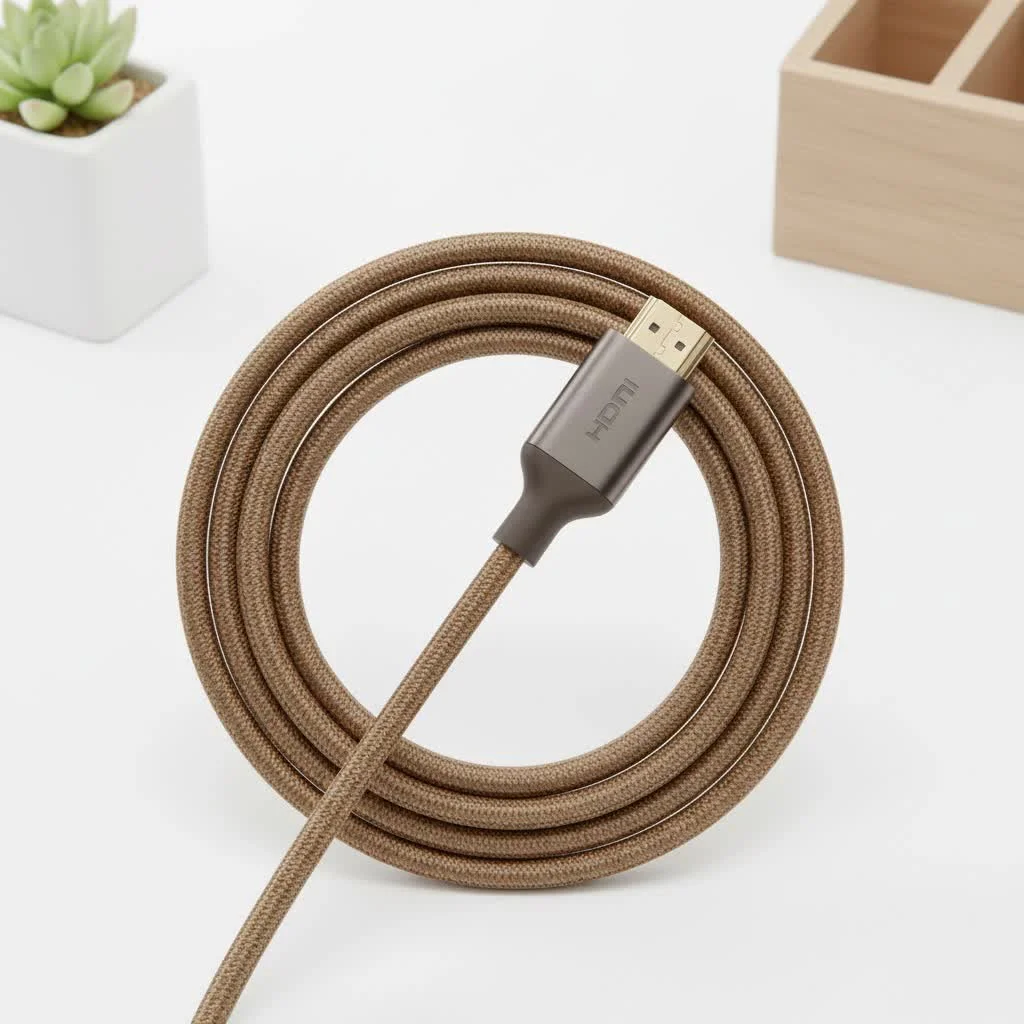
- Braided Jacket: A nylon or fabric braid around the cable adds durability and prevents kinking and tangling.
- Gold-Plated Connectors: Gold plating resists corrosion and can provide a more reliable long-term connection.
- Solid Strain Relief: The area where the cable meets the connector head should be thick and flexible to prevent wear and tear from bending.
Troubleshooting Common Xbox One HDMI Problems
If you’re experiencing a black screen, a “no signal” message, or a flickering picture, the HDMI cable is a good first place to look.
- Check Physical Connections: Ensure the HDMI cable is firmly plugged into both the “HDMI Out to TV” port on your Xbox and the HDMI port on your TV.
- Try a Different HDMI Port: Your TV has multiple HDMI ports. Switch the cable to a different one to rule out a faulty port.
- Power Cycle Your Devices: Turn off your Xbox and your TV completely. Unplug them from the power outlet for 30 seconds, then plug them back in and turn them on. This can often resolve handshake issues.
- Check TV Settings: Make sure your TV’s input is set to the correct HDMI source. Also, for 4K HDR, you may need to enable a setting like “HDMI UHD Color,” “Enhanced Format,” or “Full Color 4:4:4” in your TV’s picture or input settings menu.
- Test a Different Cable: If you have another High-Speed HDMI cable, try swapping it in. If the problem disappears, you’ve found the culprit.
Frequently Asked Questions (FAQ)
Do I need an HDMI 2.1 cable for my Xbox One X?
No, you do not need an HDMI 2.1 (Ultra High-Speed) cable for an Xbox One X. The console does not support HDMI 2.1 features like 4K@120Hz. A certified Premium High-Speed HDMI cable is all you need to get the maximum performance.
Will a better HDMI cable improve my Xbox One’s graphics?
A more expensive HDMI cable will not magically improve the graphics your console can produce. However, a higher quality, certified cable will ensure that the best possible signal is delivered to your TV without interference or data loss, which is especially important for 4K HDR.
What’s the difference between the HDMI IN and HDMI OUT ports on the Xbox One?
The HDMI OUT port is the one you use to connect your Xbox to your TV or monitor. The HDMI IN port is a unique feature that allows you to plug another device, like a cable box, into your Xbox and view it through the console’s interface.
Can I use any HDMI cable for my Xbox One?
For the original Xbox One limited to 1080p, almost any HDMI cable will work. For an Xbox One S or X outputting 4K HDR, you must use a High-Speed HDMI cable (preferably a Premium Certified one) to guarantee a stable signal.
How long can an HDMI cable for an Xbox One be?
For a passive cable carrying a 4K HDR signal, it’s best to stay under 15 feet (4.5 meters). Longer distances can lead to signal degradation. If you need a longer run, you should invest in an active optical HDMI cable, which can carry the signal much farther without loss.
The Final Verdict: Choosing the Right Cable
Selecting the right HDMI cable for Xbox One is a simple but critical step in optimizing your gaming rig. It’s the final link in a chain that brings epic digital worlds to life on your screen. Don’t fall for overpriced cables with exotic marketing claims. Instead, focus on the tested and certified standards that guarantee performance.
To summarize:
- For an original Xbox One, any standard High-Speed HDMI cable will do the job perfectly.
- For an Xbox One S or Xbox One X, a Premium Certified High-Speed HDMI cable is your best investment to ensure a flawless 4K HDR experience.
Upgrading from a worn-out or uncertified cable can solve annoying visual glitches and give you peace of mind that you’re seeing the game exactly as its creators intended.
Get our weekly buyer guide
Practical specs, not advice. Unsubscribe anytime.

I got a new HDMI cable after reading about HDR support. While the picture looks good, I didn’t see a huge, dramatic difference compared to my previous cable, which was already pretty decent. Maybe my TV isn’t fully optimized for it, or I just expected more. It’s a good quality cable, but for the price, I was hoping for a more ‘wow’ factor.
This guide really helped me understand why my old cable wasn’t cutting it for my Xbox One X. I picked up one of the recommended high-speed HDMI cables and the picture quality on my 4K TV is definitely improved. I still feel like the sound could be a tiny bit better, but maybe that’s my soundbar. Overall, a solid upgrade for visual clarity.
Finally got around to replacing my old, generic HDMI cable for my original Xbox One. I didn’t realize how much of a bottleneck it was creating. The guide’s explanation of how the cable carries visual and sound effects really resonated. Now, games feel more immersive and the lag I sometimes experienced seems to be gone. Highly recommend upgrading if you’re still using an ancient cable.
I was using the cheap cable that came with my Xbox One S and honestly thought it was fine. After reading about the importance of 18Gbps for 4K, I decided to upgrade. The difference is actually noticeable, especially in games with a lot of detail. Everything looks so much sharper and the colors pop way more. Definitely worth the investment for a better gaming experience.