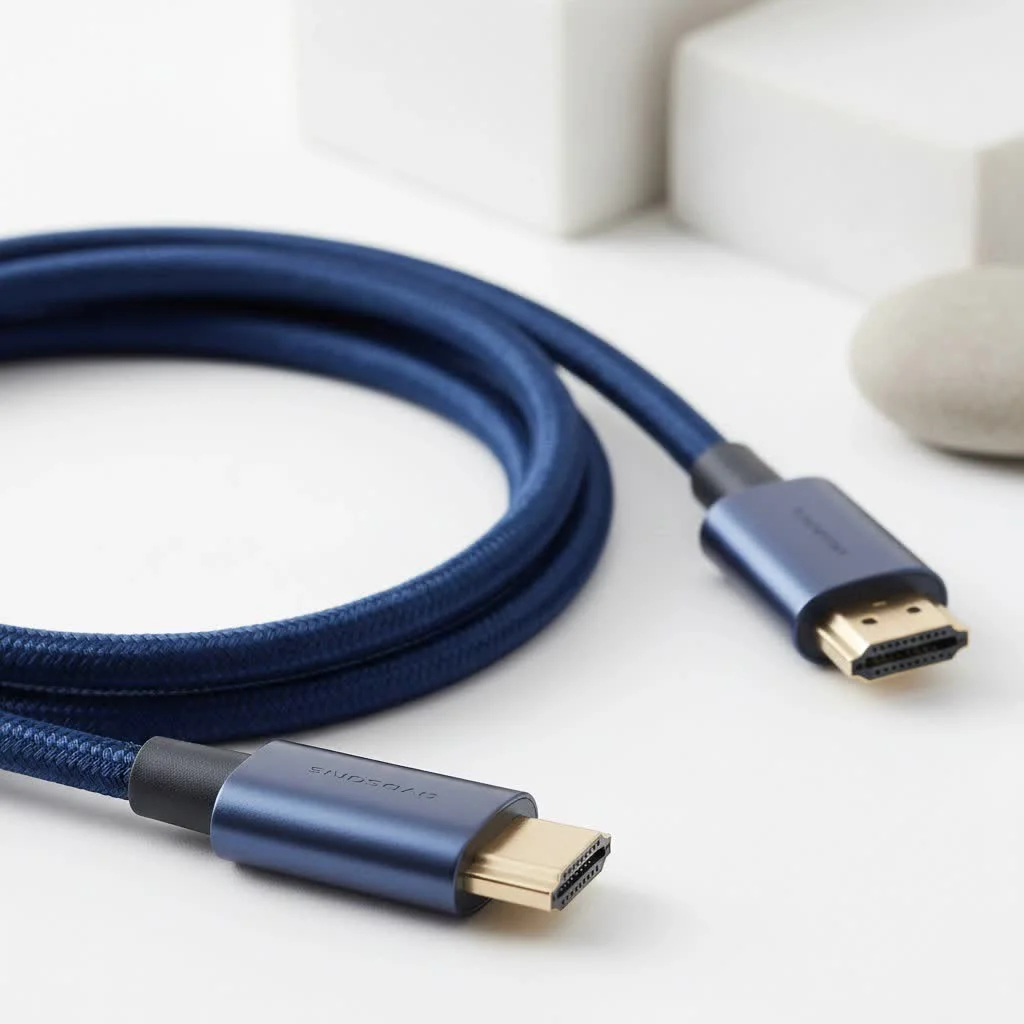
A mini HDMI to mini HDMI cable connects two devices that both feature a Mini HDMI port, officially known as a Type-C connector. This specialized cable is primarily used in professional and enthusiast workflows, such as linking a DSLR or mirrorless camera to a portable on-camera field monitor, ensuring a direct and reliable digital video and audio signal transmission.
What Exactly is a Mini HDMI Port?
Before diving into the cable itself, let’s clarify the port. The Mini HDMI, officially known as a Type-C connector, is a compact version of the standard Type-A HDMI port you see everywhere. It retains the same 19-pin configuration and all the digital video and audio capabilities of its larger counterpart, just in a much smaller physical package.
You’ll typically find Mini HDMI ports on devices where space is at a premium, such as:
- DSLR and Mirrorless Cameras: A very common feature for photographers and videographers who need to output a live view to an external monitor.
- Camcorders: Similar to cameras, they use it for external display connectivity.
- High-End Graphics Cards: Some older and even a few modern compact GPUs use Mini HDMI to save space on the I/O bracket.
- Tablets and Laptops: While less common now in favor of USB-C, some older or specialized tablets and ultrabooks featured this port.
- Single-Board Computers: Devices like the Raspberry Pi Zero often use Mini or Micro HDMI.
The key takeaway is that a Mini HDMI port delivers the exact same high-quality signal as a standard one; the only difference is the physical size of the connector.
The Specific Use Case: When Do You Need a Mini HDMI to Mini HDMI Cable?
This is the crucial question. Most people who own a device with a Mini HDMI port usually need a Mini HDMI to Standard HDMI cable to connect it to a TV or a regular monitor. The mini hdmi to mini hdmi cable, however, is for a more specific scenario: connecting two devices that both have a Mini HDMI port.
While less common, this setup is essential for certain professional and enthusiast workflows:
- Camera to Portable Field Monitor: This is the primary use case. Many professional on-camera monitors, designed for videographers, are built to be lightweight and compact. To save space, they also feature a Mini HDMI input. A
mini hdmi to mini hdmi cableprovides a direct, clean connection between the camera and the monitor without needing any adapters. - Specialized Graphics Card to Portable Display: Some niche setups involve a compact graphics card connected to a small, portable monitor that might be used for system monitoring, as a secondary screen for a specific application, or in a custom-built PC. If both happen to use Mini HDMI, this cable is the only solution.
- Connecting Two Single-Board Computers: in DIY electronics and development, you might encounter a situation where two boards need to communicate directly via their Mini HDMI ports.
“In my line of work, a reliable
mini hdmi to mini hdmi cableis non-negotiable,” says David Chen, a lead videography technician with over a decade of experience. “On a fast-paced film set, you can’t be fumbling with adapters. A direct connection from the camera to my field monitor means less signal interference and one less point of failure. It’s a simple cable that solves a very specific professional problem.”
How to Choose the Right Mini HDMI to Mini HDMI Cable
Not all cables are created equal. The connector type is just the beginning; the technology inside the cable is what determines its capabilities. Here’s what you need to look for.
HDMI Version is Everything
|
Our Picks for the Best HDMI Cable in 2026
As an Amazon Associate I earn from qualifying purchases.
|
||
| Num | Product | Action |
|---|---|---|
| 1 | Short HDMI Cable 1 FT 2-Pack, 8K HDMI 2.1 48Gbps Ultra High Speed Braided HDMI Cords, 1 Foot HDMI Cable for Camera, Field Monitor, External Recorder, Laptop, PC |

|
| 2 | 10K 8K HDMI 2.1 Cable 2-Pack 6.6FT, Highwings Certified 48Gbps Ultra High Speed Slim HDMI Cord,Support 4K@120Hz 8K@60Hz, HDCP 2.2&2.3, Dynamic HDR,eARC,DTS:X, Compatible with Roku TV/HDTV/PS5/Blu-ray |
|
| 3 | Highwings Long HDMI Cable 15 FT, 4K 8K 10K HDMI 2.1 Cord Ultra High Speed [in-Wall CL3 Rated, 8K@60Hz 4K@120Hz Video 48Gbps], Fit, Durable, Flexible, eARC, HDCP, Compatible for Ethernet SoundBar |
|
| 4 | Highwings Long HDMI Cable 20 FT, 10K 8K 4K Ultra HD High Speed 2.1 HDMI Cable 48Gbps Braided Cord-4K@120Hz 8K@60Hz, DTS:X, HDCP 2.2&2.3, Dynamic HDR 10 Compatible with Roku TV/PS5/HDTV/Blu-ray |
|
| 5 | Anker HDMI Cable 8K@60Hz, 6FT Ultra HD 4K@120Hz HDMI Cord,48 Gbps Certified Ultra High-Speed,Compatible with PlayStation 5,Xbox,Samsung TVs,and More |
|
| 6 | Highwings 8K@60 HDMI Cable 10FT/3M, 48Gbps 2.1 High Speed HDMI Braided Nylon 4K120 144Hz RTX 3090 eARC HDR10 4:4:4 HDCP 2.2&2.3 Compatible for PS5, PS4, UHD TV and PC |
|
| 7 | Highwings 8K 10K 4K HDMI Cable 48Gbps 6.6FT/2M, Certified Ultra High Speed HDMI Cable Braided Cord-4K@120Hz 8K@60Hz, DTS:X, HDCP 2.2 & 2.3, HDR 10 Compatible with Roku TV/PS5/HDTV/Blu-ray |
|
| 8 | Highwings High Speed 8K 60Hz HDMI Cable 3.3FT/1M, 2.1 48Gbps HDMI Braided Cable-4K@120Hz 7680P,DTS:X,HDCP 2.2 & 2.3, HDR 10,eARC,Dynamic HDR,Compatible for Laptop, Monitor, Roku TV |
|
| 9 | Highwings 4K HDMI Cable 6.6FT/2m - High-Speed HDMI 2.0 Quality Cord 4K@60Hz, Braided Nylon & Gold Connectors, HDR, Ethernet, ARC, 3D, HDCP 2.2, Compatible for PS-5/4/3/ HDTV/Monitor/DVD/Streaming |
|
| 10 | 15 Pack of 10 Foot hdmi Cables |
|
The version number (e.g., HDMI 2.0, HDMI 2.1) dictates the cable’s bandwidth and its ability to handle high resolutions, refresh rates, and modern features.
| Feature | HDMI 1.4 | HDMI 2.0 | HDMI 2.1 |
|---|---|---|---|
| Max Bandwidth | 10.2 Gbps | 18 Gbps | 48 Gbps |
| Max Resolution | 4K at 30Hz | 4K at 60Hz | 8K at 60Hz, 4K at 120Hz |
| HDR Support | Static HDR | Static HDR | Dynamic HDR |
| Audio | ARC | ARC | eARC (Enhanced ARC) |
| Gaming | Standard | Standard | VRR, ALLM, QFT |
- For 4K Video at 60Hz: You need a cable rated for at least HDMI 2.0, often labeled as “High-Speed.” This is the sweet spot for most modern cameras and monitors.
- For Future-Proofing and Gaming: If your devices support it, an HDMI 2.1 or “Ultra High-Speed” cable is the best choice. It provides the bandwidth for 4K at 120Hz or even 8K, along with gaming-centric features like Variable Refresh Rate (VRR).
Build Quality and Durability
Since these cables are often used with portable equipment, durability is key.
- Braided Jacket: A nylon-braided exterior provides far more protection against fraying and kinking than a standard PVC one.
- Gold-Plated Connectors: This helps prevent corrosion and ensures a reliable, long-lasting connection.
- Strain Relief: Look for robust molding where the cable meets the connector head. This is the most common point of failure, and good strain relief prevents the internal wires from breaking.
Cable Length and Signal Integrity
For HDMI, shorter is often better. A longer cable increases the risk of signal degradation. For a portable setup like a camera and field monitor, a short cable (1-3 feet) is ideal as it’s less likely to snag and ensures the best possible signal. If you need a longer run, invest in a higher-quality, well-shielded cable to maintain signal integrity.
Common Problems and Quick Fixes
Even with the right cable, you can run into issues. Here are some common troubleshooting steps.
Why is there no signal from my Mini HDMI connection?
First, ensure the mini hdmi to mini hdmi cable is firmly seated in both ports. The smaller connector can sometimes feel less secure than a standard one. Second, check the display settings on your source device (e.g., your camera’s menu) to make sure the HDMI output is enabled. Finally, try a different cable if possible to rule out a faulty one.
Is Mini HDMI the same as Micro HDMI?
No, they are different. Micro HDMI (Type-D) is even smaller than Mini HDMI (Type-C). They are not interchangeable, and you cannot force one into the other’s port without causing damage. Always double-check your device’s specifications to confirm which port you have.
Can a cheap cable hurt my video quality?
Absolutely. A poorly made cable may not have the proper shielding or bandwidth to support higher resolutions. This can result in “sparkles” (digital noise), signal dropouts, or a complete failure to display an image, especially when trying to push 4K video.
The Final Connection
Navigating the world of HDMI doesn’t have to be complicated. The mini hdmi to mini hdmi cable is a specialized but essential tool for a specific set of users, primarily in the video production and tech enthusiast communities. By understanding its purpose and focusing on the right features—namely the HDMI version and build quality—you can ensure a flawless, high-fidelity connection between your devices. Take a moment to check the ports on your gear; choosing the right cable is the final, critical step to unlocking its full potential.
Frequently Asked Questions
What is the primary application for a mini HDMI to mini HDMI cable?
The main use for a mini HDMI to mini HDMI cable is to connect two devices that both have a Mini HDMI port. This is most commonly seen when linking a DSLR or mirrorless camera to a portable on-camera field monitor for videography.
Can a Mini HDMI port support high resolutions like 4K or 8K?
Yes, a Mini HDMI port can support 4K or 8K resolutions. The physical size of the port does not limit its capability; rather, the supported resolution depends on the HDMI version of the source and display devices, and the cable must be certified for that specific version (e.g., HDMI 2.1 for 8K).
Does using a Mini HDMI cable result in a loss of video or audio quality?
No, using a Mini HDMI cable does not inherently cause a loss of video or audio quality. A properly manufactured mini HDMI to mini HDMI cable transmits the exact same digital signal as a standard-sized HDMI cable, ensuring no fidelity loss.
Are there differences between various mini HDMI cables?
Yes, mini HDMI cables vary significantly. Key differences include their certified HDMI version (e.g., 1.4, 2.0, 2.1), overall build quality, shielding, and length, all of which directly impact performance and durability, especially for high-resolution content.
Is it better to use a direct mini HDMI cable or an adapter?
A direct mini HDMI to mini HDMI cable is always the preferred choice over using an adapter. Adapters introduce an additional point of potential failure and can lead to signal degradation, whereas a direct cable provides a more secure and reliable connection.
Choosing the Right Mini HDMI to Mini HDMI Cable
Select the ideal mini HDMI to mini HDMI cable by considering HDMI version, build quality, and appropriate cable length for optimal performance.
Determine the HDMI version supported by both your source and display devices. For 4K at 60Hz, an HDMI 2.0 cable is sufficient, while HDMI 2.1 is necessary for 4K at 120Hz or 8K resolutions and advanced gaming features like VRR.
Look for features that enhance durability, especially for portable use. A braided jacket offers superior protection against fraying, gold-plated connectors prevent corrosion, and robust strain relief at the cable-connector junction minimizes common points of failure.
Choose the shortest practical cable length to maintain signal integrity and reduce clutter. For most portable setups, a 1-3 foot cable is ideal. If a longer run is unavoidable, invest in a higher-quality, well-shielded cable to prevent signal degradation.
Get our weekly buyer guide
Practical specs, not advice. Unsubscribe anytime.
I’ve been looking for a reliable mini HDMI to mini HDMI cable for my DSLR to field monitor setup, and this guide really helped me pick the right one. The connection is super stable, and I haven’t experienced any signal drops during shoots. It’s a game-changer for reviewing footage on location.
Got one of these for my older mirrorless camera to connect to a small portable display. It works great for the most part, providing a clear picture. My only minor gripe is that the cable is a bit stiff, making it a little awkward to position sometimes, but the signal quality is excellent.
I bought a mini HDMI to mini HDMI cable based on the info here for my camcorder. While it does connect and transmit video, I noticed a slight delay when monitoring live footage. It’s not terrible, but for fast-paced events, that tiny lag can be a bit frustrating. Maybe I need to try a different brand.
Finally found a cable that actually holds up! I use my mini HDMI to mini HDMI to link my camera to an external recorder, and the Type-C connector fits perfectly without any wiggling. The audio and video sync is spot on, which is crucial for my workflow. Highly recommend for anyone with similar needs.