Choosing the right cable HDMI to HDMI is crucial for optimizing your home entertainment system, with the latest HDMI 2.1 standard supporting 8K resolution at 60Hz or 4K at 120Hz with a bandwidth of 48 Gbps. This ensures you get the most out of your devices, whether it’s a gaming console, Blu-ray player, or streaming device connected to a 4K TV or projector. Matching the cable’s capabilities to your source device and display is key to unlocking the full potential of your audio-video gear.
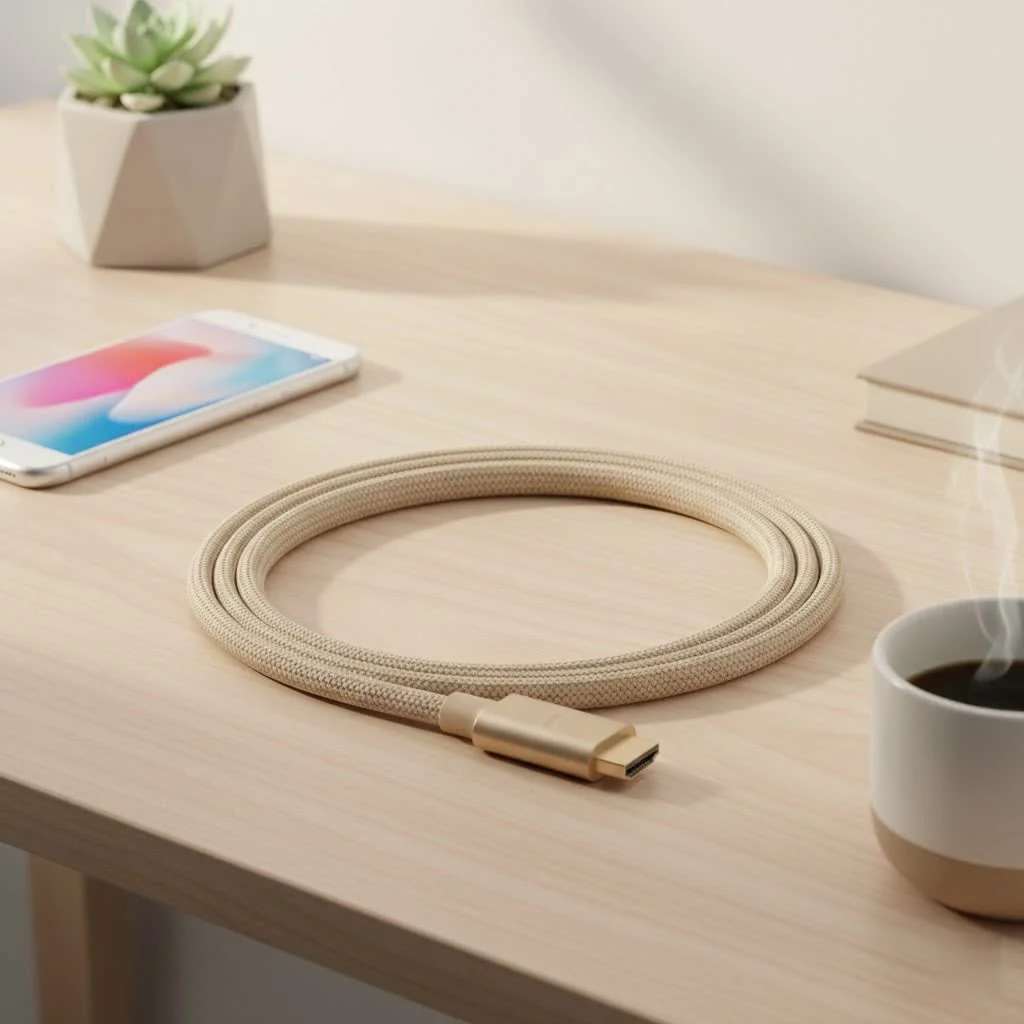
Welcome to Iecfl Tech, your definitive source for modern tech insights. We’re here to demystify the world of HDMI, breaking down everything you need to know to make a smart, informed decision. This guide will help you understand the technology, identify the features that matter, and select the perfect cable to unlock the full potential of your audio-video gear.
What Exactly is an HDMI Cable?
HDMI stands for High-Definition Multimedia Interface. At its core, it’s a standard for transmitting uncompressed digital video and audio from a source device (like a PlayStation 5 or an Apple TV) to a display (like your TV or monitor) through a single cable. Since its introduction in 2002, it has replaced a tangled mess of older analog cables (like component and S-video), becoming the universal standard for home and commercial AV.
The beauty of a cable HDMI to HDMI is its simplicity and power. It handles everything from standard HD to glorious 8K resolution, immersive surround sound, and even device control signals, all in one neat package.
The Evolution of HDMI: Understanding the Versions
Not all HDMI cables are created equal. As technology has advanced, so has the HDMI standard, with each new version unlocking more bandwidth to support higher resolutions, faster refresh rates, and new features. Think of it like a highway: a wider highway (more bandwidth) allows more cars (data) to travel at higher speeds.
HDMI 1.4: The HD Standard
Released in 2009, HDMI 1.4 was a major upgrade. It was the first version to support 4K resolution, though only at a choppy 30 frames per second (30Hz). It also introduced the Audio Return Channel (ARC). For years, this was the go-to cable for 1080p Full HD TVs, Blu-ray players, and consoles like the PS4 and Xbox One.
- Max Bandwidth: 10.2 Gbps
- Max Resolution: 4K at 30Hz or 1080p at 120Hz
- Key Features: ARC, 3D video support
HDMI 2.0: The Gateway to 4K HDR
With the arrival of 4K TVs, HDMI 2.0 became the new standard in 2013. By increasing the bandwidth significantly, it allowed for a much smoother 4K picture at 60Hz. Crucially, it also introduced support for High Dynamic Range (HDR), which provides a vastly superior range of color, contrast, and brightness.
- Max Bandwidth: 18 Gbps
- Max Resolution: 4K at 60Hz
- Key Features: HDR support, increased audio channels
HDMI 2.1: The Next-Generation Powerhouse
|
Our Picks for the Best HDMI Cable in 2026
As an Amazon Associate I earn from qualifying purchases.
|
||
| Num | Product | Action |
|---|---|---|
| 1 | 10K 8K HDMI 2.1 Cable 2-Pack 6.6FT, Highwings Certified 48Gbps Ultra High Speed Slim HDMI Cord,Support 4K@120Hz 8K@60Hz, HDCP 2.2&2.3, Dynamic HDR,eARC,DTS:X, Compatible with Roku TV/HDTV/PS5/Blu-ray |

|
| 2 | Highwings 4K HDMI Cable 6.6FT/2m - High-Speed HDMI 2.0 Quality Cord 4K@60Hz, Braided Nylon & Gold Connectors, HDR, Ethernet, ARC, 3D, HDCP 2.2, Compatible for PS-5/4/3/ HDTV/Monitor/DVD/Streaming |
|
| 3 | 15 Pack of 10 Foot hdmi Cables |
|
| 4 | Short HDMI Cable 1 FT 2-Pack, 8K HDMI 2.1 48Gbps Ultra High Speed Braided HDMI Cords, 1 Foot HDMI Cable for Camera, Field Monitor, External Recorder, Laptop, PC |
|
| 5 | Highwings Long HDMI Cable 15 FT, 4K 8K 10K HDMI 2.1 Cord Ultra High Speed [in-Wall CL3 Rated, 8K@60Hz 4K@120Hz Video 48Gbps], Fit, Durable, Flexible, eARC, HDCP, Compatible for Ethernet SoundBar |
|
| 6 | Anker HDMI Cable 8K@60Hz, 6FT Ultra HD 4K@120Hz HDMI Cord,48 Gbps Certified Ultra High-Speed,Compatible with PlayStation 5,Xbox,Samsung TVs,and More |
|
| 7 | Highwings High Speed 8K 60Hz HDMI Cable 3.3FT/1M, 2.1 48Gbps HDMI Braided Cable-4K@120Hz 7680P,DTS:X,HDCP 2.2 & 2.3, HDR 10,eARC,Dynamic HDR,Compatible for Laptop, Monitor, Roku TV |
|
| 8 | Highwings 8K@60 HDMI Cable 10FT/3M, 48Gbps 2.1 High Speed HDMI Braided Nylon 4K120 144Hz RTX 3090 eARC HDR10 4:4:4 HDCP 2.2&2.3 Compatible for PS5, PS4, UHD TV and PC |
|
| 9 | Highwings 8K 10K 4K HDMI Cable 48Gbps 6.6FT/2M, Certified Ultra High Speed HDMI Cable Braided Cord-4K@120Hz 8K@60Hz, DTS:X, HDCP 2.2 & 2.3, HDR 10 Compatible with Roku TV/PS5/HDTV/Blu-ray |
|
| 10 | Highwings Long HDMI Cable 20 FT, 10K 8K 4K Ultra HD High Speed 2.1 HDMI Cable 48Gbps Braided Cord-4K@120Hz 8K@60Hz, DTS:X, HDCP 2.2&2.3, Dynamic HDR 10 Compatible with Roku TV/PS5/HDTV/Blu-ray |
|
The latest and greatest standard is HDMI 2.1. It represents a massive leap in capability, nearly tripling the bandwidth of its predecessor. This is the technology required to power the latest gaming consoles like the PlayStation 5 and Xbox Series X, high-end PCs, and 8K TVs. It enables stunning 4K visuals at a buttery-smooth 120Hz and opens the door to 8K resolution.
- Max Bandwidth: 48 Gbps
- Max Resolution: 8K at 60Hz or 4K at 120Hz
- Key Features: Dynamic HDR, eARC, Variable Refresh Rate (VRR), Auto Low Latency Mode (ALLM)
“The biggest mistake consumers make is either overspending on a ‘fancy’ cable they don’t need or crippling their new 8K TV with a decade-old cable. The key is to match the cable’s capabilities to your source device and your display. An Ultra High-Speed HDMI 2.1 cable is essential for a PS5, but it’s overkill for a simple 1080p cable box.”— David Chen, Senior Installer, Pro AV Solutions
Key HDMI Features You Need to Know
Beyond version numbers, specific features determine your viewing and gaming experience. Here’s a quick rundown of the terms you’ll encounter.
- Bandwidth (Gbps): Gigabits-per-second. This is the data rate the cable can handle. More is better, enabling higher resolutions and refresh rates.
- Resolution: The number of pixels on your screen. 1080p (Full HD), 4K (Ultra HD), and 8K are the most common.
- Refresh Rate (Hz): How many times per second the image on the screen is refreshed. 60Hz is standard for TV shows and movies, while 120Hz provides exceptionally smooth motion for gaming.
- HDR (High Dynamic Range): Delivers a wider range of colors and brighter, more detailed highlights for a more lifelike picture. Formats include HDR10, Dolby Vision, and Dynamic HDR.
- ARC/eARC (Audio Return Channel): This clever feature allows your TV to send audio back to your soundbar or AV receiver through the same HDMI cable. eARC (Enhanced ARC) is the newer version supported by HDMI 2.1, offering much higher audio quality for formats like Dolby Atmos.
- VRR (Variable Refresh Rate): A must-have feature for gamers. It allows the TV to sync its refresh rate with the gaming console’s output in real-time, eliminating screen tearing and stutter for a smoother experience.
How to Choose the Right Cable HDMI to HDMI
Now for the most important part: matching a cable to your specific needs. Forget confusing version numbers and focus on the certified cable types which guarantee performance.
For Everyday HD and Basic 4K Streaming
If you’re connecting a standard Blu-ray player, a streaming stick like a Roku, or a cable box to a 1080p or basic 4K TV, you’ll be perfectly served by a High-Speed HDMI Cable. These are certified to handle the 18 Gbps bandwidth required for 4K video at 60Hz. There’s no need to spend more.
Checklist:
- Watching Netflix, YouTube, or cable on a 4K TV.
- Using an older gaming console (PS4, Xbox One).
- Connecting a laptop for presentations.
For 4K Movie Lovers and Home Theater Enthusiasts
If you have a 4K HDR TV and want the best possible picture quality from your 4K Blu-ray player or streaming device, a Premium High-Speed HDMI Cable is the way to go. These cables are specifically tested and certified to guarantee the full 18 Gbps bandwidth for a reliable 4K HDR experience with rich colors and deep contrast.
Checklist:
- You own a 4K UHD Blu-ray player.
- You have a premium soundbar or AV receiver using ARC.
- Your TV supports HDR10 or Dolby Vision.
For Competitive Gamers and Future-Proofing
If you own a PlayStation 5, Xbox Series X, or a high-end PC with a modern graphics card, you absolutely need an Ultra High-Speed HDMI Cable. This is the only cable type certified to handle the massive 48 Gbps bandwidth required for 4K gaming at 120Hz and 8K resolution. It’s also required for advanced features like VRR and eARC. Buying this cable ensures you’re ready for the future of entertainment.
Checklist:
- You own a PS5, Xbox Series X, or high-end gaming PC.
- Your TV or monitor supports 4K@120Hz or 8K.
- You use a Dolby Atmos soundbar and need eARC.
Common HDMI Problems and Quick Fixes
Even the best setups can have hiccups. Before you blame a faulty device, try these simple troubleshooting steps.
- No Signal or “Sparkles”: This is often a seating issue. Unplug the cable HDMI to HDMI from both the source and the display, wait a few seconds, and plug them back in firmly.
- Flickering Screen: This can indicate a bandwidth issue. If you’re trying to push a 4K HDR signal through an old, uncertified cable, it may not be able to keep up. Try a shorter, higher-quality cable.
- No Audio from Soundbar: Check your TV’s settings to ensure ARC or eARC is enabled. Also, make sure the cable is plugged into the specific HDMI port labeled “ARC” or “eARC” on both your TV and soundbar.
- HDCP Error: This “handshake” error can sometimes be fixed by simply power cycling your devices. Turn everything off, unplug them from the wall for 30 seconds, and then power them back on, starting with the TV first.
Frequently Asked Questions (FAQ)
Q: Are expensive gold-plated HDMI cables better?A: For digital signals, gold plating doesn’t improve picture or sound quality. Its only real benefit is preventing corrosion, which is only a concern in very humid environments. A certified cable from a reputable brand is far more important than a gold-plated connector.
Q: Does cable length matter for a cable HDMI to HDMI?A: Yes, it does. Signal integrity can degrade over long distances. For high-bandwidth signals like 4K@120Hz, it’s best to keep passive cables under 15 feet (about 5 meters). For longer runs, you may need an active optical HDMI cable.
Q: Can I use an old HDMI 1.4 cable for my new 4K TV?A: You can, but you will be severely limiting your TV’s capabilities. You won’t get 4K at 60Hz, you won’t get HDR, and you won’t get advanced gaming features. To see what your new TV can really do, you need to upgrade your cable.
Q: Are all HDMI ports on a TV the same?A: Not always. On many TVs, only one or two ports may support the full HDMI 2.1 feature set (like 4K@120Hz). Check for labels on the ports or consult your TV’s manual to ensure you’re using the highest-performance input for your best source device.
Q: What is the difference between an HDMI switch and a splitter?A: An HDMI switch lets you connect multiple source devices to a single HDMI port on your TV, letting you switch between them. An HDMI splitter takes a single source signal and displays it on multiple screens simultaneously.
Your Connection to Quality
Choosing the right cable HDMI to HDMI isn’t about spending the most money; it’s about making a smart investment in your entertainment experience. By understanding the different types and matching the cable’s capabilities to your hardware, you ensure every pixel and every sound wave is delivered exactly as the creator intended. From the crisp detail of a 4K movie to the fluid motion of next-gen gaming, the right connection makes all the difference. Upgrade your cable, and unlock the true power of your system.
Frequently Asked Questions
Do expensive gold-plated HDMI cables offer better performance?
No, gold plating on HDMI cables does not improve picture or sound quality for digital signals. Its primary benefit is preventing corrosion, which is only a concern in highly humid environments. A certified cable from a reputable brand is far more important than gold-plated connectors for optimal performance.
Does the length of an HDMI cable affect its signal quality?
Yes, cable length can affect signal integrity, especially for high-bandwidth signals. For demanding signals like 4K at 120Hz, it is recommended to keep passive HDMI cables under 15 feet (approximately 5 meters). For longer distances, an active optical HDMI cable may be necessary to maintain signal quality.
Can an older HDMI 1.4 cable be used with a new 4K TV?
While an HDMI 1.4 cable can connect to a new 4K TV, it will severely limit the TV's capabilities. You will not achieve 4K resolution at 60Hz, nor will you experience High Dynamic Range (HDR) or advanced gaming features. To fully utilize a new 4K TV, upgrading to a newer HDMI cable, such as an HDMI 2.0 or 2.1, is essential.
Are all HDMI ports on a television identical in functionality?
No, not all HDMI ports on a TV are always the same. On many modern televisions, only one or two ports may support the full HDMI 2.1 feature set, such as 4K at 120Hz or eARC. It is important to check the labels on the ports or consult your TV's manual to ensure you are using the highest-performance input for your primary source device.
What is the difference between an HDMI switch and an HDMI splitter?
An HDMI switch allows you to connect multiple source devices (e.g., gaming console, Blu-ray player) to a single HDMI input on your TV, enabling you to switch between them. In contrast, an HDMI splitter takes a single source signal and duplicates it to display on multiple screens simultaneously.
How to Choose the Right HDMI Cable
Selecting the correct HDMI cable ensures optimal performance for your audio-video setup. Match the cable type to your devices for the best experience.
Determine the resolution and refresh rate requirements of your source devices (e.g., PS5, 4K Blu-ray player) and your display (e.g., 4K TV, 8K monitor). This will dictate the necessary HDMI version and bandwidth.
For everyday HD and basic 4K streaming (up to 4K at 60Hz), a High-Speed HDMI Cable is sufficient. These cables support up to 18 Gbps bandwidth and are ideal for standard streaming sticks or older gaming consoles.
For 4K movie lovers and home theater enthusiasts with 4K HDR TVs, opt for a Premium High-Speed HDMI Cable. These are certified to guarantee the full 18 Gbps bandwidth needed for reliable 4K HDR with rich colors and contrast.
For competitive gamers with PS5, Xbox Series X, or high-end PCs, or for 8K TVs, an Ultra High-Speed HDMI Cable is essential. This cable type handles 48 Gbps bandwidth for 4K at 120Hz and 8K resolution, supporting features like VRR and eARC.
Get our weekly buyer guide
Practical specs, not advice. Unsubscribe anytime.

I bought a new cable after reading about 8K resolution support, hoping to future-proof my setup. While the cable works fine for my current 4K TV, I haven’t seen any major improvement over my previous one. It’s a bit stiff, which made routing it behind my entertainment center a little tricky. Good to know about the tech, though.
This guide helped me figure out why my Blu-ray player wasn’t looking as sharp as it should on my new projector. I learned about matching the cable’s bandwidth to my devices. Swapped out an older cable for a newer one with 48 Gbps, and the difference in clarity is noticeable. Solid advice, just wish I’d known this sooner.
I was really struggling with my new PS5 on my 4K TV, getting weird lag and screen tearing. After reading about the HDMI 2.1 standard here, I upgraded my old cable to one that supports 4K at 120Hz. What a difference! Games are super smooth now, and the picture quality is incredible. Definitely worth investing in the right cable.
Finally, a clear explanation of HDMI cables! I always just grabbed whatever was cheapest, but understanding the difference between standards like HDMI 2.1 and older versions really opened my eyes. My streaming device now looks fantastic on my big screen, no more random dropouts. This guide was super helpful for making an informed choice.