Have you ever found yourself staring at an old box of treasured VCR tapes, a classic Nintendo 64, or a beloved DVD player, and then at your brand new, sleek 4K TV? You see the familiar red, white, and yellow RCA plugs on the old device and the slim, modern HDMI ports on the TV, and it feels like you’re trying to fit a square peg in a round hole. You’re not alone. The big question is, how do you bridge this technology gap? The answer lies in what many search for as an RCA to HDMI cable, but the real solution is a bit more clever than a simple cable.
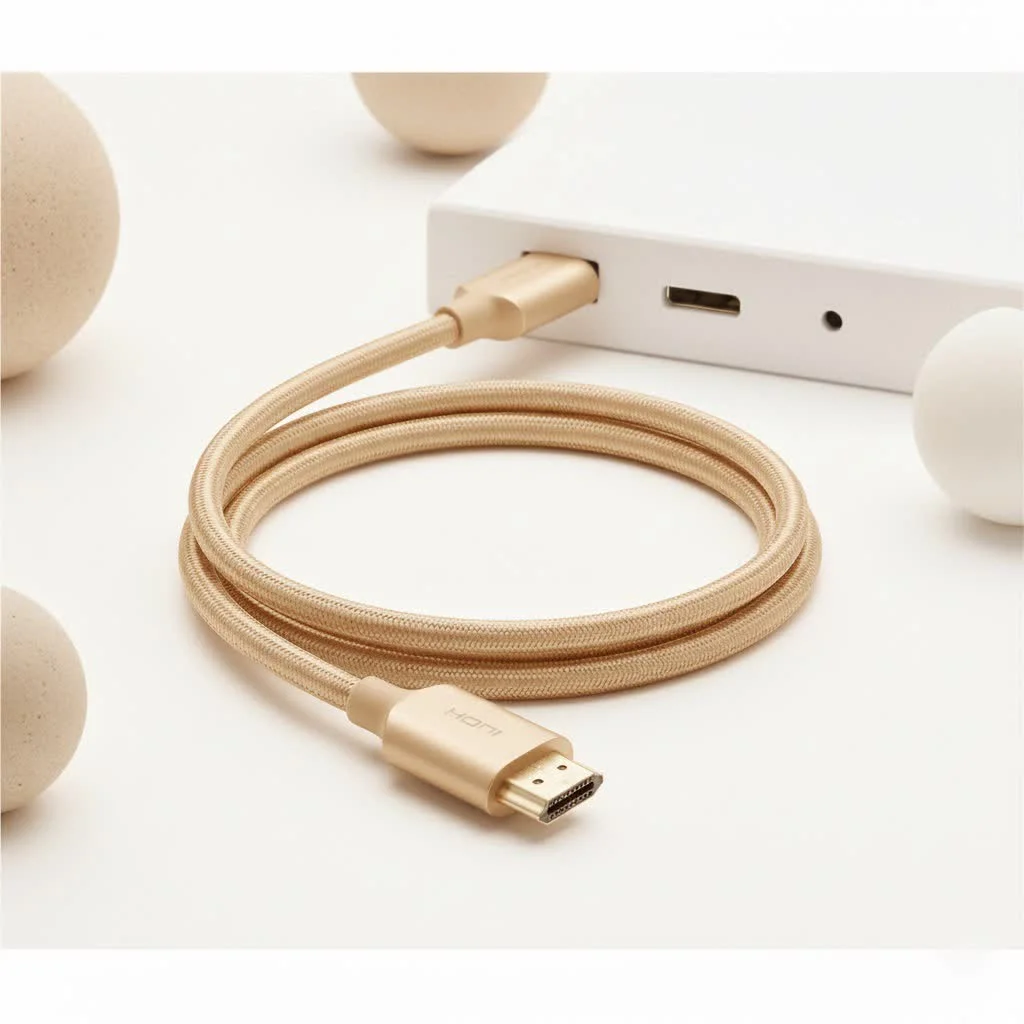
At Iecfl Tech, we live and breathe this technology. We’re here to demystify the process, ensuring you can dust off those classics and give them a new life on your modern display. This guide will walk you through everything you need to know, saving you from purchasing the wrong product and getting you back to enjoying your favorite retro games and movies in no time.
The Critical Difference: Cable vs. Converter
Let’s get the most important point out of the way first. If you see a product marketed as a simple RCA to HDMI cable—meaning it’s just a cable with RCA plugs on one end and an HDMI plug on the other, with no small box in the middle—you should avoid it. It simply will not work.
The reason is fundamental: RCA and HDMI speak completely different languages.
- RCA is Analog: It transmits video and audio as a continuous, wave-like signal. Think of it as painting a picture with a brush.
- HDMI is Digital: It transmits video and audio as a series of ones and zeros (binary code). This is like building a picture with tiny, precise pixels.
A simple cable can only pass a signal along; it cannot translate it. You cannot send an analog signal down a wire and have it magically become digital on the other end. To make this connection work, you need a device that can actively translate the signal. This device is called a converter or an adapter.
An RCA to HDMI converter is an active device containing a small chipset. This chip takes the analog signal from your VCR or game console, digitizes it, and then outputs it in the HDMI format your TV can understand. This is why these converters require a power source, usually via a USB cable.
How to Choose the Right RCA to HDMI Converter
Now that you know you need a converter, not just a cable, how do you pick the right one? While they might all look similar, a few key features separate a great experience from a frustrating one.
Resolution and Upscaling: Managing Expectations
|
Our Picks for the Best HDMI Cable in 2026
As an Amazon Associate I earn from qualifying purchases.
|
||
| Num | Product | Action |
|---|---|---|
| 1 | Highwings Long HDMI Cable 20 FT, 10K 8K 4K Ultra HD High Speed 2.1 HDMI Cable 48Gbps Braided Cord-4K@120Hz 8K@60Hz, DTS:X, HDCP 2.2&2.3, Dynamic HDR 10 Compatible with Roku TV/PS5/HDTV/Blu-ray |

|
| 2 | 15 Pack of 10 Foot hdmi Cables |
|
| 3 | Highwings 4K HDMI Cable 6.6FT/2m - High-Speed HDMI 2.0 Quality Cord 4K@60Hz, Braided Nylon & Gold Connectors, HDR, Ethernet, ARC, 3D, HDCP 2.2, Compatible for PS-5/4/3/ HDTV/Monitor/DVD/Streaming |
|
| 4 | Highwings 8K 10K 4K HDMI Cable 48Gbps 6.6FT/2M, Certified Ultra High Speed HDMI Cable Braided Cord-4K@120Hz 8K@60Hz, DTS:X, HDCP 2.2 & 2.3, HDR 10 Compatible with Roku TV/PS5/HDTV/Blu-ray |
|
| 5 | 10K 8K HDMI 2.1 Cable 2-Pack 6.6FT, Highwings Certified 48Gbps Ultra High Speed Slim HDMI Cord,Support 4K@120Hz 8K@60Hz, HDCP 2.2&2.3, Dynamic HDR,eARC,DTS:X, Compatible with Roku TV/HDTV/PS5/Blu-ray |
|
| 6 | Highwings Long HDMI Cable 15 FT, 4K 8K 10K HDMI 2.1 Cord Ultra High Speed [in-Wall CL3 Rated, 8K@60Hz 4K@120Hz Video 48Gbps], Fit, Durable, Flexible, eARC, HDCP, Compatible for Ethernet SoundBar |
|
| 7 | Highwings High Speed 8K 60Hz HDMI Cable 3.3FT/1M, 2.1 48Gbps HDMI Braided Cable-4K@120Hz 7680P,DTS:X,HDCP 2.2 & 2.3, HDR 10,eARC,Dynamic HDR,Compatible for Laptop, Monitor, Roku TV |
|
| 8 | Anker HDMI Cable 8K@60Hz, 6FT Ultra HD 4K@120Hz HDMI Cord,48 Gbps Certified Ultra High-Speed,Compatible with PlayStation 5,Xbox,Samsung TVs,and More |
|
| 9 | Highwings 8K@60 HDMI Cable 10FT/3M, 48Gbps 2.1 High Speed HDMI Braided Nylon 4K120 144Hz RTX 3090 eARC HDR10 4:4:4 HDCP 2.2&2.3 Compatible for PS5, PS4, UHD TV and PC |
|
| 10 | Short HDMI Cable 1 FT 2-Pack, 8K HDMI 2.1 48Gbps Ultra High Speed Braided HDMI Cords, 1 Foot HDMI Cable for Camera, Field Monitor, External Recorder, Laptop, PC |
|
Many converters will advertise the ability to “upscale” the standard-definition signal (typically 480i) from your old device to 720p or 1080p HD. This is a crucial feature, as modern TVs are not always great at handling the native low-resolution signal from retro sources.
- What is Upscaling? The converter’s chip intelligently stretches the original 480-line image to fit the 720 or 1080 lines on your HD or 4K screen. It uses algorithms to guess what the extra pixels should look like, which can result in a sharper, cleaner image.
- Manage Your Expectations: An upscaler cannot create detail that wasn’t there to begin with. Your VCR tapes will not suddenly look like a Blu-ray movie. The goal of upscaling is to provide a stable, properly-sized image on your TV, not to magically transform the source material into high definition. Look for a converter with a physical switch to toggle between 720p and 1080p, as one setting might look better than the other depending on your TV.
Power Source: The Non-Negotiable USB Cable
As mentioned, the conversion process is an active one that requires energy. Any legitimate RCA to HDMI converter must be powered. This power is almost always supplied via an included USB cable. You can plug this into a spare USB port on your TV, a nearby power adapter (like a phone charger), or your game console. If a device doesn’t require power, it’s not a converter, and it won’t work.
Aspect Ratio Control: Avoiding the Stretch
Old TVs had a squarer 4:3 aspect ratio. Modern widescreen TVs use a 16:9 ratio. If the signal is not handled correctly, your TV might stretch the 4:3 image to fit the 16:9 screen, making characters and objects look short and wide. While some TVs allow you to manually adjust the aspect ratio, a good converter can help. Some advanced models include a switch to preserve the original 4:3 format, displaying it with black bars on the sides for an authentic, non-distorted picture.
A Word from the Experts
We spoke with James Caldwell, a professional home theater installer with over 15 years of experience, about the common pitfalls he sees.
“The biggest mistake people make is buying a passive ‘cable’ and expecting it to work,” James explains. “They’re understandably frustrated when they get no signal. An RCA to HDMI converter is a fantastic bridge for nostalgia, but it’s a translator, not a time machine. It won’t turn your VCR tapes into 4K Blu-rays. The goal is to get a clean, stable signal on your modern display, and for that, a powered converter is non-negotiable.”
Step-by-Step Guide: Connecting Your Devices
Setting up your converter is straightforward. Here’s a simple checklist to get you started.
- Unpack Everything: Lay out the converter, the USB power cable, and your HDMI cable.
- Connect the RCA Plugs: Plug the yellow (video), red (right audio), and white (left audio) cables from your VCR, DVD player, or game console into the corresponding female inputs on the converter. Match the colors carefully.
- Connect the HDMI Cable: Plug one end of an HDMI cable into the “HDMI Out” port on the converter and the other end into an available HDMI port on your TV. Take note of which port you use (e.g., HDMI 1, HDMI 2).
- Provide Power: Connect the small end of the USB cable to the converter and the larger end to a USB port on your TV or a wall adapter. A small indicator light should turn on.
- Switch Your TV’s Input: Turn on your TV and your old device. Use your TV remote to select the correct HDMI input (the one you plugged the cable into in step 3).
- Play Your Media: You should now see the picture from your old device on your new TV screen.
Common Problems and Easy Troubleshooting Fixes
Sometimes things don’t work perfectly on the first try. Here are some common issues and how to solve them.
Why is My Screen Black and White?
A black and white picture is almost always caused by an incorrect video signal format or a mismatched connection.
- Check the Plugs: Double-check that the yellow video cable is securely plugged into the yellow inputs on both your device and the converter.
- PAL vs. NTSC: Some converters have a switch for PAL and NTSC, which are different analog TV standards used in different parts of the world (NTSC is standard in North America and Japan, PAL in most of Europe). Make sure the switch is set to the correct format for your device and region.
I Have a Picture, But There’s No Sound
If you can see the video but can’t hear anything, the issue lies with the audio cables.
- Check the Red and White Cables: Ensure the red and white audio cables are firmly connected to the correct color ports on both ends.
- Check TV Settings: Some TVs have audio settings that might be muted or configured for a different input. Navigate to your TV’s audio menu to ensure the sound for the selected HDMI input is on and turned up.
The Image Looks Stretched or Blurry
This is usually an aspect ratio or upscaling issue.
- Adjust TV Settings: First, check your TV’s picture or display settings. Look for an “Aspect Ratio,” “Screen Size,” or “Picture Format” option and try changing it to “4:3,” “Normal,” or “Original.”
- Use the Converter Switch: If your converter has a 720p/1080p switch, try toggling it. Sometimes a TV handles one resolution better than the other, resulting in a cleaner image.
Frequently Asked Questions (FAQ)
1. So, do I need an RCA to HDMI cable or a converter?
You absolutely need an RCA to HDMI converter. A simple cable lacks the necessary electronics to translate the analog signal to a digital one and will not work.
2. Will an RCA to HDMI converter improve my picture quality?
It will not magically transform standard definition into true high definition. However, a good converter’s upscaling feature can produce a sharper and more stable image on your modern TV than if you were to connect the device through other means. Its main job is compatibility, not enhancement.
3. Can I use this to connect my old Nintendo (NES, SNES, N64) to my 4K TV?
Yes! This is one of the most popular uses for an RCA to HDMI cable converter. It’s a perfect solution for bringing classic game consoles into the modern era.
4. Why does my converter need a USB power cable?
The conversion from analog to digital requires a dedicated processing chip inside the converter box. This chip needs electricity to function, which is provided by the USB cable.
5. Does this work in reverse, to connect an HDMI device to an old TV with RCA inputs?
No, it does not. The signal conversion is one-way (RCA to HDMI). To go from a modern HDMI source (like a new laptop or Roku) to an old RCA television, you would need a different device called an HDMI to RCA converter.
Conclusion: Bridge Your Past to the Present
Connecting your cherished older devices to a new TV doesn’t have to be a technical nightmare. By understanding that you need a powered RCA to HDMI converter—not just a simple cable—you’ve already won half the battle. This small but mighty device acts as the perfect translator, allowing your analog classics to communicate with the digital world of your modern home entertainment setup.
So go ahead, dig out that old game console or your favorite home movies. By choosing the right converter, you can easily bridge the decades of technology and ensure your memories are not just preserved, but ready to be enjoyed all over again.
Get our weekly buyer guide
Practical specs, not advice. Unsubscribe anytime.
