So, you’ve just brought home a brand new, gleaming 4K TV. You’ve unboxed it, mounted it, and are ready to be blown away by stunning visuals. But when you plug everything in, the picture looks… fine? Not exactly the mind-blowing clarity you were promised. Before you start questioning your purchase, let’s talk about the unsung hero (or potential villain) of your setup: the 4k hdmi cable. It’s the vital link that determines whether you get a good picture or the glorious, ultra-high-definition experience you paid for.
Welcome to Iecfl Tech, where we untangle the wires of modern technology. Today, we’re diving deep into the world of HDMI cables to ensure your 4K content looks exactly as it should: spectacular.
What Exactly Is a 4K HDMI Cable?
First, let’s clear up a common misconception. There isn’t technically a product officially named a “4K HDMI cable.” The term is a marketing creation used to help consumers find the right cable for their 4K Ultra HD devices. Instead of focusing on the name, what truly matters is the cable’s speed certification, which indicates its bandwidth capability.
Think of bandwidth as a highway. The more data (cars) that need to travel from your source (like a PS5 or Blu-ray player) to your display (your 4K TV), the more lanes you need. 4K video, especially with added features like High Dynamic Range (HDR), requires a very wide highway.
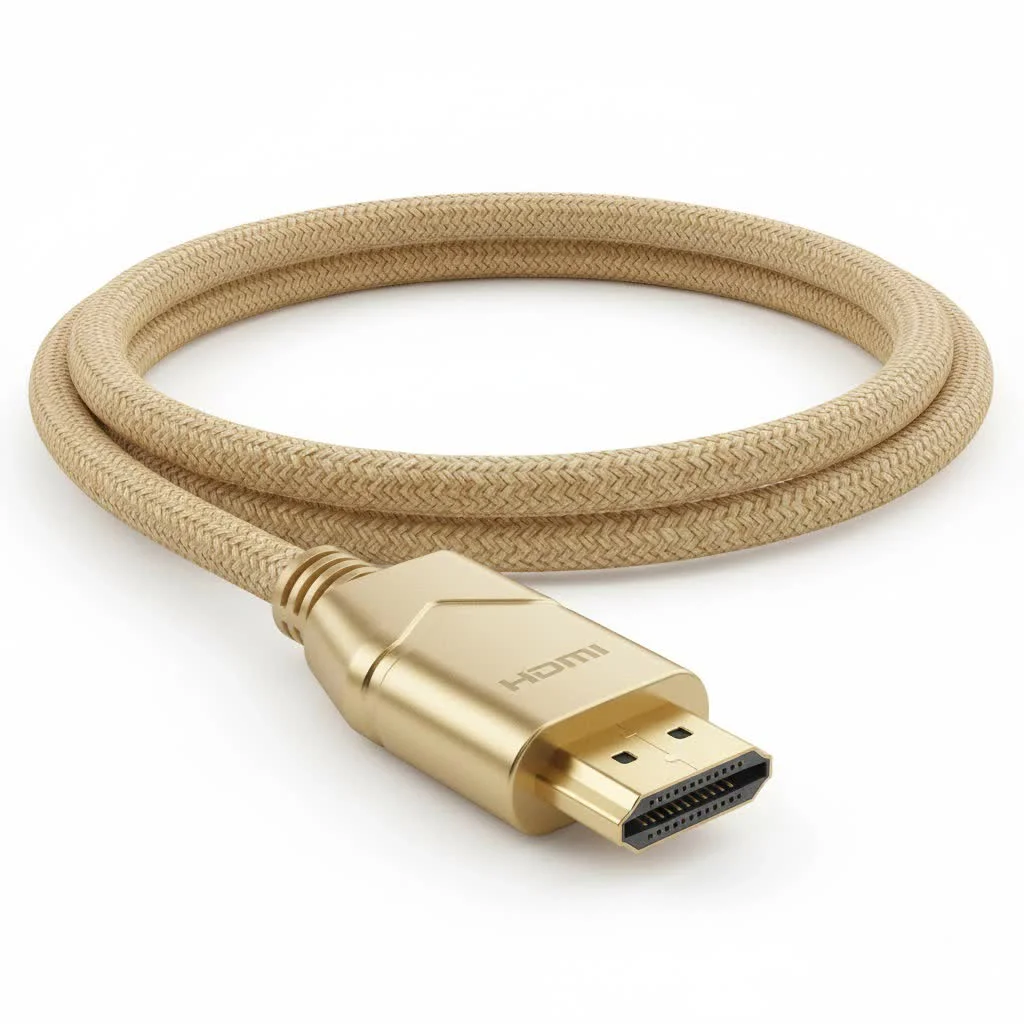
A cable that can handle this data load is what we refer to as a 4k hdmi cable. Specifically, you should be looking for cables certified as Premium High-Speed or Ultra High-Speed.
The Evolution of HDMI: Why Versions Matter
The capabilities of an HDMI cable are tied directly to the HDMI version specification it was built to support. Each new version unlocks more features and higher bandwidth.
HDMI 1.4: The Old Guard
Released in 2009, this was the first version to support 4K resolution, but only up to 30 frames per second (fps). It’s sufficient for some 4K movie players but falls short for modern gaming and high-refresh-rate content.
HDMI 2.0: The 4K Standard
This version, introduced in 2013, was a game-changer. It increased bandwidth to 18 Gbps, enabling 4K resolution at a much smoother 60 fps. For most 4K TVs, streaming devices, and the PlayStation 4 Pro or Xbox One X, a cable that meets HDMI 2.0 standards is the baseline. These are typically certified as Premium High-Speed HDMI Cables.
HDMI 2.1: The Future-Proof Powerhouse
|
Our Picks for the Best HDMI Cable in 2026
As an Amazon Associate I earn from qualifying purchases.
|
||
| Num | Product | Action |
|---|---|---|
| 1 | 15 Pack of 10 Foot hdmi Cables |

|
| 2 | Highwings High Speed 8K 60Hz HDMI Cable 3.3FT/1M, 2.1 48Gbps HDMI Braided Cable-4K@120Hz 7680P,DTS:X,HDCP 2.2 & 2.3, HDR 10,eARC,Dynamic HDR,Compatible for Laptop, Monitor, Roku TV |
|
| 3 | Anker HDMI Cable 8K@60Hz, 6FT Ultra HD 4K@120Hz HDMI Cord,48 Gbps Certified Ultra High-Speed,Compatible with PlayStation 5,Xbox,Samsung TVs,and More |
|
| 4 | Highwings Long HDMI Cable 15 FT, 4K 8K 10K HDMI 2.1 Cord Ultra High Speed [in-Wall CL3 Rated, 8K@60Hz 4K@120Hz Video 48Gbps], Fit, Durable, Flexible, eARC, HDCP, Compatible for Ethernet SoundBar |
|
| 5 | Highwings 8K@60 HDMI Cable 10FT/3M, 48Gbps 2.1 High Speed HDMI Braided Nylon 4K120 144Hz RTX 3090 eARC HDR10 4:4:4 HDCP 2.2&2.3 Compatible for PS5, PS4, UHD TV and PC |
|
| 6 | Highwings 8K 10K 4K HDMI Cable 48Gbps 6.6FT/2M, Certified Ultra High Speed HDMI Cable Braided Cord-4K@120Hz 8K@60Hz, DTS:X, HDCP 2.2 & 2.3, HDR 10 Compatible with Roku TV/PS5/HDTV/Blu-ray |
|
| 7 | Highwings 4K HDMI Cable 6.6FT/2m - High-Speed HDMI 2.0 Quality Cord 4K@60Hz, Braided Nylon & Gold Connectors, HDR, Ethernet, ARC, 3D, HDCP 2.2, Compatible for PS-5/4/3/ HDTV/Monitor/DVD/Streaming |
|
| 8 | Short HDMI Cable 1 FT 2-Pack, 8K HDMI 2.1 48Gbps Ultra High Speed Braided HDMI Cords, 1 Foot HDMI Cable for Camera, Field Monitor, External Recorder, Laptop, PC |
|
| 9 | Highwings Long HDMI Cable 20 FT, 10K 8K 4K Ultra HD High Speed 2.1 HDMI Cable 48Gbps Braided Cord-4K@120Hz 8K@60Hz, DTS:X, HDCP 2.2&2.3, Dynamic HDR 10 Compatible with Roku TV/PS5/HDTV/Blu-ray |
|
| 10 | 10K 8K HDMI 2.1 Cable 2-Pack 6.6FT, Highwings Certified 48Gbps Ultra High Speed Slim HDMI Cord,Support 4K@120Hz 8K@60Hz, HDCP 2.2&2.3, Dynamic HDR,eARC,DTS:X, Compatible with Roku TV/HDTV/PS5/Blu-ray |
|
The latest and greatest, HDMI 2.1, is a massive leap forward. It skyrockets bandwidth to 48 Gbps. This allows for:
- 4K resolution at 120 fps
- 8K resolution at 60 fps
- Enhanced gaming features like Variable Refresh Rate (VRR) and Auto Low Latency Mode (ALLM)
- Enhanced Audio Return Channel (eARC) for uncompressed audio formats like Dolby Atmos and DTS:X.
If you own a PlayStation 5, Xbox Series X, or a high-end PC with a new graphics card, an HDMI 2.1 cable, certified as Ultra High-Speed, is essential to unlock their full potential.
As home theater installer Mark Reynolds often tells his clients, “Buying a next-gen console without an Ultra High-Speed HDMI cable is like buying a Ferrari and only driving it in first gear. You’re leaving all the performance on the table.”
Decoding Key Features of a 4K HDMI Cable
When you’re shopping, you’ll see a lot of jargon. Let’s break down what’s most important.
Bandwidth
This is the data transfer rate, measured in gigabits per second (Gbps).
- 18 Gbps: The standard for HDMI 2.0, perfect for 4K at 60Hz. Look for the “Premium High-Speed” certification.
- 48 Gbps: The new benchmark for HDMI 2.1, necessary for 4K at 120Hz and 8K. Look for the “Ultra High-Speed” certification.
High Dynamic Range (HDR)
HDR technology dramatically expands the range of color and contrast, creating a more vibrant and lifelike picture. Formats like HDR10, Dolby Vision, and HLG all require the higher bandwidth provided by Premium High-Speed cables or better to function correctly.
Refresh Rate (Hz)
This indicates how many times your screen updates per second. 60Hz is standard for TV shows and movies. However, for a fluid, responsive gaming experience, 120Hz is the new gold standard, and it requires the bandwidth of an Ultra High-Speed (HDMI 2.1) cable.
ARC and eARC
Audio Return Channel (ARC) allows your TV to send audio back down the HDMI cable to your soundbar or AV receiver, simplifying your setup. The newer eARC (Enhanced ARC), a feature of HDMI 2.1, has much higher bandwidth, allowing it to carry uncompressed, high-fidelity audio formats.
So, Which 4K HDMI Cable Do You Need? A Practical Guide
Let’s make this simple. Your choice depends entirely on the devices you’re connecting.
For Most 4K TV and Streaming Setups
- Devices: Apple TV 4K, Roku Ultra, Nvidia Shield, 4K Blu-ray player, PlayStation 4 Pro.
- Your TV: A standard 4K TV with 60Hz refresh rate panels.
- Your Cable: A Premium High-Speed Certified HDMI Cable is perfect. It guarantees 18 Gbps bandwidth for flawless 4K60 and HDR performance.
For Next-Generation Gaming and High-End Home Theaters
- Devices: PlayStation 5, Xbox Series X, a PC with an RTX 30/40-series or AMD RX 6000/7000-series GPU.
- Your TV/Monitor: A 4K display with a native 120Hz refresh rate and HDMI 2.1 ports.
- Your Cable: An Ultra High-Speed Certified HDMI Cable is a must. It’s the only way to get the 48 Gbps bandwidth required for 4K at 120Hz, VRR, and other advanced features.
The Certification Sticker: Your Shield Against False Advertising
The HDMI market is flooded with cables making wild claims. To cut through the noise, the HDMI Licensing Administrator, Inc. created a certification program.
- Premium High-Speed: Look for a label with a QR code and a hologram on the packaging. This verifies the cable has been tested to reliably support 18 Gbps.
- Ultra High-Speed: This cable has an even more stringent certification. Look for the specific “Ultra High-Speed HDMI Cable” name and QR code on the box.
Scanning the QR code with the official HDMI Cable Certification app will confirm its authenticity. Don’t buy a cable without one of these labels.
Frequently Asked Questions (FAQ)
1. Do I need to spend a lot of money on a 4K HDMI cable?
No. As long as a cable has the official Premium or Ultra High-Speed certification, a less expensive one will perform identically to a pricey one over standard short distances (under 15 feet). Digital signals either work or they don’t; there’s no “better” picture quality with more expensive cables.
2. Are gold-plated HDMI connectors better?
Gold is resistant to corrosion, which can be a minor benefit in humid environments. However, for most home setups, it makes no difference to signal quality. It’s largely a marketing gimmick.
3. What is the maximum effective length for a 4K HDMI cable?
For passive copper cables, signal degradation becomes an issue after about 15-25 feet, especially with the high bandwidth of HDMI 2.1. For longer runs, you’ll need an “active” optical HDMI cable, which uses fiber optics to transmit the signal over great distances without loss.
4. Can I use my old HDMI cable for my new 4K TV?
You might get a picture, but you likely won’t get the full 4K HDR or high-refresh-rate experience. If your old cable isn’t certified as at least Premium High-Speed, it will probably be a bottleneck for your system.
5. How can I check if my current cable supports 4K at 60Hz?
The easiest way is to connect your source to your display, go into the display settings, and see if you can select 4K (3840 x 2160) resolution at 60Hz with HDR enabled. If it flickers, shows artifacts, or won’t allow the option, your cable is likely the culprit.
The Final Connection
Choosing the right 4k hdmi cable isn’t about spending the most money; it’s about making an informed decision. By matching your cable’s certification—Premium High-Speed for most 4K needs and Ultra High-Speed for next-gen gaming and future-proofing—to your devices’ capabilities, you ensure that every pixel and every sound wave is delivered perfectly. Don’t let a simple cable be the weak link in your expensive entertainment chain. Check your connections, invest in a certified cable, and finally enjoy the breathtaking clarity of true 4K.
Get our weekly buyer guide
Practical specs, not advice. Unsubscribe anytime.

I appreciate the info on avoiding cheap, uncertified cables. I bought one of the recommended brands, but I’m still getting occasional flickering when I switch inputs on my soundbar. It’s better than before, but not perfect. Maybe I need to check my port too.
This was exactly what I needed! I just got a new 4K monitor for my work-from-home setup and was worried about getting the best picture quality. Understanding that ‘4K HDMI cable’ is a marketing term and what specs to actually look for saved me from overspending and ensured I got the right cable for my needs. No more blurry spreadsheets!
Great breakdown on the different types of HDMI cables. I always thought a cable was just a cable, but learning about the bandwidth requirements for 4K content was a game-changer. I picked up a new cable that supports 18Gbps and my gaming setup has never looked better. Solid advice.
I was so confused about why my new 4K TV wasn’t looking as sharp as I expected. This guide really helped me understand that it wasn’t the TV, but my old HDMI cable. I upgraded to a certified ‘Ultra High Speed’ cable as recommended, and the difference is night and day. My movies finally look spectacular!