You’ve invested in a fantastic soundbar, ready to transform your living room into a cinema-quality audio haven. You unbox it, place it perfectly beneath your TV, and then you face the final, crucial step: the connection. You might think any old HDMI cable will do, but the truth is, the right hdmi cable for soundbar is the secret ingredient to unlocking the full, immersive sound you’ve paid for. Get it wrong, and you could be leaving the best audio performance on the table.
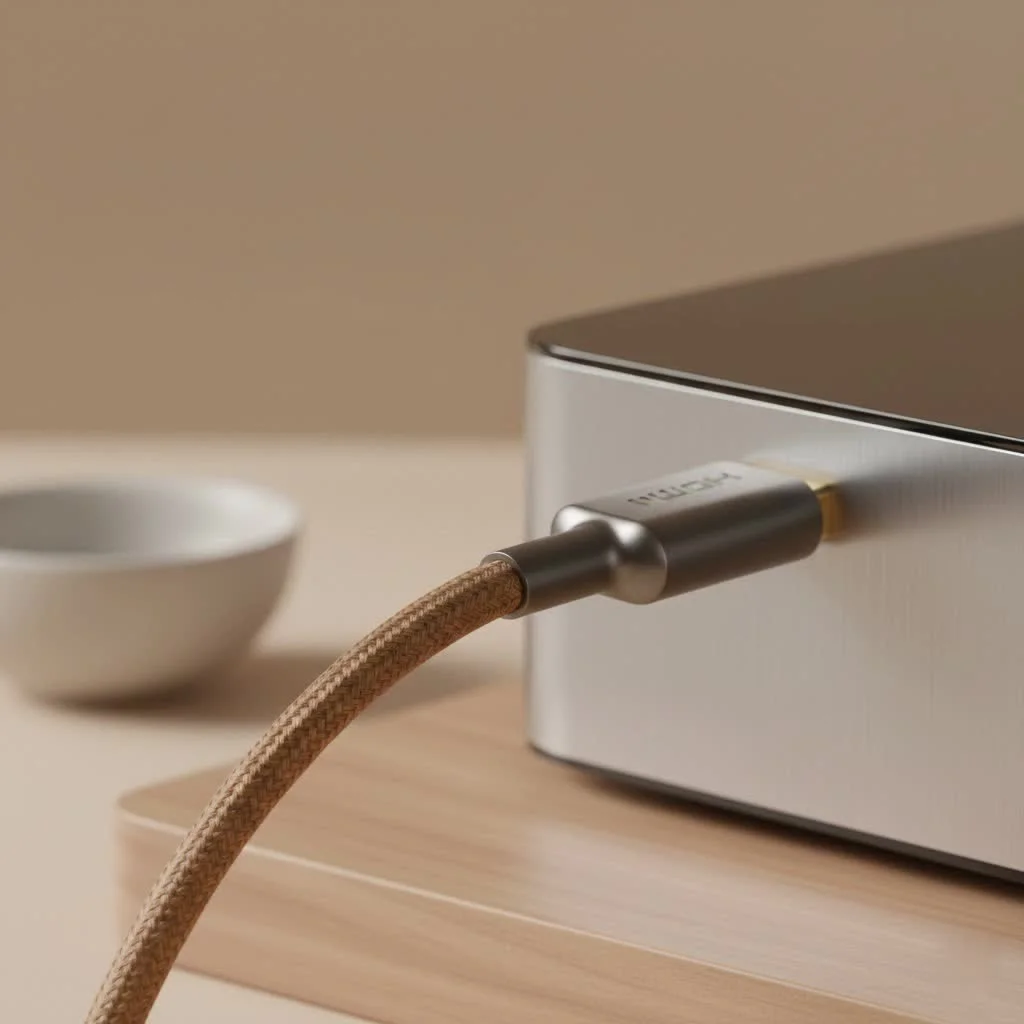
This guide will demystify the world of HDMI cables, explaining the critical role of features like ARC and eARC, and helping you choose the perfect cable to make your soundbar truly sing. Let’s plug in and get started. For explore our hdmi cables reviews on this site.
Why Your HDMI Cable Matters: Meet ARC and eARC
Originally, an HDMI cable was a one-way street, sending video and audio from a source (like a Blu-ray player) to a display (your TV). But to get your TV’s audio—from its built-in apps like Netflix or a connected game console—out to your soundbar, you needed a separate optical audio cable. This led to more cable clutter and complexity. That’s where Audio Return Channel, or ARC, changed the game.
What is HDMI ARC (Audio Return Channel)?
HDMI ARC is a clever feature that allows audio to travel in reverse, from the TV back down the very same HDMI cable to your soundbar or AV receiver. It creates a two-way communication path, simplifying your setup significantly.
- How it Works: It uses a single HDMI cable to handle both video input and audio output.
- What it Delivers: ARC has enough bandwidth to handle standard stereo audio and compressed 5.1 surround sound formats, like Dolby Digital. This is a huge step up from your TV’s built-in speakers.
- Cable Requirement: To use ARC, you need a “High-Speed” HDMI cable or newer. The good news is that most HDMI cables made since 2009 fall into this category.
What is HDMI eARC (Enhanced Audio Return Channel)?
Think of eARC as the supercharged, modern successor to ARC. As audio formats have become more advanced, the need for more data bandwidth has grown. eARC was introduced with the HDMI 2.1 standard to meet this demand.
- How it’s Better: eARC has significantly more bandwidth than ARC. This increase is the key to its superior performance.
- What it Delivers: The extra bandwidth allows eARC to transmit uncompressed, high-resolution audio formats. This includes the best versions of Dolby Atmos (via Dolby TrueHD) and DTS:X, delivering the richest, most detailed, and immersive sound possible.
- Cable Requirement: To reliably get the full benefit of eARC, you need an “Ultra High-Speed” HDMI 2.1 cable.
Decoding the Cables: Which HDMI Cable for a Soundbar?
The terminology can be confusing, but choosing the right cable is simple once you know what to look for. The key is to match the cable to the capabilities of your TV and soundbar.
| Feature | High-Speed HDMI Cable | Ultra High-Speed HDMI Cable |
|---|---|---|
| Associated Standard | HDMI 1.4 / 2.0 | HDMI 2.1 |
| Max Bandwidth | Up to 18 Gbps | Up to 48 Gbps |
| Supports ARC? | Yes | Yes |
| Supports eARC? | Not guaranteed, often fails | Yes, fully supported |
| Best For | Setups where both TV and soundbar only support ARC. Good for compressed 5.1 audio. | Setups where either the TV or soundbar supports eARC. Essential for Dolby Atmos, DTS:X, and future-proofing. |
The Simple Answer for Most People
|
Our Picks for the Best HDMI Cable in 2026
As an Amazon Associate I earn from qualifying purchases.
|
||
| Num | Product | Action |
|---|---|---|
| 1 | 15 Pack of 10 Foot hdmi Cables |

|
| 2 | Highwings Long HDMI Cable 15 FT, 4K 8K 10K HDMI 2.1 Cord Ultra High Speed [in-Wall CL3 Rated, 8K@60Hz 4K@120Hz Video 48Gbps], Fit, Durable, Flexible, eARC, HDCP, Compatible for Ethernet SoundBar |
|
| 3 | Anker HDMI Cable 8K@60Hz, 6FT Ultra HD 4K@120Hz HDMI Cord,48 Gbps Certified Ultra High-Speed,Compatible with PlayStation 5,Xbox,Samsung TVs,and More |
|
| 4 | Highwings High Speed 8K 60Hz HDMI Cable 3.3FT/1M, 2.1 48Gbps HDMI Braided Cable-4K@120Hz 7680P,DTS:X,HDCP 2.2 & 2.3, HDR 10,eARC,Dynamic HDR,Compatible for Laptop, Monitor, Roku TV |
|
| 5 | Highwings 8K 10K 4K HDMI Cable 48Gbps 6.6FT/2M, Certified Ultra High Speed HDMI Cable Braided Cord-4K@120Hz 8K@60Hz, DTS:X, HDCP 2.2 & 2.3, HDR 10 Compatible with Roku TV/PS5/HDTV/Blu-ray |
|
| 6 | Highwings 8K@60 HDMI Cable 10FT/3M, 48Gbps 2.1 High Speed HDMI Braided Nylon 4K120 144Hz RTX 3090 eARC HDR10 4:4:4 HDCP 2.2&2.3 Compatible for PS5, PS4, UHD TV and PC |
|
| 7 | Highwings Long HDMI Cable 20 FT, 10K 8K 4K Ultra HD High Speed 2.1 HDMI Cable 48Gbps Braided Cord-4K@120Hz 8K@60Hz, DTS:X, HDCP 2.2&2.3, Dynamic HDR 10 Compatible with Roku TV/PS5/HDTV/Blu-ray |
|
| 8 | 10K 8K HDMI 2.1 Cable 2-Pack 6.6FT, Highwings Certified 48Gbps Ultra High Speed Slim HDMI Cord,Support 4K@120Hz 8K@60Hz, HDCP 2.2&2.3, Dynamic HDR,eARC,DTS:X, Compatible with Roku TV/HDTV/PS5/Blu-ray |
|
| 9 | Highwings 4K HDMI Cable 6.6FT/2m - High-Speed HDMI 2.0 Quality Cord 4K@60Hz, Braided Nylon & Gold Connectors, HDR, Ethernet, ARC, 3D, HDCP 2.2, Compatible for PS-5/4/3/ HDTV/Monitor/DVD/Streaming |
|
| 10 | Short HDMI Cable 1 FT 2-Pack, 8K HDMI 2.1 48Gbps Ultra High Speed Braided HDMI Cords, 1 Foot HDMI Cable for Camera, Field Monitor, External Recorder, Laptop, PC |
|
If your TV and soundbar are a few years old and their HDMI ports are only labeled “ARC,” a certified High-Speed HDMI cable will work perfectly. There’s no need to overspend if your hardware can’t use the extra bandwidth.
The Future-Proof Answer for Best Performance
If your TV or soundbar (or both) has an eARC port, you should absolutely use an Ultra High-Speed HDMI cable. While an older cable might work intermittently, it’s not guaranteed to have the internal wiring needed for the higher bandwidth. Using the correct cable is the only way to ensure you get the pristine, uncompressed audio that eARC promises. Since these cables are fully backward compatible, they are the safest and most future-proof choice for any setup.
How to Ensure Everything Works Correctly
Choosing the right cable is half the battle; connecting it properly is the other. Follow these steps to ensure a flawless setup.
- Check Your Ports: Look at the HDMI ports on the back of your TV and soundbar. One port on each device should be labeled “ARC” or “eARC”. You must use these specific ports to establish the audio return channel. Plugging into a standard HDMI port will not work.
- Enable HDMI-CEC: For ARC/eARC to function, your TV needs to have a feature called HDMI-CEC enabled. Different brands have different names for this, such as:
- Samsung: Anynet+
- LG: SIMPLINK
- Sony: Bravia Sync
- Vizio: CEC
- Check your TV’s settings menu, usually under “System” or “General,” and make sure this feature is turned on.
- Select the Right Audio Output: In your TV’s audio settings, make sure the output is set to “HDMI ARC/eARC” or “External Speaker” instead of “TV Speaker.”
“I can’t tell you how many service calls are just about a cable plugged into the wrong port,” says Johnathan Miles, a professional home theater installation specialist. “Always use the labeled ARC or eARC port on both the TV and the soundbar. And for eARC, don’t skimp—get a certified Ultra High-Speed cable. It’s the cheapest insurance for getting the Dolby Atmos sound you paid for.”
Frequently Asked Questions (FAQ)
What happens if I use an old HDMI cable for eARC?
You may experience audio dropouts, no sound at all, or the connection might revert to the lower-bandwidth ARC standard. This would prevent you from getting uncompressed Dolby Atmos or other high-resolution audio formats.
Do I need an expensive HDMI cable for my soundbar?
No. Price does not equal performance. What matters is certification. Look for a cable that is officially certified as “High-Speed” or “Ultra High-Speed.” A certified $10 cable will perform just as well as a certified $100 cable.
Can I use an 8K HDMI cable for my 4K TV and soundbar?
Yes. “8K HDMI cable” is just another marketing term for an Ultra High-Speed HDMI 2.1 cable. It will work perfectly with 4K equipment and is fully backward compatible.
Will a new HDMI cable improve sound quality on a non-ARC soundbar?
If your soundbar doesn’t support ARC and you’re using a separate optical cable for audio, a new HDMI cable will not affect sound quality. The HDMI cable is only handling the video signal in that scenario.
How do I know if my cable is Ultra High-Speed?
A genuinely certified Ultra High-Speed HDMI cable will have a specific certification label with a QR code and hologram on its packaging. You can scan the QR code with the official HDMI Cable Certification app to verify its authenticity.
The Final Connection: Your Takeaway
In the world of home audio, details matter. The humble HDMI cable is a small but mighty component that dictates the quality of the sound you hear. Choosing the right hdmi cable for soundbar ensures a stable connection and unlocks the advanced audio formats that bring movies, music, and games to life.
To recap, match your cable to your hardware. If you have ARC, a High-Speed cable will do. If you have eARC, an Ultra High-Speed cable is essential. Given the small price difference and the benefit of future-proofing, an Ultra High-Speed HDMI cable is the smartest investment for any modern home theater setup. Now go check your connections and enjoy the immersive audio experience you deserve.
Get our weekly buyer guide
Practical specs, not advice. Unsubscribe anytime.
My soundbar was sounding a bit flat, and I couldn’t figure out why. Turns out, my old HDMI cable wasn’t cutting it. After learning about the importance of a proper connection for cinema-quality audio, I bought a new one that supports all the latest features. The difference is night and day; my living room truly feels like a movie theater now.
I was so confused about which HDMI cable to get for my new soundbar, especially with all the talk about ARC and eARC. This guide really helped me understand the difference and pick out the right one. My soundbar sounds amazing now, truly a noticeable upgrade from my old setup. Highly recommend paying attention to the cable!
I always thought an HDMI cable was just an HDMI cable, but after reading up on it, I realized why my soundbar wasn’t performing its best. I upgraded to a high-speed cable with eARC support, and the audio quality is definitely richer. It’s a small investment for such a big improvement in sound.
I got a new HDMI cable specifically for my soundbar, focusing on the eARC feature. While the sound is good, I did notice a slight delay sometimes when switching inputs on my TV. It’s not a dealbreaker, but it’s a bit annoying. Maybe I just got a slightly faulty cable, or my TV is the issue.