Finding out your HDMI cable is just a few feet too short is a frustratingly common problem. Whether you’re mounting a new 4K TV, setting up a projector, or organizing your gaming station, that lack of length can bring your entire home entertainment project to a halt. The obvious solution is an HDMI extension cable, but is it really that simple? Can you just plug one in and expect flawless performance, or are there hidden pitfalls that could degrade your picture and sound quality?
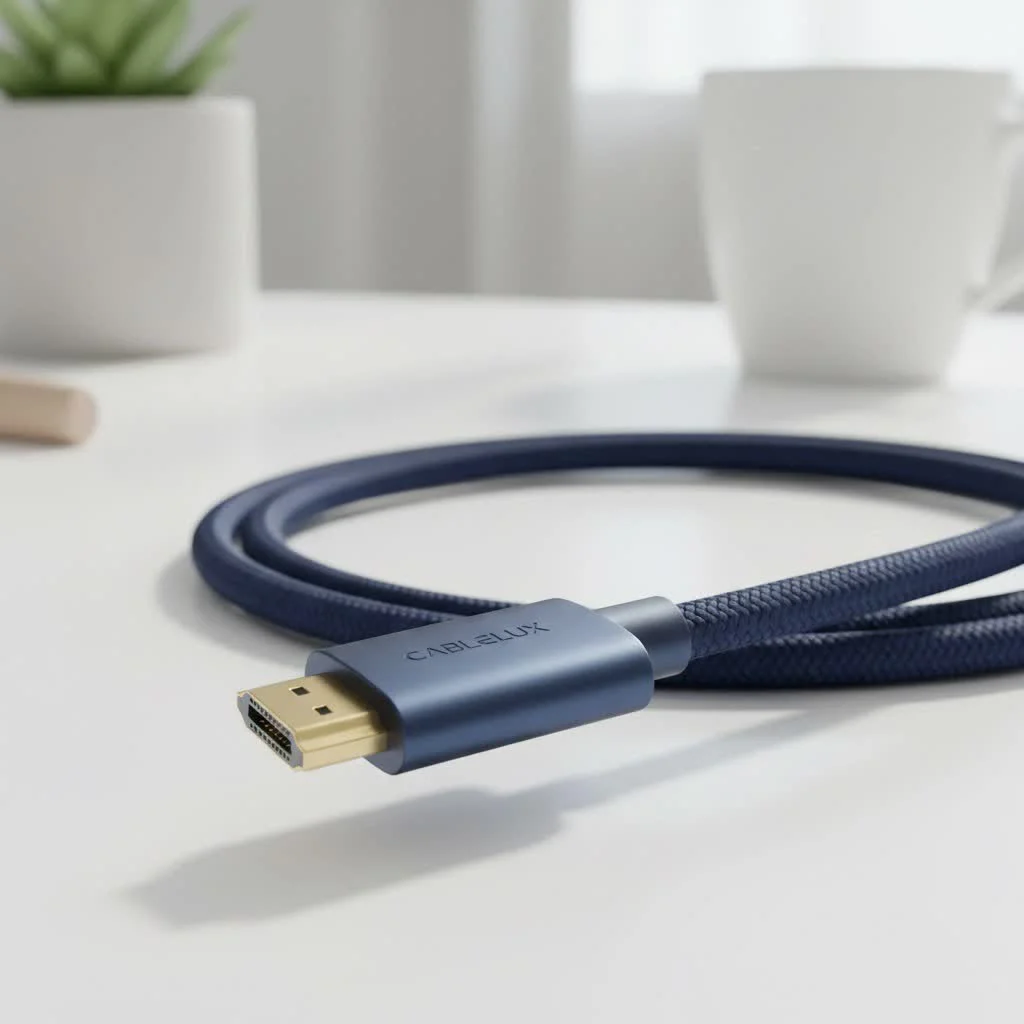
Welcome to Iecfl Tech, where we untangle the wires of home theater tech. This guide will walk you through everything you need to know about choosing and using an HDMI extension cable. We’ll cover the potential issues, explain the technology, and help you select the right extender to ensure your signal arrives perfectly intact, whether you’re streaming in 8K or gaming at a blistering 120Hz. For complete hdmi cables library on this site.
What Exactly is an HDMI Extension Cable?
An HDMI extension cable is a straightforward solution to a simple problem: it’s a cable with a male HDMI connector on one end and a female HDMI port on the other. It allows you to connect it to your existing HDMI cable, effectively making it longer. Think of it as a bridge that closes the gap between your source device (like a gaming console, Blu-ray player, or streaming stick) and your display (a TV, monitor, or projector).
While they are incredibly useful for:
- Wall-Mounted TVs: Neatly routing cables through walls often requires extra length.
- Projector Setups: Ceiling-mounted projectors are almost always far from the source device.
- Complex Desk Setups: Connecting a PC to multiple monitors or a VR headset can strain cable lengths.
- Streaming Sticks: Giving devices like a Fire TV Stick or Roku better placement for Wi-Fi reception by moving them away from the back of the TV.
However, extending an HDMI signal isn’t as simple as extending a power cord. Every foot of cable adds potential for signal degradation, which can lead to a host of problems.
The Big Risk: Signal Degradation and Data Loss
HDMI cables work by transmitting an enormous amount of digital data at incredibly high speeds. This signal is robust but not invincible. As the signal travels down a copper wire, its strength naturally weakens over distance—a phenomenon known as attenuation.
When you add an HDMI extension cable, you’re not just increasing the length; you’re also adding another connection point. Both of these factors can weaken the signal. If the signal becomes too weak, you might experience:
- Sparkles or “Snow”: Random white pixels flickering on the screen are a classic sign of a weak signal.
- No Signal or “Black Screen”: The display fails to detect a signal from the source device.
- HDCP Handshake Issues: The copy protection protocol (HDCP) may fail, preventing protected content from playing.
- Loss of Features: Advanced features like HDR (High Dynamic Range), 4K/8K resolution, or high refresh rates may not work.
“I see it all the time in custom home theater installations,” notes Marcus Thorne, a certified AV professional. “A client buys a cheap, long extension cable for their new 8K TV and wonders why the picture keeps cutting out. The problem isn’t the TV; it’s that the cable can’t handle the massive 48Gbps bandwidth required for that signal over an extended distance.”
Passive vs. Active: Choosing the Right Type of Extender
To combat signal loss, HDMI extension cables come in two main varieties: passive and active. Understanding the difference is crucial to making the right choice.
Passive HDMI Extension Cables
|
Our Picks for the Best HDMI Cable in 2026
As an Amazon Associate I earn from qualifying purchases.
|
||
| Num | Product | Action |
|---|---|---|
| 1 | Highwings 8K 10K 4K HDMI Cable 48Gbps 6.6FT/2M, Certified Ultra High Speed HDMI Cable Braided Cord-4K@120Hz 8K@60Hz, DTS:X, HDCP 2.2 & 2.3, HDR 10 Compatible with Roku TV/PS5/HDTV/Blu-ray |

|
| 2 | Highwings Long HDMI Cable 20 FT, 10K 8K 4K Ultra HD High Speed 2.1 HDMI Cable 48Gbps Braided Cord-4K@120Hz 8K@60Hz, DTS:X, HDCP 2.2&2.3, Dynamic HDR 10 Compatible with Roku TV/PS5/HDTV/Blu-ray |
|
| 3 | Anker HDMI Cable 8K@60Hz, 6FT Ultra HD 4K@120Hz HDMI Cord,48 Gbps Certified Ultra High-Speed,Compatible with PlayStation 5,Xbox,Samsung TVs,and More |
|
| 4 | Highwings 4K HDMI Cable 6.6FT/2m - High-Speed HDMI 2.0 Quality Cord 4K@60Hz, Braided Nylon & Gold Connectors, HDR, Ethernet, ARC, 3D, HDCP 2.2, Compatible for PS-5/4/3/ HDTV/Monitor/DVD/Streaming |
|
| 5 | Highwings 8K@60 HDMI Cable 10FT/3M, 48Gbps 2.1 High Speed HDMI Braided Nylon 4K120 144Hz RTX 3090 eARC HDR10 4:4:4 HDCP 2.2&2.3 Compatible for PS5, PS4, UHD TV and PC |
|
| 6 | Short HDMI Cable 1 FT 2-Pack, 8K HDMI 2.1 48Gbps Ultra High Speed Braided HDMI Cords, 1 Foot HDMI Cable for Camera, Field Monitor, External Recorder, Laptop, PC |
|
| 7 | Highwings Long HDMI Cable 15 FT, 4K 8K 10K HDMI 2.1 Cord Ultra High Speed [in-Wall CL3 Rated, 8K@60Hz 4K@120Hz Video 48Gbps], Fit, Durable, Flexible, eARC, HDCP, Compatible for Ethernet SoundBar |
|
| 8 | Highwings High Speed 8K 60Hz HDMI Cable 3.3FT/1M, 2.1 48Gbps HDMI Braided Cable-4K@120Hz 7680P,DTS:X,HDCP 2.2 & 2.3, HDR 10,eARC,Dynamic HDR,Compatible for Laptop, Monitor, Roku TV |
|
| 9 | 15 Pack of 10 Foot hdmi Cables |
|
| 10 | 10K 8K HDMI 2.1 Cable 2-Pack 6.6FT, Highwings Certified 48Gbps Ultra High Speed Slim HDMI Cord,Support 4K@120Hz 8K@60Hz, HDCP 2.2&2.3, Dynamic HDR,eARC,DTS:X, Compatible with Roku TV/HDTV/PS5/Blu-ray |
|
A passive cable is essentially just a set of copper wires with connectors on each end. It doesn’t contain any electronics to boost or clean up the signal.
- Best For: Short distances, typically under 15 feet (about 4.5 meters) in total cable length (your original cable + the extension).
- Pros: Inexpensive, simple, and widely available.
- Cons: Unreliable for longer runs or high-bandwidth signals (like 4K at 60Hz or higher).
If you only need an extra 3-6 feet for a standard 1080p or basic 4K setup, a well-made passive HDMI extension cable will likely work just fine.
Active (or “Booster”) HDMI Extension Cables
An active cable includes a built-in signal booster or equalizer chip that draws a small amount of power from the HDMI port itself. This chip amplifies and cleans the signal, allowing it to travel much farther without degrading.
- Best For: Total cable lengths exceeding 15 feet, or for high-bandwidth applications like 4K@120Hz, 8K, and HDR, regardless of length.
- Pros: Maintains signal integrity over much longer distances. Essential for demanding, modern formats.
- Cons: More expensive and sometimes directional (must be plugged in the correct way).
If you are extending a signal for a PS5, Xbox Series X, or a high-end PC graphics card, an active extension cable is not just recommended—it’s practically mandatory to guarantee performance.
How to Choose the Perfect HDMI Extension Cable
Now that you know the basics, let’s drill down into the specific features you need to look for. Your choice should be dictated by the capabilities of your source device and your display.
1. Match the HDMI Version (Bandwidth is Key)
Don’t think in terms of “HDMI 2.0 cable” or “HDMI 2.1 cable.” Instead, think in terms of bandwidth. The HDMI standard is a set of features, and the cable is the pipeline that carries the data.
- High-Speed (18Gbps): This is the minimum you should consider. It’s sufficient for 4K at 60Hz, standard HDR, and most non-gaming applications. An extender labeled “Premium High Speed” is certified for this.
- Ultra High-Speed (48Gbps): This is essential for the latest technology. If you use HDMI 2.1 features like 4K@120Hz, 8K@60Hz, Dynamic HDR, or eARC, you absolutely need an HDMI extension cable rated for 48Gbps. Look for the official “Ultra High Speed” certification.
2. Check the Build Quality
A well-built cable is more durable and provides better signal shielding.
- Shielding: Look for cables with multi-layer shielding (e.g., braided and foil shields) to protect against electromagnetic interference (EMI) from nearby power cords or wireless devices.
- Connectors: Gold-plated connectors offer better corrosion resistance, ensuring a solid connection over time.
- Wire Gauge (AWG): A lower AWG number means a thicker copper wire, which is better for carrying a signal over longer distances. For extensions, look for 28AWG or lower if possible.
3. Consider the Total Length
Remember to add the length of your original cable to the length of the extension.
- Under 15 feet (Total): A high-quality passive extension should be sufficient for signals up to 18Gbps (4K@60Hz).
- Over 15 feet (Total): An active extension is strongly recommended for any 4K signal and is required for reliable 48Gbps (8K/4K@120Hz) signals.
Troubleshooting Common HDMI Extension Cable Problems
Even with the right cable, you might run into issues. Here’s a quick checklist to run through if you get a black screen or a flickering picture.
- Check Connections: Ensure both the male and female ends of the extension are plugged in firmly. A loose connection is a common point of failure.
- Reverse the Cable (If Active): Many active cables are directional. Look for labels like “Source” and “Display” or “Input” and “Output” and make sure they are oriented correctly.
- Bypass the Extender: Connect your original HDMI cable directly from the source to the display. If the signal works perfectly, the extension cable is the culprit.
- Lower the Resolution/Refresh Rate: In your device’s settings (e.g., on your PlayStation 5 or PC), try lowering the output from 4K@120Hz to 4K@60Hz. If the signal becomes stable, your extension cable can’t handle the required bandwidth.
- Enable HDMI Link/CEC: Sometimes, enabling HDMI-CEC (Consumer Electronics Control) on your TV and source device can help stabilize the “handshake” process.
Frequently Asked Questions (FAQ)
Do HDMI extension cables reduce quality?
A high-quality, properly rated HDMI extension cable used within its specified length limits will not reduce quality. However, a poor-quality or overly long passive cable can cause signal degradation, leading to sparkles, dropouts, or a complete loss of picture.
Can I connect two HDMI extension cables together?
It is strongly discouraged. Every connection point weakens the signal. Chaining multiple extensions together dramatically increases the chance of signal failure, especially for high-resolution content.
Do I need a 4K or 8K HDMI extension cable?
Yes, if your source and display support these resolutions. To ensure you get the performance you paid for, choose an extender that is certified for the bandwidth your devices require: “Premium High Speed” for 18Gbps (4K@60Hz) and “Ultra High Speed” for 48Gbps (4K@120Hz or 8K).
Will an HDMI extension cable work with ARC or eARC?
It should, provided the cable is of high quality. For eARC (Enhanced Audio Return Channel), which requires higher bandwidth, it’s best to use an Ultra High-Speed rated extension cable to ensure there’s enough data capacity for both video and the high-resolution audio return signal.
Are male-to-female HDMI adapters a good alternative?
An HDMI adapter (coupler) and an extension cable serve different purposes. A coupler joins two standard male-to-male HDMI cables. While it works, it adds another connection point. A dedicated HDMI extension cable is generally a more reliable solution for adding length.
The Final Verdict: Extend with Confidence
Don’t let a short cable stand between you and your perfect entertainment setup. An HDMI extension cable is an excellent and cost-effective solution when you need that extra bit of reach. The key is to choose wisely.
For short runs and standard HD or basic 4K content, a well-made passive extender will do the job. But for anything more demanding—long distances, 4K gaming, 8K video, or advanced features like eARC—investing in an active, certified Ultra High-Speed extension cable is the only way to guarantee a flawless, frustration-free experience. By matching the cable’s capabilities to your system’s demands, you can confidently go the distance without leaving picture quality behind.
Get our weekly buyer guide
Practical specs, not advice. Unsubscribe anytime.
