An HDMI 2.1 cable, officially known as an Ultra High Speed HDMI Cable, is essential for unlocking the full potential of modern entertainment devices like 8K TVs, PlayStation 5, Xbox Series X, and high-end PCs. It supports a massive bandwidth of up to 48 Gigabits per second (Gbps), enabling features such as 8K resolution at 60Hz, 4K resolution at 120Hz, Dynamic HDR, Enhanced Audio Return Channel (eARC), and advanced gaming technologies like VRR, ALLM, and QFT.
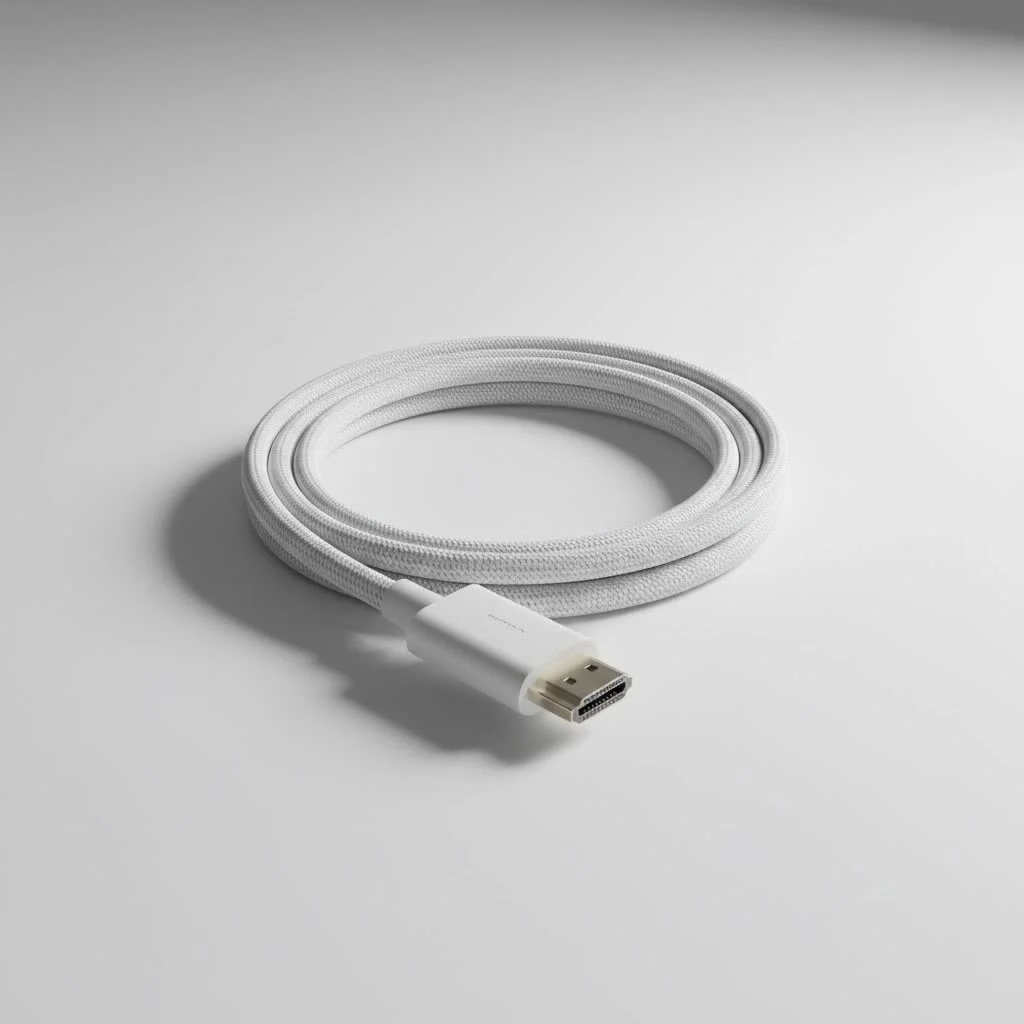
This guide will help you understand why this cable is crucial for next-generation visuals and audio. For best hdmi cables roundups on this site.
What Exactly Is an HDMI 2.1 Cable?
First things first, let’s clear up a common misconception. While we often call it an “HDMI 2.1 cable,” its official name is the Ultra High Speed HDMI Cable. This branding is crucial because it signifies that the cable is certified to meet the stringent specifications of the HDMI 2.1 standard.
The headline feature of this standard is its massive increase in bandwidth. An Ultra High Speed HDMI Cable can handle up to 48 Gigabits per second (Gbps). For comparison, the previous generation, High Speed HDMI cables (for the HDMI 2.0 standard), topped out at 18Gbps. Think of it like a highway: the old cable was a three-lane road, while the new one is an eight-lane superhighway, allowing much more data to travel simultaneously. This extra bandwidth is what enables all the next-generation features we’re about to explore.
HDMI 2.1 vs. HDMI 2.0: What’s the Real Difference?
The jump from HDMI 2.0 to 2.1 is one of the most significant upgrades in the standard’s history. It’s not just an incremental bump; it’s a leap forward that caters directly to the demands of modern 4K and 8K content, as well as high-frame-rate gaming.
Here’s a quick breakdown of the key differences:
| Feature | HDMI 2.0 (High Speed Cable) | HDMI 2.1 (Ultra High Speed Cable) |
|---|---|---|
| Max Bandwidth | 18Gbps | 48Gbps |
| Max Resolution | 4K at 60Hz | 8K at 60Hz, 4K at 120Hz |
| HDR Support | Static HDR (HDR10) | Dynamic HDR (HDR10+, Dolby Vision) |
| Audio | ARC (Audio Return Channel) | eARC (Enhanced Audio Return Channel) |
| Gaming Features | Limited | VRR, ALLM, QFT |
Key Features You Can Only Get with an HDMI 2.1 Cable
That 48Gbps bandwidth isn’t just a number on a spec sheet; it translates into tangible, game-changing features that improve your entire viewing and playing experience.
Higher Resolutions and Refresh Rates
This is the big one. An HDMI 2.1 cable is essential for pushing video signals like 8K at 60 frames per second (fps) or, more importantly for gamers, 4K at 120 fps. If you own a PlayStation 5, Xbox Series X, or a high-end PC with a new graphics card, you need this cable to enjoy buttery-smooth, high-resolution gameplay on a compatible TV or monitor.
Dynamic HDR
|
Our Picks for the Best HDMI Cable in 2026
As an Amazon Associate I earn from qualifying purchases.
|
||
| Num | Product | Action |
|---|---|---|
| 1 | Highwings 8K 10K 4K HDMI Cable 48Gbps 6.6FT/2M, Certified Ultra High Speed HDMI Cable Braided Cord-4K@120Hz 8K@60Hz, DTS:X, HDCP 2.2 & 2.3, HDR 10 Compatible with Roku TV/PS5/HDTV/Blu-ray |

|
| 2 | Highwings Long HDMI Cable 20 FT, 10K 8K 4K Ultra HD High Speed 2.1 HDMI Cable 48Gbps Braided Cord-4K@120Hz 8K@60Hz, DTS:X, HDCP 2.2&2.3, Dynamic HDR 10 Compatible with Roku TV/PS5/HDTV/Blu-ray |
|
| 3 | 10K 8K HDMI 2.1 Cable 2-Pack 6.6FT, Highwings Certified 48Gbps Ultra High Speed Slim HDMI Cord,Support 4K@120Hz 8K@60Hz, HDCP 2.2&2.3, Dynamic HDR,eARC,DTS:X, Compatible with Roku TV/HDTV/PS5/Blu-ray |
|
| 4 | 15 Pack of 10 Foot hdmi Cables |
|
| 5 | Highwings High Speed 8K 60Hz HDMI Cable 3.3FT/1M, 2.1 48Gbps HDMI Braided Cable-4K@120Hz 7680P,DTS:X,HDCP 2.2 & 2.3, HDR 10,eARC,Dynamic HDR,Compatible for Laptop, Monitor, Roku TV |
|
| 6 | Short HDMI Cable 1 FT 2-Pack, 8K HDMI 2.1 48Gbps Ultra High Speed Braided HDMI Cords, 1 Foot HDMI Cable for Camera, Field Monitor, External Recorder, Laptop, PC |
|
| 7 | Highwings 4K HDMI Cable 6.6FT/2m - High-Speed HDMI 2.0 Quality Cord 4K@60Hz, Braided Nylon & Gold Connectors, HDR, Ethernet, ARC, 3D, HDCP 2.2, Compatible for PS-5/4/3/ HDTV/Monitor/DVD/Streaming |
|
| 8 | Highwings Long HDMI Cable 15 FT, 4K 8K 10K HDMI 2.1 Cord Ultra High Speed [in-Wall CL3 Rated, 8K@60Hz 4K@120Hz Video 48Gbps], Fit, Durable, Flexible, eARC, HDCP, Compatible for Ethernet SoundBar |
|
| 9 | Highwings 8K@60 HDMI Cable 10FT/3M, 48Gbps 2.1 High Speed HDMI Braided Nylon 4K120 144Hz RTX 3090 eARC HDR10 4:4:4 HDCP 2.2&2.3 Compatible for PS5, PS4, UHD TV and PC |
|
| 10 | Anker HDMI Cable 8K@60Hz, 6FT Ultra HD 4K@120Hz HDMI Cord,48 Gbps Certified Ultra High-Speed,Compatible with PlayStation 5,Xbox,Samsung TVs,and More |
|
While HDMI 2.0 supports static HDR (like HDR10), where a single setting is applied to an entire movie or show, HDMI 2.1 introduces Dynamic HDR. This technology adjusts the brightness, contrast, and color gamut on a scene-by-scene or even frame-by-frame basis. The result is a much more nuanced, vibrant, and true-to-life picture.
Enhanced Audio Return Channel (eARC)
If you have a modern soundbar or AV receiver, eARC is a must-have. Standard ARC had limited bandwidth, compressing high-quality audio formats. eARC, enabled by the extra bandwidth of HDMI 2.1, can transmit full-resolution, uncompressed audio signals, including Dolby Atmos and DTS:X. It ensures you’re hearing your movies and games exactly as the sound engineers intended.
Game-Changing Features: VRR, ALLM, and QFT
For gamers, HDMI 2.1 is a revolution. It introduces a trio of technologies designed to make gameplay smoother and more responsive:
- Variable Refresh Rate (VRR): This syncs your TV’s refresh rate to the console’s or PC’s frame rate in real time. It eliminates screen tearing and stutter, resulting in a much smoother visual experience, especially when the action gets intense.
- Auto Low Latency Mode (ALLM): Your TV has a “Game Mode” that reduces input lag. ALLM automatically detects when you’re playing a game and switches your TV to this mode for you, ensuring you always have the most responsive feel.
- Quick Frame Transport (QFT): This feature reduces display latency by sending frames from your source device (like a console) to your TV at a faster rate, further cutting down on the delay between pressing a button and seeing the result on screen.
Do You Actually Need an HDMI 2.1 Cable?
This is the million-dollar question. The answer depends entirely on the hardware you own and what you want to do with it.
You absolutely need an HDMI 2.1 cable if:
- You own a PlayStation 5 or Xbox Series X and want to play games in 4K at 120Hz.
- You have a high-end gaming PC with an NVIDIA 30/40-series or AMD 6000/7000-series (or newer) graphics card connected to a 4K 120Hz+ monitor or TV.
- You own an 8K television and want to watch native 8K content.
- You want to get the best possible uncompressed audio (like Dolby Atmos) from your TV to your eARC-compatible soundbar or receiver.
“I see it all the time in my home theater installations,” says Marcus Thorne, a certified AV technician. “Clients spend thousands on a top-of-the-line TV and sound system but use the old cable that came with their cable box. They’re essentially putting regular fuel in a race car. Upgrading to a certified Ultra High Speed HDMI cable is one of the most affordable and impactful upgrades you can make to a modern entertainment setup.”
If your setup consists of a 1080p TV, a standard Blu-ray player, or a streaming stick like a Chromecast, your existing High Speed HDMI cable will work just fine. There’s no benefit to using an HDMI 2.1 cable with older hardware.
How to Choose the Right HDMI 2.1 Cable
Navigating the market for HDMI cables can be confusing, with brands making all sorts of wild claims. Here’s how to pick the right one without getting ripped off.
Look for the “Ultra High Speed HDMI Cable” Certification
This is the most important rule. The HDMI Licensing Administrator, Inc. runs a mandatory certification program. A genuine certified cable will have the Ultra High Speed HDMI Cable name and logo clearly printed on the packaging. The box should also feature a special QR code label that you can scan with the official HDMI Cable Certification app to verify its authenticity.
Don’t Overspend on Gimmicks
Ignore marketing buzzwords like “gold-plated connectors,” “nitrogen-injected,” or “maximum shielding.” While build quality is important, a certified $15 cable will perform identically to a certified $100 cable. The certification is what guarantees the 48Gbps performance, not the fancy materials.
Cable Length Matters
For most setups, a cable of 6-10 feet (about 2-3 meters) is ideal. Be cautious with passive cables longer than 15 feet (about 5 meters), as signal degradation can become an issue, potentially leading to dropouts or “sparkling” artifacts. For longer runs, you may need to invest in an active optical HDMI cable.
Frequently Asked Questions (FAQ)
Q: Is an HDMI 2.1 cable backward compatible?A: Yes, absolutely. You can use an Ultra High Speed HDMI Cable to connect older devices, like a standard Blu-ray player to a 4K TV. It will simply work within the limitations of the oldest component in the chain.
Q: Can I use my old HDMI 2.0 cable for my PS5?A: You can, but you will be severely limited. An older High Speed HDMI cable does not have the bandwidth for 4K at 120Hz. You’ll be restricted to 4K at 60Hz, meaning you’ll miss out on one of the console’s biggest selling points for performance.
Q: Do all HDMI 2.1 cables support all the features?A: If a cable is officially certified as an “Ultra High Speed HDMI Cable,” then yes, it is required to support all HDMI 2.1 features, including 48Gbps bandwidth, eARC, and VRR. This is why sticking to certified cables is so important.
Q: How can I tell if my cable is a real Ultra High Speed HDMI Cable?A: The best way is to look for the official certification label on the packaging and use the HDMI Cable Certification app to scan the QR code. Buying from reputable brands is also a good practice.
Q: Is there a real difference between cheap and expensive certified HDMI 2.1 cables?A: In terms of performance, no. As long as both are officially certified, they will both deliver the full 48Gbps bandwidth. The price difference usually comes down to brand name, marketing, and sometimes more robust physical construction (thicker jacketing, stronger connector housing), which might improve durability but won’t change the picture or sound quality.
The Final Connection
In the fast-evolving world of home entertainment, the HDMI 2.1 cable is no longer a luxury for early adopters—it’s a fundamental component for anyone serious about quality. It’s the digital bridge that ensures the stunning visuals and immersive audio you paid for actually make it from your source device to your screen and speakers. By understanding what it does and choosing a properly certified cable, you can rest easy knowing your system is not only performing at its peak today but is also ready for the future of entertainment.
Get our weekly buyer guide
Practical specs, not advice. Unsubscribe anytime.
Got one of these for my Xbox Series X and the improvement in gaming is noticeable. VRR and ALLM make a huge difference, no more screen tearing or input lag. I wish I’d known about the 4K at 120Hz capability sooner, it’s a game changer. My only minor gripe is that the cable itself is a bit stiff, making it tricky to route behind my setup.
I bought an HDMI 2.1 cable specifically for my new PC setup to get 4K 120Hz. While it mostly works great, I had some initial issues getting it to handshake properly with my monitor. It eventually sorted itself out after a few reboots, but it was a bit frustrating. The bandwidth of 48 Gbps is definitely there, but the plug felt a little loose compared to my old cable.
As someone who just got a PlayStation 5, I was confused about all the different HDMI versions. This explained everything clearly, especially the importance of eARC for my soundbar. My audio setup sounds so much richer now, and the visuals are incredibly crisp. Highly recommend getting a certified Ultra High Speed cable.
I finally upgraded to an 8K TV and realized my old cables just weren’t cutting it. This guide really helped me understand why an Ultra High Speed HDMI Cable was necessary. The difference in picture quality, especially with Dynamic HDR, is absolutely stunning. Definitely worth the investment for anyone serious about their home theater.