Yes, a 50-foot HDMI cable can absolutely deliver a perfect 4K or 8K picture, but only if it’s a specialized active or fiber optic cable. Standard passive HDMI cables will experience significant signal loss over this distance, leading to issues like flickering screens or a complete loss of signal due to attenuation, which is the weakening of the signal as it travels.
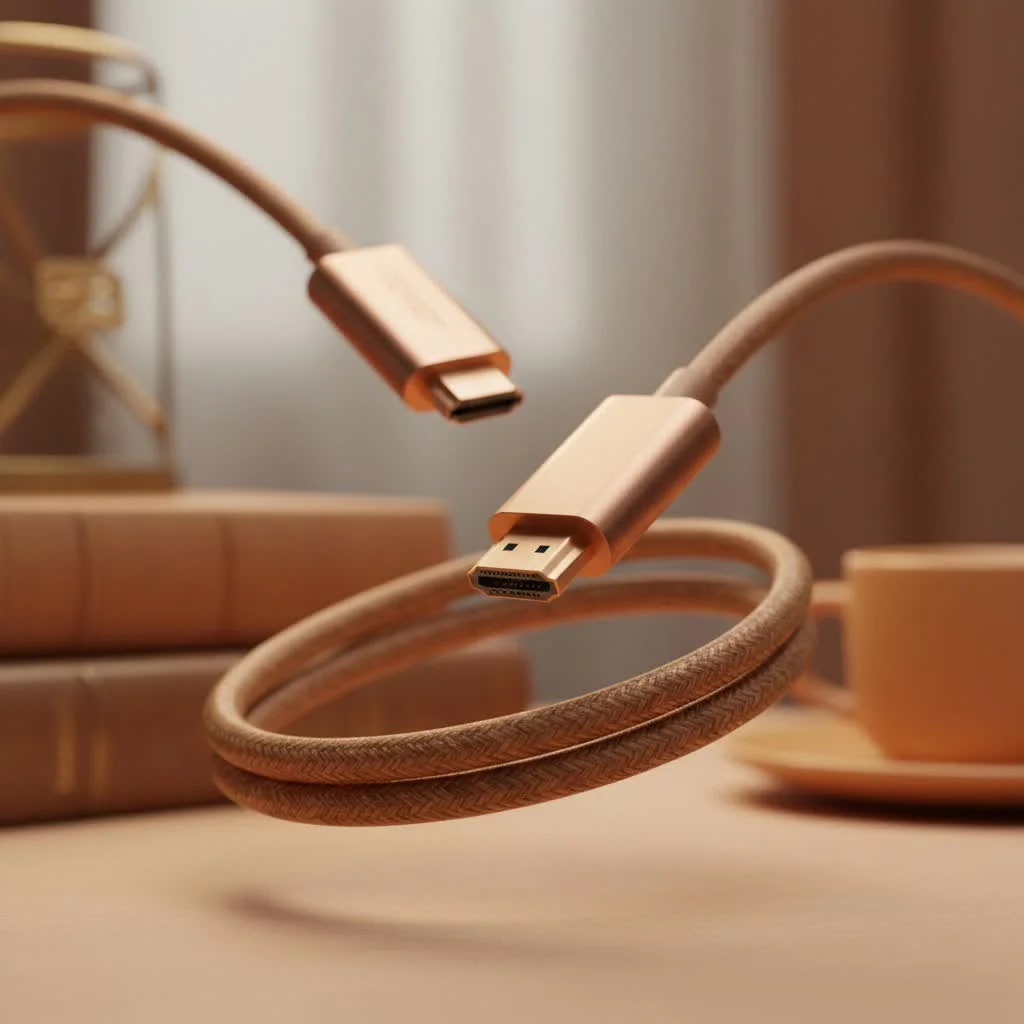
Running HDMI over long distances isn’t like using a simple extension cord. As the signal travels, it gets weaker—a phenomenon known as attenuation. With the massive amount of data required for modern 4K and 8K resolutions, high refresh rates, and HDR color, a standard, or “passive,” HDMI cable will likely fail long before it reaches the 50-foot mark. This is where specialized long-distance cables come in. Choosing the right one is the key to a flawless, frustration-free experience. For complete hdmi cables library on this site.
The Big Problem: Why Standard HDMI Cables Fail at 50 Feet
Imagine trying to have a conversation by yelling across a football field. The further away you are, the fainter your voice becomes. An HDMI signal behaves in much the same way. It’s a digital signal, but it travels over copper wires, and over distance, the signal’s integrity degrades.
For short runs, like connecting a Blu-ray player right below a TV, this isn’t an issue. But at 50 feet, the data for a 4K HDR movie can become so weak and corrupted that your TV can’t make sense of it. This results in common, frustrating issues:
- “No Signal” Error: The most common problem. The display doesn’t detect a source.
- Digital “Sparkles” or “Snow”: Tiny, flickering pixels that appear randomly on the screen.
- HDCP Handshake Issues: Your devices fail to authenticate, preventing copyrighted content from playing.
- Resolution Drop: Your 4K device might only be able to output a 1080p signal.
- Complete Picture Loss: The screen flickers on and off intermittently.
A standard passive cable simply doesn’t have the strength to push a high-bandwidth signal that far. That’s why for a 50 feet HDMI cable run, you have to choose between two powered technologies: Active and Fiber Optic.
Your Options for a 50 Feet HDMI Cable Run
When you need to go the distance, passive is out of the question. Your choice comes down to how the cable actively boosts the signal along its journey.
Active “Booster” HDMI Cables
Think of an Active HDMI cable as a standard copper cable with a small microchip built into one of the connectors. This chip acts as a signal booster, drawing a small amount of power from the HDMI port itself to clean up and amplify the signal just before it reaches your display.
These cables are directional, meaning they have a designated “Source” end (for your console, PC, or streaming box) and a “Display” end (for your TV or projector). Plugging them in backward will result in no signal.
- Best for: 1080p and most 4K at 60Hz signals.
- Pros: More affordable than fiber optic, widely available.
- Cons: Can sometimes struggle with the highest bandwidth signals like 4K at 120Hz or 8K.
Fiber Optic HDMI Cables
|
Our Picks for the Best HDMI Cable in 2026
As an Amazon Associate I earn from qualifying purchases.
|
||
| Num | Product | Action |
|---|---|---|
| 1 | Highwings High Speed 8K 60Hz HDMI Cable 3.3FT/1M, 2.1 48Gbps HDMI Braided Cable-4K@120Hz 7680P,DTS:X,HDCP 2.2 & 2.3, HDR 10,eARC,Dynamic HDR,Compatible for Laptop, Monitor, Roku TV |

|
| 2 | Anker HDMI Cable 8K@60Hz, 6FT Ultra HD 4K@120Hz HDMI Cord,48 Gbps Certified Ultra High-Speed,Compatible with PlayStation 5,Xbox,Samsung TVs,and More |
|
| 3 | Highwings Long HDMI Cable 15 FT, 4K 8K 10K HDMI 2.1 Cord Ultra High Speed [in-Wall CL3 Rated, 8K@60Hz 4K@120Hz Video 48Gbps], Fit, Durable, Flexible, eARC, HDCP, Compatible for Ethernet SoundBar |
|
| 4 | 15 Pack of 10 Foot hdmi Cables |
|
| 5 | Highwings Long HDMI Cable 20 FT, 10K 8K 4K Ultra HD High Speed 2.1 HDMI Cable 48Gbps Braided Cord-4K@120Hz 8K@60Hz, DTS:X, HDCP 2.2&2.3, Dynamic HDR 10 Compatible with Roku TV/PS5/HDTV/Blu-ray |
|
| 6 | Highwings 8K 10K 4K HDMI Cable 48Gbps 6.6FT/2M, Certified Ultra High Speed HDMI Cable Braided Cord-4K@120Hz 8K@60Hz, DTS:X, HDCP 2.2 & 2.3, HDR 10 Compatible with Roku TV/PS5/HDTV/Blu-ray |
|
| 7 | Highwings 8K@60 HDMI Cable 10FT/3M, 48Gbps 2.1 High Speed HDMI Braided Nylon 4K120 144Hz RTX 3090 eARC HDR10 4:4:4 HDCP 2.2&2.3 Compatible for PS5, PS4, UHD TV and PC |
|
| 8 | Short HDMI Cable 1 FT 2-Pack, 8K HDMI 2.1 48Gbps Ultra High Speed Braided HDMI Cords, 1 Foot HDMI Cable for Camera, Field Monitor, External Recorder, Laptop, PC |
|
| 9 | Highwings 4K HDMI Cable 6.6FT/2m - High-Speed HDMI 2.0 Quality Cord 4K@60Hz, Braided Nylon & Gold Connectors, HDR, Ethernet, ARC, 3D, HDCP 2.2, Compatible for PS-5/4/3/ HDTV/Monitor/DVD/Streaming |
|
| 10 | 10K 8K HDMI 2.1 Cable 2-Pack 6.6FT, Highwings Certified 48Gbps Ultra High Speed Slim HDMI Cord,Support 4K@120Hz 8K@60Hz, HDCP 2.2&2.3, Dynamic HDR,eARC,DTS:X, Compatible with Roku TV/HDTV/PS5/Blu-ray |
|
Fiber Optic HDMI cables are the gold standard for long-distance runs. Instead of relying solely on copper, these advanced cables convert the HDMI signal into pulses of light. The light travels down flexible fiber optic strands, which are completely immune to the signal degradation and electromagnetic interference that plagues copper wires. At the other end, a chip converts the light signal back into a standard HDMI signal for your display.
As home theater installer James Peterson notes, “Once we’re running cables longer than 25 feet, especially for a high-end 4K projector or a new gaming console, we only use fiber optic HDMI. It eliminates all the guesswork. You plug it in, and it just works, every single time, at the full 48Gbps bandwidth.”
- Best for: Any high-bandwidth application, including 4K at 120Hz, 8K at 60Hz, and beyond.
- Pros: Flawless signal integrity over very long distances, immune to interference, thinner and more flexible than copper cables.
- Cons: More expensive than active copper cables. Like active cables, they are also directional.
Key Features to Demand from a 50 Feet HDMI Cable
Simply choosing between “active” and “fiber optic” isn’t enough. You need to ensure the cable supports the features your modern devices use.
Bandwidth (Gbps) is Everything
This is the most critical specification. Bandwidth, measured in Gigabits per second (Gbps), is the data highway for your video and audio. The more data, the wider the highway needs to be.
- 18 Gbps: This is the standard for HDMI 2.0. It’s enough for 4K at 60Hz and standard HDR. This is the minimum you should accept for a modern 4K TV.
- 48 Gbps: This is the full bandwidth of the HDMI 2.1 specification. It is essential for features like 4K at 120Hz (for PlayStation 5 and Xbox Series X) and 8K at 60Hz. If you are investing in a long cable, buying a 48 Gbps model is the best way to future-proof your setup.
In-Wall Safety Rating (CL2/CL3)
If you plan to run your 50 feet HDMI cable through the walls or ceiling for a clean installation, you must choose a cable with a CL2 or CL3 rating. This is a safety certification indicating that the cable’s outer jacket is fire-resistant, a requirement by most building codes.
Support for Modern Features
Your cable is the bridge between your devices, so it needs to support all their capabilities. Look for these acronyms on the box:
- HDR (High Dynamic Range): Provides brighter whites, darker blacks, and more vibrant colors. Essential for modern TVs and content.
- eARC (Enhanced Audio Return Channel): Allows your TV to send high-quality, uncompressed audio (like Dolby Atmos) back to your soundbar or AV receiver through the same HDMI cable.
- VRR (Variable Refresh Rate): A critical gaming feature that syncs the TV’s refresh rate with the console’s frame rate to eliminate screen tearing.
Making the Right Choice: Which Cable is For You?
Let’s break it down by common scenarios to help you select the perfect 50 feet HDMI cable.
For a High-End Home Theater (4K/8K Projector or TV)
Recommendation: Fiber Optic HDMI Cable (48 Gbps)
You’ve invested in a premium display, so don’t let the cable be the weak link. A fiber optic cable will ensure you get the absolute best picture quality, with full HDR support and zero signal issues, even with demanding 8K content.
For Next-Gen Gaming (PS5, Xbox Series X, PC)
Recommendation: Fiber Optic HDMI Cable (48 Gbps)
To take full advantage of 4K at 120Hz gaming, you need the full 48 Gbps bandwidth that only certified Ultra High Speed cables can provide. Over 50 feet, fiber optic is the only reliable way to achieve this and ensure features like VRR and ALLM work perfectly.
For a Conference Room or General Use (1080p/4K Projector)
Recommendation: Active (Booster) HDMI Cable (18 Gbps)
If your needs are simpler, like connecting a laptop to a projector for presentations or watching 1080p/4K movies at standard frame rates, an active copper cable is a cost-effective and reliable solution.
Frequently Asked Questions (FAQ)
1. Can a 50 ft HDMI cable really support 4K at 120Hz?
Yes, but only a 48 Gbps Fiber Optic HDMI cable can reliably do it. A standard or even an 18 Gbps active cable will not have enough bandwidth and will likely fail to deliver the signal.
2. Is a fiber optic HDMI cable worth the extra cost?
For long distances and high-performance needs, absolutely. It eliminates all potential signal issues, provides the highest possible performance, and future-proofs your installation for years to come. The extra cost buys you peace of mind.
3. Do I need to provide external power for these long cables?
Generally, no. Both Active and Fiber Optic HDMI cables are designed to draw the small amount of power they need directly from the HDMI port of your source device (like a gaming console or Blu-ray player).
4. What is the absolute maximum length for an HDMI cable?
With fiber optic technology, HDMI cables can run for hundreds of feet without any signal loss. For standard passive copper cables, the reliable maximum is much shorter, typically around 15 feet for high-quality 4K signals.
5. How do I know which end of a directional cable to plug in?
Directional cables are always clearly marked. The connectors will have labels like “Source” and “Display” or “TV” and “Source.” The “Source” end plugs into your output device (e.g., PS5, PC, Apple TV), and the “Display” end plugs into your input device (e.g., TV, projector, monitor).
The Final Verdict
Navigating the world of AV technology can be complex, but choosing the right 50 feet HDMI cable doesn’t have to be. Forget about flimsy, uncertified passive cables that promise the world and deliver only a blank screen. For a run of this length in a modern entertainment system, your decision is a clear one. Invest in a high-quality Active or, even better, a Fiber Optic HDMI cable. By ensuring it has the bandwidth and features you need, you guarantee a perfect, uninterrupted viewing and gaming experience every time you power on your system.
Choosing the Right 50 Feet HDMI Cable
Select the appropriate 50-foot HDMI cable for your specific needs, whether it's for a high-end home theater, next-gen gaming, or general use, to ensure optimal performance and avoid signal issues.
Determine the required bandwidth based on your devices. For 4K at 60Hz, 18 Gbps is sufficient. For 4K at 120Hz or 8K at 60Hz, you will need a 48 Gbps cable (HDMI 2.1 specification).
For 1080p or basic 4K at 60Hz, an active 'booster' HDMI cable is a cost-effective option. For high-bandwidth applications like 4K at 120Hz or 8K, a fiber optic HDMI cable is essential for flawless signal integrity over 50 feet.
If you plan to run the cable through walls or ceilings, ensure it has a CL2 or CL3 safety rating. This certification indicates fire resistance and is required by most building codes for in-wall installations.
Confirm the cable supports essential modern features like HDR (High Dynamic Range) for vibrant colors, eARC (Enhanced Audio Return Channel) for high-quality audio, and VRR (Variable Refresh Rate) for smooth gaming.
Get our weekly buyer guide
Practical specs, not advice. Unsubscribe anytime.
I was having so many problems with my old, shorter HDMI cable causing flickering screens when I tried to game in 4K. Upgrading to a proper active 50-foot cable made a huge difference. The picture is stable now, and I don’t have to worry about signal weakening. It’s a bit pricey, but the performance justifies it.
Finally found a solution for my projector setup! I needed a long cable to run from my receiver to the projector across the room, and standard cables just weren’t cutting it. This specialized long-distance cable handles 8K content beautifully without any attenuation issues. Super impressed with the clarity and stability.
I bought a 50-foot HDMI cable hoping to connect my PC to my living room TV. While it mostly works, I do get occasional signal drops, especially when I’m trying to push 4K content. I think I might have gotten a passive one by mistake, or maybe I just needed to spend a bit more for a fiber optic cable. It’s okay for casual viewing but not perfect.
I was really skeptical about getting a 50-foot HDMI cable for my new home theater setup, especially with all the talk about signal loss. But after reading up on active cables, I decided to go for it. The picture quality on my 4K TV is absolutely flawless, no flickering or anything. Definitely worth the investment for a long run.