Choosing the best 25 ft HDMI cable requires careful consideration of cable type and bandwidth to ensure reliable signal transmission over longer distances. For runs of 25 feet, standard passive HDMI cables are generally not recommended for 4K 60Hz signals due to potential degradation; instead, active or fiber optic HDMI cables are preferred to maintain signal integrity and support advanced features like 4K 120Hz or 8K 60Hz.
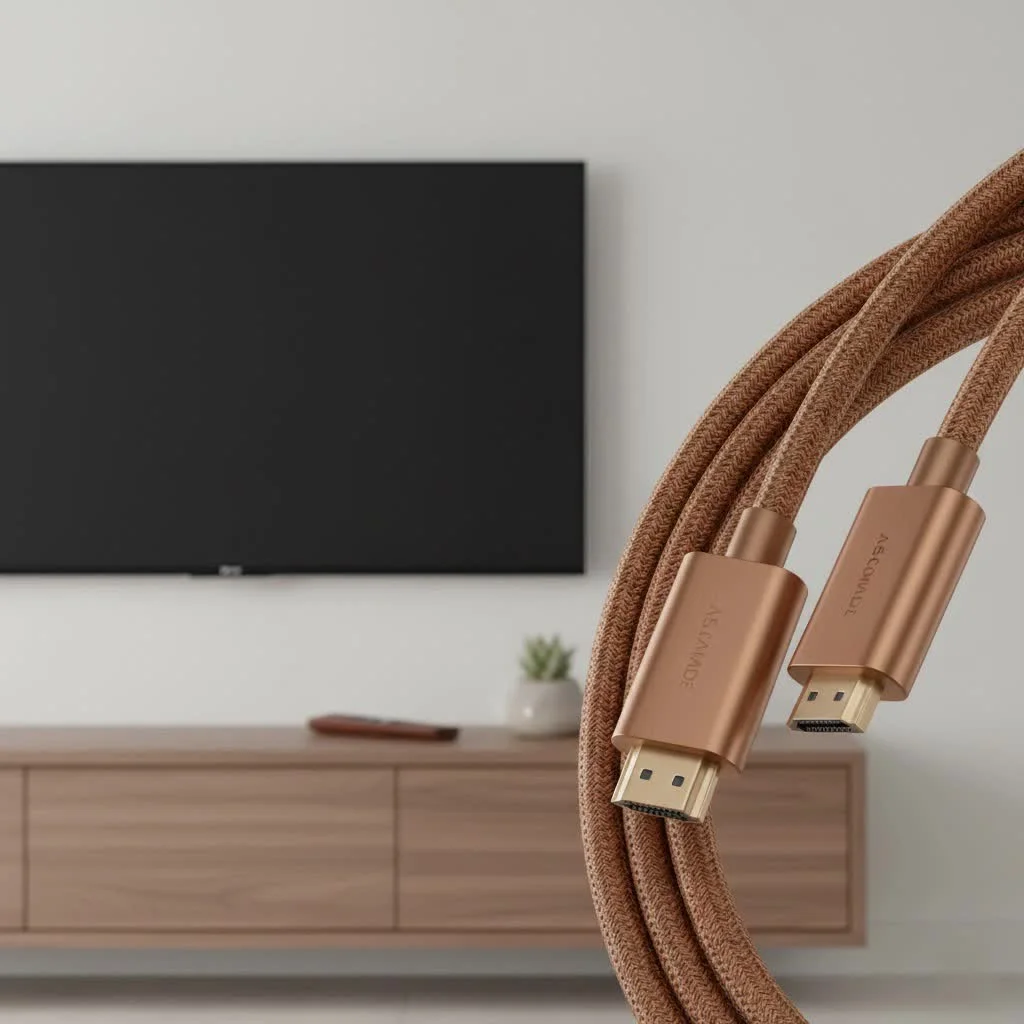
At Iecfl Tech, we understand the complexities of long HDMI cable runs. Getting it wrong can lead to frustrating signal dropouts, a fuzzy picture, or features like HDR failing to work. This guide will walk you through everything you need to know to choose the perfect 25 ft HDMI cable for your needs, ensuring a flawless, high-fidelity connection every time.
Does HDMI Cable Length Really Matter?
Yes, it absolutely does. While digital signals are more resilient than their old analog counterparts, they are not immune to degradation over long distances. An HDMI cable transmits an enormous amount of data at incredibly high speeds. The longer the cable, the more resistance the signal encounters, a phenomenon known as attenuation.
For a standard, passive HDMI cable, the 15-foot mark is generally considered a safe maximum for reliable, high-bandwidth signals like 4K at 60Hz. Once you venture into the 25-foot territory, the quality and construction of the cable become critically important. A poorly made 25 ft HDMI cable might fail to transmit a stable 4K signal, resulting in issues like:
- “Sparkles” or “snow”: Tiny, flickering white pixels on the screen.
- Signal dropouts: The picture and sound cutting out intermittently.
- HDCP errors: A handshake failure between your source and display, often preventing content from playing.
- Inability to support advanced features: Your TV might not recognize an HDR or high refresh rate signal.
This is why simply buying the cheapest long cable you can find is often a recipe for disappointment. For a 25-foot run, you need to be more selective.
Passive, Active, or Fiber Optic: Choosing Your Cable Type
When shopping for a 25 ft HDMI cable, you’ll encounter three main types. Understanding the difference is key to making the right choice.
1. Passive HDMI Cables
This is the standard type of cable you’re familiar with. It’s a simple, bidirectional copper wire that transmits the signal without any electronic assistance.
- Best for: Less demanding signals like 1080p.
- Pros: Inexpensive, simple, and readily available.
- Cons: Prone to signal degradation at 25 feet, especially for 4K 60Hz and above. Success is highly dependent on the quality of the copper wiring and shielding.
For a 25 ft HDMI cable to work reliably as a passive cable carrying a 4K HDR signal (requiring 18 Gbps bandwidth), it must be exceptionally well-made with thick-gauge copper conductors and robust shielding to prevent interference.
2. Active (or “Booster”) HDMI Cables
|
Our Picks for the Best HDMI Cable in 2026
As an Amazon Associate I earn from qualifying purchases.
|
||
| Num | Product | Action |
|---|---|---|
| 1 | Highwings Long HDMI Cable 20 FT, 10K 8K 4K Ultra HD High Speed 2.1 HDMI Cable 48Gbps Braided Cord-4K@120Hz 8K@60Hz, DTS:X, HDCP 2.2&2.3, Dynamic HDR 10 Compatible with Roku TV/PS5/HDTV/Blu-ray |

|
| 2 | Highwings Long HDMI Cable 15 FT, 4K 8K 10K HDMI 2.1 Cord Ultra High Speed [in-Wall CL3 Rated, 8K@60Hz 4K@120Hz Video 48Gbps], Fit, Durable, Flexible, eARC, HDCP, Compatible for Ethernet SoundBar |
|
| 3 | Highwings 8K 10K 4K HDMI Cable 48Gbps 6.6FT/2M, Certified Ultra High Speed HDMI Cable Braided Cord-4K@120Hz 8K@60Hz, DTS:X, HDCP 2.2 & 2.3, HDR 10 Compatible with Roku TV/PS5/HDTV/Blu-ray |
|
| 4 | 10K 8K HDMI 2.1 Cable 2-Pack 6.6FT, Highwings Certified 48Gbps Ultra High Speed Slim HDMI Cord,Support 4K@120Hz 8K@60Hz, HDCP 2.2&2.3, Dynamic HDR,eARC,DTS:X, Compatible with Roku TV/HDTV/PS5/Blu-ray |
|
| 5 | Highwings 8K@60 HDMI Cable 10FT/3M, 48Gbps 2.1 High Speed HDMI Braided Nylon 4K120 144Hz RTX 3090 eARC HDR10 4:4:4 HDCP 2.2&2.3 Compatible for PS5, PS4, UHD TV and PC |
|
| 6 | Highwings 4K HDMI Cable 6.6FT/2m - High-Speed HDMI 2.0 Quality Cord 4K@60Hz, Braided Nylon & Gold Connectors, HDR, Ethernet, ARC, 3D, HDCP 2.2, Compatible for PS-5/4/3/ HDTV/Monitor/DVD/Streaming |
|
| 7 | 15 Pack of 10 Foot hdmi Cables |
|
| 8 | Highwings High Speed 8K 60Hz HDMI Cable 3.3FT/1M, 2.1 48Gbps HDMI Braided Cable-4K@120Hz 7680P,DTS:X,HDCP 2.2 & 2.3, HDR 10,eARC,Dynamic HDR,Compatible for Laptop, Monitor, Roku TV |
|
| 9 | Anker HDMI Cable 8K@60Hz, 6FT Ultra HD 4K@120Hz HDMI Cord,48 Gbps Certified Ultra High-Speed,Compatible with PlayStation 5,Xbox,Samsung TVs,and More |
|
| 10 | Short HDMI Cable 1 FT 2-Pack, 8K HDMI 2.1 48Gbps Ultra High Speed Braided HDMI Cords, 1 Foot HDMI Cable for Camera, Field Monitor, External Recorder, Laptop, PC |
|
An active HDMI cable looks just like a passive one but contains a small, powered chip integrated into one of the connector heads. This chip acts as a signal booster, amplifying the data to ensure it successfully completes its long journey down the copper wire.
- Best for: Reliably transmitting 4K 60Hz (HDMI 2.0) signals over 25 feet.
- Pros: Ensures a stable, strong signal over longer distances where passive cables might fail.
- Cons: It is a directional cable. You must plug the correct end into the source (e.g., PS5, Blu-ray player) and the other into the display (TV, projector). They are also slightly more expensive than passive cables.
“For any installation over 20 feet, I almost always recommend an active cable for peace of mind,” notes James Caldwell, a professional home theater installer. “It’s a small price to pay to avoid the headache of troubleshooting a flickering screen after you’ve already run the cable through a wall.”
3. Fiber Optic HDMI Cables
For the ultimate in long-distance performance, fiber optic HDMI cables are the gold standard. These cables convert the electrical HDMI signal into pulses of light, which travel down flexible optical fibers. A chip in the other connector then converts the light back into an electrical signal for the display.
- Best for: Very long runs (25 feet and beyond), and demanding 4K 120Hz or 8K 60Hz (HDMI 2.1) signals.
- Pros: Virtually immune to signal degradation and electromagnetic interference (EMI). Can carry the highest bandwidth signals (48 Gbps for HDMI 2.1) over hundreds of feet without issue. They are also much thinner and more flexible than thick copper cables.
- Cons: The most expensive option. They are also directional, just like active cables.
What HDMI Version Do You Need for a 25 ft Cable?
The cable’s performance is defined by its bandwidth certification, often associated with an HDMI version number. Here’s what you need to look for.
High-Speed HDMI (HDMI 2.0 / 18 Gbps)
This is the minimum you should consider for a modern setup. A certified High-Speed 25 ft HDMI cable is rated for 18 Gbps bandwidth, which is enough for:
- 4K resolution at 60Hz
- High Dynamic Range (HDR10, Dolby Vision)
- Wide Color Gamut (WCG)
- ARC (Audio Return Channel)
For most users with a 4K TV, a streaming box, or a Blu-ray player, a high-quality active High-Speed cable is the sweet spot for a 25-foot run.
Ultra High-Speed HDMI (HDMI 2.1 / 48 Gbps)
If you’re a serious gamer with a PlayStation 5, Xbox Series X, or a high-end PC, or you’re future-proofing for an 8K TV, you need an Ultra High-Speed certified cable. This certification guarantees 48 Gbps of bandwidth, unlocking features like:
- 4K resolution at 120Hz
- 8K resolution at 60Hz
- Variable Refresh Rate (VRR) for smoother gaming
- Auto Low Latency Mode (ALLM)
- eARC (Enhanced Audio Return Channel) for uncompressed audio formats like Dolby Atmos.
At 25 feet, achieving a stable 48 Gbps signal with a passive copper cable is extremely difficult. For this use case, a fiber optic HDMI 2.1 cable is strongly recommended to ensure you get the performance you paid for.
In-Wall Installation? Check for a CL Rating
If your project involves running the 25 ft HDMI cable inside a wall or ceiling, you must use a cable with the proper safety rating. Look for cables marked as CL2 or CL3. This rating indicates that the cable’s outer jacket is made from fire-resistant materials, which is required by most building codes for in-wall installations. Using a non-rated cable inside a wall is a fire hazard and could cause issues with an insurance claim.
Checklist for Buying the Right 25 ft HDMI Cable
Feeling overwhelmed? Use this simple checklist to guide your decision.
- What are you connecting?
- 1080p devices: A well-made passive cable might suffice.
- 4K TV, Streamer, Blu-ray player: Choose an Active High-Speed cable (18 Gbps) for best results.
- PS5, Xbox Series X, High-End PC, 8K TV: You need an Ultra High-Speed cable (48 Gbps). A fiber optic model is the most reliable choice at this length.
- Are you running it inside a wall?
- If yes, you must choose a cable with a CL2 or CL3 rating.
- What is your budget?
- Passive: Cheapest, but risky for 4K.
- Active: Moderately priced, great for 4K 60Hz reliability.
- Fiber Optic: Most expensive, but essential for HDMI 2.1 features and guaranteed performance.
- Double-check the certification.
- Look for official “Ultra High-Speed HDMI Cable” labeling and the QR code hologram on the packaging to ensure it’s a legitimate HDMI 2.1 cable.
The Final Connection
Choosing a 25 ft HDMI cable isn’t as simple as grabbing the longest one off the shelf, but it doesn’t have to be complicated. By understanding the challenges of a long-distance run and matching the cable type—passive, active, or fiber optic—to your specific needs, you can build a clean, reliable, and high-performance AV system. Whether you’re chasing high frame rates in your gaming den or creating an immersive home cinema, the right long HDMI cable is the unsung hero that makes it all possible.
Frequently Asked Questions
Does a 25-foot HDMI cable degrade signal quality?
Yes, a 25-foot HDMI cable can degrade signal quality, especially for high-bandwidth signals like 4K at 60Hz. Passive copper cables are generally reliable up to 15 feet, but longer runs often require active or fiber optic cables to prevent issues like 'sparkles' or signal dropouts.
What types of 25 ft HDMI cables are available?
There are three main types of 25 ft HDMI cables: passive, active, and fiber optic. Passive cables are standard copper wires, active cables include a signal booster chip, and fiber optic cables convert electrical signals to light for superior long-distance performance.
Which HDMI version is best for a 25 ft cable?
For a 25 ft cable, HDMI 2.0 (High-Speed, 18 Gbps) is suitable for 4K 60Hz with an active cable. For advanced features like 4K 120Hz or 8K 60Hz, HDMI 2.1 (Ultra High-Speed, 48 Gbps) is required, and a fiber optic cable is strongly recommended for reliable performance at this length.
Do I need a special HDMI cable for in-wall installation?
Yes, for in-wall installations, you must use an HDMI cable with a CL2 or CL3 safety rating. These cables have fire-resistant jackets, which are required by most building codes to prevent fire hazards.
When should I choose a fiber optic HDMI cable for 25 feet?
You should choose a fiber optic HDMI cable for 25 feet or longer runs when you need to transmit demanding signals like 4K 120Hz or 8K 60Hz (HDMI 2.1). Fiber optic cables offer superior immunity to signal degradation and electromagnetic interference, ensuring stable 48 Gbps bandwidth.
Choosing the Right 25 ft HDMI Cable
Follow these steps to select the ideal 25 ft HDMI cable for your home theater or gaming setup, ensuring optimal performance and signal integrity.
Determine if you are connecting 1080p devices, 4K TVs, or high-end gaming consoles (PS5, Xbox Series X) and PCs. This will dictate the required bandwidth and cable type. For 4K 60Hz, an active High-Speed cable is often sufficient, while 4K 120Hz or 8K 60Hz demands an Ultra High-Speed fiber optic cable.
If you plan to run the cable inside a wall or ceiling, ensure it has a CL2 or CL3 fire safety rating. This is a crucial safety measure and often a building code requirement. Using a non-rated cable can pose a fire hazard.
Weigh the pros and cons of passive, active, and fiber optic cables against your budget. Passive cables are cheapest but risky for 4K at 25 feet. Active cables are moderately priced and reliable for 4K 60Hz. Fiber optic cables are the most expensive but essential for HDMI 2.1 features and guaranteed performance over long distances.
Always look for official certification, especially for HDMI 2.1 cables. Check for the 'Ultra High-Speed HDMI Cable' labeling and the QR code hologram on the packaging to confirm it's a legitimate and certified product, ensuring it meets the specified bandwidth requirements.
Get our weekly buyer guide
Practical specs, not advice. Unsubscribe anytime.

This guide was super helpful in understanding why my standard passive HDMI cable wasn’t cutting it for my home theater setup. I needed something that could handle 4K 120Hz over a 25-foot distance. Switched to a fiber optic HDMI cable as suggested, and now everything looks crisp and smooth. My only minor complaint is the price, but you get what you pay for with these longer cables.
Finally, a clear explanation of why my long HDMI cable was giving me trouble! I was constantly battling signal degradation trying to connect my soundbar and console. Understanding the need for active or fiber optic cables for 25-foot runs made all the difference. My setup is now flawless, and I’m getting perfect audio and video without any glitches.
I bought a 25 ft HDMI cable for my projector, hoping to get 8K 60Hz. While it mostly works, I’ve noticed that HDR sometimes fails to kick in, which is a bit frustrating. I think I might have gone with a cheaper active cable, and maybe should have splurged for a higher-end one to avoid these intermittent issues. It’s okay for general viewing, but not perfect for premium features.
I was having so many issues with my old 25 ft HDMI cable, especially when trying to get 4K 60Hz from my gaming PC to my TV. After reading about active cables, I decided to upgrade. The difference is night and day! No more signal dropouts or fuzzy picture. Definitely worth investing in a good quality active cable for longer runs.