In today’s high-definition world, we’re surrounded by stunning displays and immersive sound systems. But what connects all this amazing technology? More often than not, it’s the humble HDMI cable. This single cord is the unsung hero of your home entertainment setup, carrying vast amounts of data to bring your movies, shows, and games to life. But not all cables are created equal, and choosing the right one can be the difference between a breathtaking experience and a frustrating bottleneck.
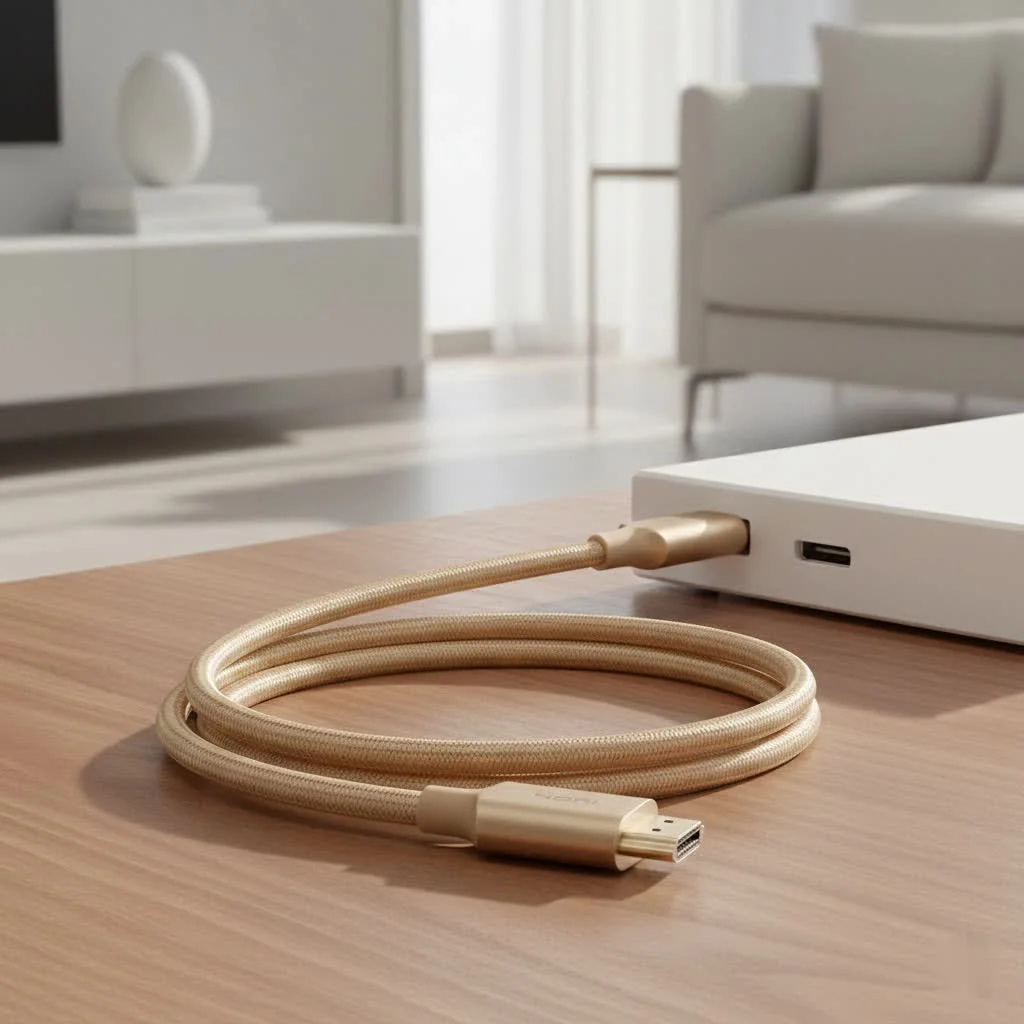
Welcome to the definitive guide from Iecfl Tech. We’re here to demystify the world of HDMI, break down the jargon, and empower you to make the perfect choice for your gear. Whether you’re setting up a new 8K TV, fine-tuning your next-gen gaming console, or simply want the best possible picture, understanding your HDMI cable is the first step. Let’s plug in and get started.
What is an HDMI Cable, Really?
HDMI stands for High-Definition Multimedia Interface. Think of it as a superhighway for digital signals. It’s a single-cable solution designed to transmit uncompressed video and compressed or uncompressed audio from a source device—like a Blu-ray player, gaming console, or streaming box—to a display, such as a TV, monitor, or projector. Before HDMI, you needed a mess of separate cables for video and multiple channels of audio. HDMI cleaned up that clutter beautifully.
But its job has become much more complex over the years. It now handles everything from 8K video and advanced audio formats to internet connectivity and device control signals.
The Evolution of HDMI: A Journey Through Versions
The capabilities of an HDMI cable are defined by its version standard, which dictates how much data it can handle. As technology has advanced, so have these standards.
HDMI 1.4: The Foundation of HD
Introduced in 2009, HDMI 1.4 was a game-changer. It was the first version to support 4K resolution, although only at a choppy 30 frames per second (fps). It also introduced the HDMI Ethernet Channel (HEC) and the Audio Return Channel (ARC), which allows a TV to send audio back to a soundbar or AV receiver through the same HDMI cable. For basic 1080p setups, it’s still perfectly adequate.
HDMI 2.0: The 4K Revolution
Arriving in 2013, HDMI 2.0 and its subsequent update (2.0b) ushered in the 4K era. By increasing the bandwidth to 18Gbps, it could handle 4K video at a smooth 60fps and introduced support for High Dynamic Range (HDR), which provides dramatically better contrast and color. This became the standard for 4K TVs, the PlayStation 4 Pro, and the Xbox One X.
HDMI 2.1: The New Standard for Performance
|
Our Picks for the Best HDMI Cable in 2026
As an Amazon Associate I earn from qualifying purchases.
|
||
| Num | Product | Action |
|---|---|---|
| 1 | 10K 8K HDMI 2.1 Cable 2-Pack 6.6FT, Highwings Certified 48Gbps Ultra High Speed Slim HDMI Cord,Support 4K@120Hz 8K@60Hz, HDCP 2.2&2.3, Dynamic HDR,eARC,DTS:X, Compatible with Roku TV/HDTV/PS5/Blu-ray |

|
| 2 | Anker HDMI Cable 8K@60Hz, 6FT Ultra HD 4K@120Hz HDMI Cord,48 Gbps Certified Ultra High-Speed,Compatible with PlayStation 5,Xbox,Samsung TVs,and More |
|
| 3 | Highwings 8K 10K 4K HDMI Cable 48Gbps 6.6FT/2M, Certified Ultra High Speed HDMI Cable Braided Cord-4K@120Hz 8K@60Hz, DTS:X, HDCP 2.2 & 2.3, HDR 10 Compatible with Roku TV/PS5/HDTV/Blu-ray |
|
| 4 | Highwings Long HDMI Cable 20 FT, 10K 8K 4K Ultra HD High Speed 2.1 HDMI Cable 48Gbps Braided Cord-4K@120Hz 8K@60Hz, DTS:X, HDCP 2.2&2.3, Dynamic HDR 10 Compatible with Roku TV/PS5/HDTV/Blu-ray |
|
| 5 | Highwings High Speed 8K 60Hz HDMI Cable 3.3FT/1M, 2.1 48Gbps HDMI Braided Cable-4K@120Hz 7680P,DTS:X,HDCP 2.2 & 2.3, HDR 10,eARC,Dynamic HDR,Compatible for Laptop, Monitor, Roku TV |
|
| 6 | Highwings 4K HDMI Cable 6.6FT/2m - High-Speed HDMI 2.0 Quality Cord 4K@60Hz, Braided Nylon & Gold Connectors, HDR, Ethernet, ARC, 3D, HDCP 2.2, Compatible for PS-5/4/3/ HDTV/Monitor/DVD/Streaming |
|
| 7 | Highwings 8K@60 HDMI Cable 10FT/3M, 48Gbps 2.1 High Speed HDMI Braided Nylon 4K120 144Hz RTX 3090 eARC HDR10 4:4:4 HDCP 2.2&2.3 Compatible for PS5, PS4, UHD TV and PC |
|
| 8 | Highwings Long HDMI Cable 15 FT, 4K 8K 10K HDMI 2.1 Cord Ultra High Speed [in-Wall CL3 Rated, 8K@60Hz 4K@120Hz Video 48Gbps], Fit, Durable, Flexible, eARC, HDCP, Compatible for Ethernet SoundBar |
|
| 9 | 15 Pack of 10 Foot hdmi Cables |
|
| 10 | Short HDMI Cable 1 FT 2-Pack, 8K HDMI 2.1 48Gbps Ultra High Speed Braided HDMI Cords, 1 Foot HDMI Cable for Camera, Field Monitor, External Recorder, Laptop, PC |
|
The latest and greatest standard is HDMI 2.1. It represents a massive leap in capability, boosting bandwidth to an incredible 48Gbps. This unlocks a whole suite of next-generation features:
- 8K video at 60fps and 4K video at 120fps: Essential for high-end TVs and next-gen gaming consoles like the PlayStation 5 and Xbox Series X.
- Dynamic HDR: Adjusts HDR metadata on a frame-by-frame basis for the most optimized picture possible.
- Enhanced Audio Return Channel (eARC): Supports uncompressed, high-bitrate audio formats like Dolby Atmos and DTS:X.
- Gaming-Specific Features: Variable Refresh Rate (VRR), Auto Low Latency Mode (ALLM), and Quick Frame Transport (QFT) all work together to eliminate screen tearing and reduce input lag for a smoother gaming experience.
Decoding HDMI Cable Speed Ratings
To make things easier for consumers, the HDMI Licensing Administrator, Inc. has moved away from marketing version numbers and toward speed ratings. These tell you what the cable is certified to handle.
- Standard HDMI Cable: The most basic type, designed for resolutions up to 1080i. These are largely obsolete today.
- High-Speed HDMI Cable: Certified to handle the 18Gbps bandwidth required for HDMI 2.0 features, including 4K at 60Hz and HDR. For most 4K setups, this is the minimum you should look for.
- Premium High-Speed HDMI Cable: This is a more rigorously tested High-Speed cable that comes with a special certification label you can scan. It guarantees reliable performance for 4K60, HDR, and expanded color spaces.
- Ultra High-Speed HDMI Cable: This is the only cable certified to handle the full 48Gbps bandwidth of the HDMI 2.1 standard. If you want to use features like 4K@120Hz or 8K@60Hz, this is the HDMI cable you must have.
“I’ve seen countless home theater setups underperform simply because of a mismatched cable,” notes Marcus Thorne, a certified installer with 15 years of experience. “People buy a state-of-the-art TV and a next-gen console, then connect them with a ten-year-old cable and wonder why they’re not getting VRR or 120fps. Your system is only as strong as its weakest link, and that link is often the HDMI cable.”
How to Choose the Perfect HDMI Cable for Your Setup
Now for the most important question: which cable do you actually need? Let’s break it down by use case.
For a 4K TV, Apple TV, or Blu-ray Player
If your setup is focused on watching movies and TV shows in 4K, you don’t need to break the bank.
- What you need: A Premium High-Speed Certified HDMI cable.
- Why: This cable is guaranteed to deliver the 18Gbps bandwidth necessary for crisp 4K resolution at 60fps, along with vibrant HDR. It will also support ARC for sending audio to your soundbar.
For a PlayStation 5, Xbox Series X, or High-End PC
Next-generation gaming is all about high frame rates and low latency. Using the wrong cable means leaving performance on the table.
- What you need: An Ultra High-Speed Certified HDMI cable.
- Why: This is non-negotiable if you want to access the flagship features of your console. You need the 48Gbps bandwidth for 4K@120Hz gameplay, which provides a massive competitive advantage. It’s also required for VRR and ALLM, which are critical for a smooth, responsive experience.
For a Soundbar or AV Receiver with eARC
If you have a sound system that supports Dolby Atmos or DTS:X, you’ll want to take advantage of eARC to get the best possible sound.
- What you need: Any HDMI cable with an Ethernet channel will support eARC. This includes most modern High-Speed and all Ultra High-Speed cables.
- Why: eARC requires the extra data pins used by the Ethernet channel to handle the higher bandwidth of uncompressed audio. While an Ultra High-Speed cable isn’t strictly necessary for eARC alone, it’s the most future-proof option.
Frequently Asked Questions (FAQ)
Do I need to buy an expensive “gold-plated” HDMI cable?
No. For the digital signals that HDMI carries, a cable either works or it doesn’t. Expensive marketing gimmicks like gold-plated connectors or fancy braiding have no impact on picture or sound quality over standard cable lengths. Focus on buying a cable with the correct speed certification, not a high price tag.
Is there a difference in picture quality between a cheap and expensive HDMI cable?
As long as both cables are certified for the speed you need (e.g., Premium High-Speed) and are not defective, there will be zero difference in picture quality. You’ll either get a perfect signal or a signal with obvious errors, like flickering or a complete dropout (often called “sparkles”). There’s no in-between where one picture is “sharper” or “more colorful.”
How long can an HDMI cable be before the signal degrades?
For passive cables, you can typically get a reliable signal up to about 15 feet (around 5 meters). Beyond that, you risk signal degradation. For longer runs, you should look for an “active” HDMI cable, which has built-in electronics to boost the signal, or an HDMI fiber optic cable, which can run for hundreds of feet with no loss.
What is HDMI CEC?
Consumer Electronics Control (CEC) is a feature that lets your devices talk to each other over HDMI. It allows you to control multiple devices with a single remote. For example, you could turn on your TV, and it would automatically turn on your connected AV receiver and Blu-ray player. Most major brands have their own trade name for it (e.g., Anynet+ for Samsung, BRAVIA Sync for Sony).
Are all Ultra High-Speed HDMI cables the same?
Yes, provided they are officially certified. To be sure, look for the Ultra High-Speed HDMI Certification Label on the packaging. This includes a hologram and a QR code you can scan with the official HDMI Cable Certification app to verify its authenticity.
The Final Connection
Choosing the right HDMI cable isn’t about spending the most money; it’s about matching the cable’s capabilities to the demands of your hardware. By understanding the different speed certifications and the features they enable, you can ensure every component in your entertainment system is performing at its absolute peak. A simple, certified High-Speed cable is perfect for most 4K viewing, while a certified Ultra High-Speed cable is an essential investment for reaping the full benefits of next-gen gaming and 8K video. Take a moment to check your connections—the perfect viewing experience is just the right cable away.
Get our weekly buyer guide
Practical specs, not advice. Unsubscribe anytime.
