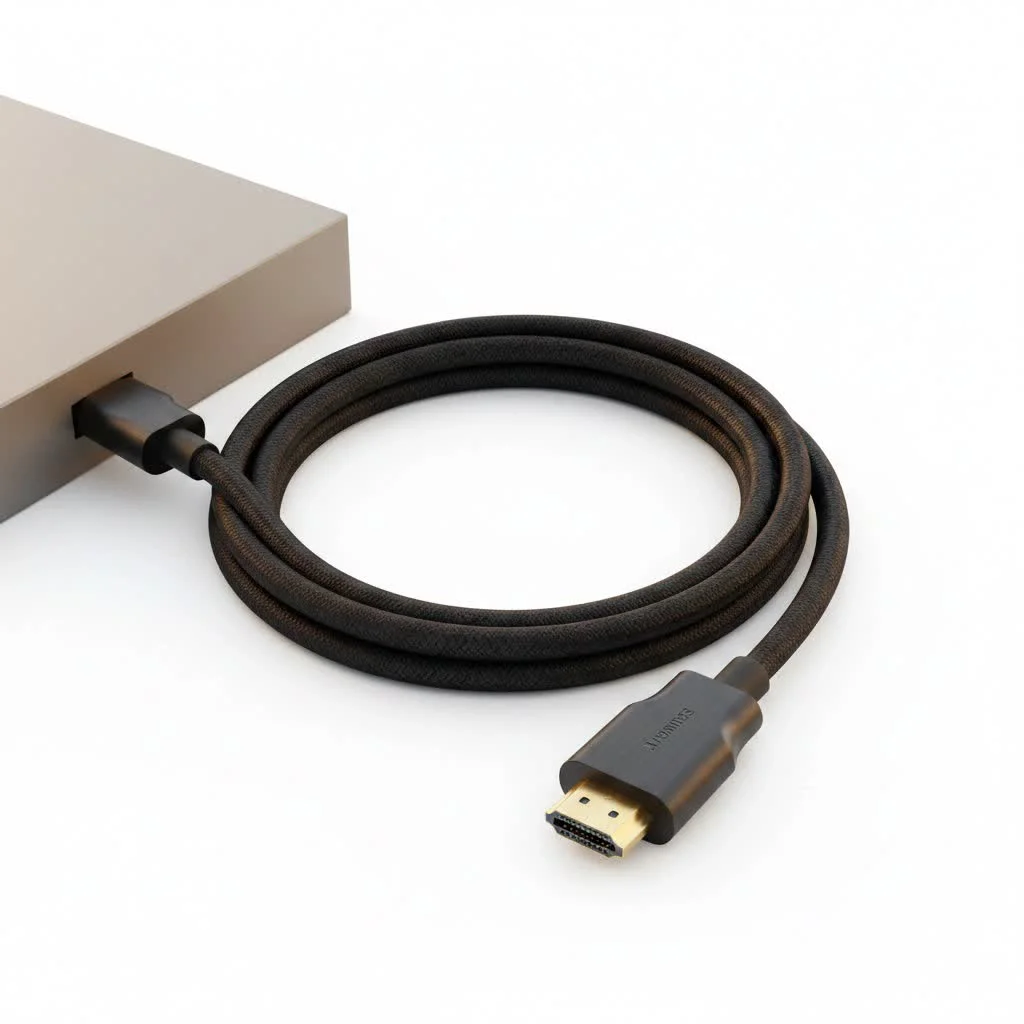
An HDMI to AV cable is a converter that translates a digital HDMI signal from modern devices (like streaming sticks or laptops) into an analog composite video and stereo audio signal that older televisions with red, white, and yellow RCA ports can understand. This allows users to connect new technology to older displays, effectively bridging the gap between digital and analog video standards.
What is an HDMI to AV Cable and Why Do You Need One?
At its core, an HDMI to AV cable is not just a cable but a converter. Its primary job is to take a high-definition digital signal from an HDMI source—like a Roku, Apple TV, gaming console, or laptop—and translate it into an analog composite video (the yellow plug) and stereo audio (the red and white plugs) signal that older TVs can understand.
You need this device for one simple reason: HDMI and AV are fundamentally different technologies.
- HDMI (High-Definition Multimedia Interface): Transmits uncompressed, digital audio and video data. It’s the modern standard for high-resolution content.
- AV (Audio/Video), or RCA: Transmits analog signals. This was the standard for decades on everything from VCRs to early DVD players and CRT televisions.
A simple adapter won’t work because the signals are like two different languages. The HDMI to AV converter acts as the translator.
How Does an HDMI to AV Converter Actually Work?
The magic happens inside a small box connected to the cables. This box contains a dedicated chipset, a digital-to-analog converter (DAC), that performs the complex task of signal translation.
Here’s a simplified breakdown of the process:
- Input: The digital HDMI signal from your source device enters the converter box.
- Processing: The internal chipset processes the high-definition video and audio. It downscales the video resolution to standard definition (typically 480i or 576i), which is the maximum that composite video can handle.
- Conversion: The processed digital signal is converted into separate analog signals for video and audio.
- Output: The analog signals are sent out through the three RCA cables to be displayed on your TV.
“People are often surprised that you can’t just adapt the plug shape,” says James O’Connell, a home theater installation expert with over 15 years of experience. “An HDMI to AV cable isn’t a simple passthrough; it’s a tiny, dedicated computer that translates a modern digital language into a classic analog one. The most common issue I see is forgetting to plug in the USB power—that little box needs juice to do its job.”
Because this conversion process requires energy, nearly all HDMI to AV converters need to be powered, usually via an included USB cable that you can plug into a TV’s USB port or a standard wall adapter.
Choosing the Right HDMI to AV Cable for Your Needs
While most of these converters perform the same basic function, a few key features can affect performance and compatibility.
Key Features to Look For:
|
Our Picks for the Best HDMI Cable in 2026
As an Amazon Associate I earn from qualifying purchases.
|
||
| Num | Product | Action |
|---|---|---|
| 1 | 15 Pack of 10 Foot hdmi Cables |

|
| 2 | Highwings Long HDMI Cable 15 FT, 4K 8K 10K HDMI 2.1 Cord Ultra High Speed [in-Wall CL3 Rated, 8K@60Hz 4K@120Hz Video 48Gbps], Fit, Durable, Flexible, eARC, HDCP, Compatible for Ethernet SoundBar |
|
| 3 | Highwings 8K 10K 4K HDMI Cable 48Gbps 6.6FT/2M, Certified Ultra High Speed HDMI Cable Braided Cord-4K@120Hz 8K@60Hz, DTS:X, HDCP 2.2 & 2.3, HDR 10 Compatible with Roku TV/PS5/HDTV/Blu-ray |
|
| 4 | 10K 8K HDMI 2.1 Cable 2-Pack 6.6FT, Highwings Certified 48Gbps Ultra High Speed Slim HDMI Cord,Support 4K@120Hz 8K@60Hz, HDCP 2.2&2.3, Dynamic HDR,eARC,DTS:X, Compatible with Roku TV/HDTV/PS5/Blu-ray |
|
| 5 | Highwings 4K HDMI Cable 6.6FT/2m - High-Speed HDMI 2.0 Quality Cord 4K@60Hz, Braided Nylon & Gold Connectors, HDR, Ethernet, ARC, 3D, HDCP 2.2, Compatible for PS-5/4/3/ HDTV/Monitor/DVD/Streaming |
|
| 6 | Anker HDMI Cable 8K@60Hz, 6FT Ultra HD 4K@120Hz HDMI Cord,48 Gbps Certified Ultra High-Speed,Compatible with PlayStation 5,Xbox,Samsung TVs,and More |
|
| 7 | Short HDMI Cable 1 FT 2-Pack, 8K HDMI 2.1 48Gbps Ultra High Speed Braided HDMI Cords, 1 Foot HDMI Cable for Camera, Field Monitor, External Recorder, Laptop, PC |
|
| 8 | Highwings 8K@60 HDMI Cable 10FT/3M, 48Gbps 2.1 High Speed HDMI Braided Nylon 4K120 144Hz RTX 3090 eARC HDR10 4:4:4 HDCP 2.2&2.3 Compatible for PS5, PS4, UHD TV and PC |
|
| 9 | Highwings High Speed 8K 60Hz HDMI Cable 3.3FT/1M, 2.1 48Gbps HDMI Braided Cable-4K@120Hz 7680P,DTS:X,HDCP 2.2 & 2.3, HDR 10,eARC,Dynamic HDR,Compatible for Laptop, Monitor, Roku TV |
|
| 10 | Highwings Long HDMI Cable 20 FT, 10K 8K 4K Ultra HD High Speed 2.1 HDMI Cable 48Gbps Braided Cord-4K@120Hz 8K@60Hz, DTS:X, HDCP 2.2&2.3, Dynamic HDR 10 Compatible with Roku TV/PS5/HDTV/Blu-ray |
|
- Power Source: Most converters are powered by a mini or micro USB cable. Ensure this is included and that you have a spare USB port or power adapter available. A stable power source is crucial for a clear, consistent signal.
- PAL/NTSC Switch: These are two different analog television encoding systems used around the world. NTSC is the standard in North America and Japan, while PAL is used in Europe, Australia, and many other regions. A converter with a switch ensures you can match the format of your television and avoid a black-and-white or scrolling picture.
- Resolution Support: The converter will automatically downscale the image, but check its input compatibility. Most modern converters can accept input signals up to 1080p. the output will always be standard definition.
- Build Quality: Look for a converter with sturdy housing and well-made connectors. Gold-plated RCA plugs can offer better corrosion resistance and a more reliable connection over time.
A Step-by-Step Guide to Connecting Your Devices
Setting up your HDMI to AV cable is straightforward. Follow these steps for a hassle-free installation.
- Connect the Source: Plug the HDMI cable from your source device (e.g., laptop, Blu-ray player, or streaming stick) into the HDMI input port on the converter box.
- Connect to the TV: Plug the yellow, red, and white RCA cables from the converter into the matching color-coded input jacks on your television.
- Provide Power: Connect the included USB power cable to the converter box. Plug the other end into a USB port on your TV, a power adapter, or even your source device if it has a powered USB port.
- Select the Right Input: Turn on your television and use the “Input” or “Source” button on your remote to switch to the AV or Composite channel. This is often labeled “AV1,” “AV2,” or “Video 1.”
- Power On and Play: Turn on your HDMI source device. You should now see its output displayed on your older TV screen.
Common Problems and How to Fix Them
If you’re not getting a picture or sound, don’t panic. The fix is usually simple.
No Signal on the TV
- Check the Power: This is the most common culprit. Ensure the USB power cable is securely connected to both the converter and a working power source.
- Check the TV Input: Double-check that you have selected the correct AV input on your television.
- Check Connections: Make sure all HDMI and RCA cables are firmly plugged in at both ends.
The Picture is Black and White
- Flip the PAL/NTSC Switch: Your converter is likely set to the wrong video standard for your region. Try toggling the switch to the other setting.
Flickering or Distorted Image
- Insufficient Power: The USB port you’re using might not be providing enough power. Try plugging the converter into a dedicated USB wall charger instead of the TV’s port.
- Faulty Cable: The issue could be with the HDMI or RCA cables. Try a different set if you have them available.
There is a Picture But No Sound
- Check Audio Cables: Ensure the red and white RCA audio cables are securely plugged into the correct ports on both the converter and the TV. Sometimes they can get swapped by mistake.
Frequently Asked Questions (FAQ)
Can an HDMI to AV cable improve picture quality?
No, it does the opposite. The converter must downscale the high-definition HDMI signal to the standard-definition analog format. The picture quality will be limited by the maximum resolution of the AV standard (480i), which is significantly lower than 720p or 1080p HD.
Will an HDMI to AV cable work for a PS5 or Xbox Series X?
Yes, it will work in the sense that it will display an image. However, the experience will be severely compromised. You will lose all the high-definition and 4K graphics that these modern consoles are built for. It’s a functional solution for a temporary setup but not recommended for serious gaming.
Do I need to install any drivers or software?
No, HDMI to AV converters are universally plug-and-play. They are hardware solutions that don’t require any software installation on your source device.
What is the difference between an HDMI to AV and an AV to HDMI cable?
They are one-way converters and are not interchangeable. An HDMI to AV cable converts a signal from a new (HDMI) source to an old (AV) display. An AV to HDMI cable does the reverse, converting a signal from an old (AV) source like a VCR to a new (HDMI) display. You must buy the one that matches the direction you need the signal to travel.
Is there a delay or lag introduced by the converter?
The conversion process does introduce a tiny amount of latency, but for watching movies or TV shows, it is generally unnoticeable. For competitive, fast-paced gaming, this slight delay might be perceptible to some players.
The Bridge Between Eras
An HDMI to AV cable is an invaluable and affordable tool for anyone looking to extend the life of their older analog equipment. It’s a perfect solution for watching movies from a modern laptop on an old CRT TV in the garage, connecting a new streaming player in a guest room, or simply enjoying your devices without needing to upgrade every piece of hardware. By understanding that it’s a converter that requires power and downscales video quality, you can set realistic expectations and successfully bridge the gap between two different generations of technology.
Frequently Asked Questions
How does an HDMI to AV cable convert digital signals to analog?
An HDMI to AV cable contains a dedicated chipset, a digital-to-analog converter (DAC), that processes the high-definition digital signal. It downscales the video resolution to standard definition (typically 480i or 576i) and then converts it into separate analog signals for video and audio, which are output via RCA cables.
Can an HDMI to AV converter improve the picture quality on an old TV?
No, an HDMI to AV converter cannot improve picture quality. It must downscale the high-definition HDMI signal to the standard-definition analog format, which is limited to a maximum resolution of 480i. This is significantly lower than modern HD resolutions like 720p or 1080p.
Do I need to install any special drivers or software for an HDMI to AV converter?
No, HDMI to AV converters are universally plug-and-play hardware solutions. They do not require any software or driver installation on your source device or television to function correctly.
What is the key difference between an HDMI to AV and an AV to HDMI cable?
The key difference is the direction of conversion. An HDMI to AV cable converts a signal from a newer HDMI source to an older AV display, while an AV to HDMI cable performs the reverse, converting an older AV source signal to a newer HDMI display. They are not interchangeable.
Will using an HDMI to AV converter introduce noticeable lag for gaming?
The conversion process does introduce a tiny amount of latency. For watching movies or TV shows, this delay is generally unnoticeable. However, for competitive, fast-paced gaming, some players might perceive this slight delay.
Get our weekly buyer guide
Practical specs, not advice. Unsubscribe anytime.
I was so frustrated trying to connect my new Roku stick to my old bedroom TV. This HDMI to AV converter cable was exactly what I needed! The picture quality is surprisingly good for an older display, and the sound comes through perfectly. It really did bridge the gap between my digital streaming device and my analog TV.
Got this to hook up my PS3 to an older CRT TV in my game room. It works as advertised, translating the HDMI signal to the red, white, and yellow RCA ports. Setup was straightforward, and I didn’t experience any noticeable lag which was a concern. My only minor gripe is that the cable itself feels a little thin, but it’s holding up fine so far.
I bought this to connect my laptop to an older projector for a presentation. While it did convert the signal to composite video, the image was a bit fuzzier than I hoped, especially with text. It gets the job done for basic video, but if you need super clear text from your HDMI source on an old display, you might want to manage your expectations.
This cable saved my retro gaming setup! I wanted to play some classic consoles on a modern monitor, but also connect my newer consoles to an old tube TV for that authentic feel. This converter handles the digital HDMI from my Xbox One and sends it right to the analog input on my vintage TV. Super easy to use and totally worth it.