So, you’ve secured a PlayStation 5. You’re ready to dive into stunning worlds with breathtaking graphics and buttery-smooth frame rates. But are you sure you’re getting the absolute best picture your console can deliver? The secret lies in a small but mighty component: the Hdmi 2.1 Cable For Ps5. Without the right one, you’re leaving a significant amount of performance on the table.
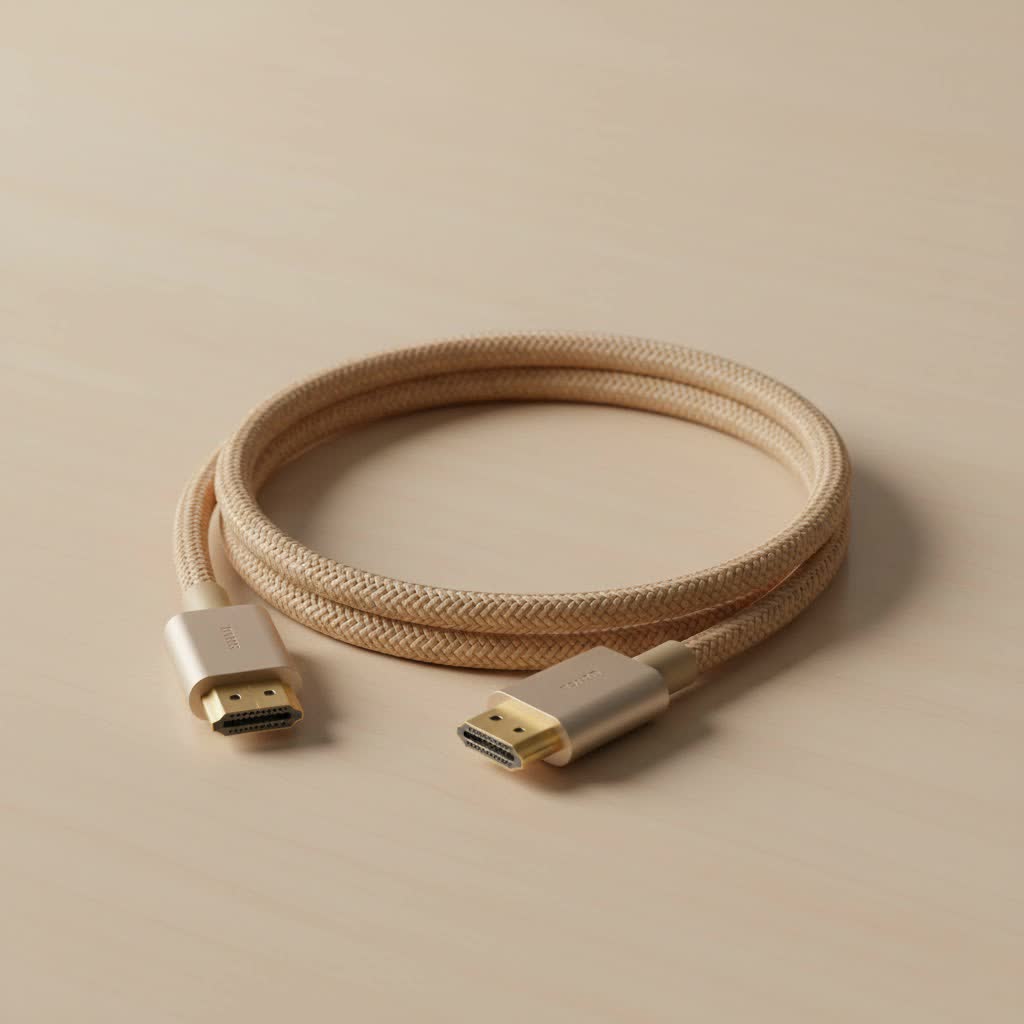
Welcome to Iecfl Tech, your definitive guide to understanding and mastering HDMI technology. Today, we’re cutting through the marketing jargon and technical noise to give you the straight-up facts. We’ll help you understand why an HDMI 2.1 cable is not just a recommendation but a necessity for next-gen gaming and how to choose the perfect one without overspending. Let’s get your PS5 connected properly.
What is HDMI 2.1 and Why is it Essential for Your PS5?
Think of HDMI 2.1 as a super-wide highway for data. Older HDMI versions, like 2.0, were like smaller roads, capable of handling a good amount of traffic but with limitations. HDMI 2.1 massively expands that highway, allowing an incredible amount of visual and audio data to travel from your PS5 to your display.
This “super-highway” enables game-changing features that are crucial for the PlayStation 5 experience:
- 4K Resolution at 120Hz: This is the holy grail for many gamers. It delivers incredibly sharp images (4K) combined with ultra-smooth motion (120 frames per second). For fast-paced competitive games like Call of Duty or fluid action in titles like Ratchet & Clank: Rift Apart, this feature provides a tangible competitive advantage and a more immersive experience.
- 8K Resolution at 60Hz: While 8K gaming isn’t mainstream yet, the PS5 is an 8K-capable machine. An HDMI 2.1 cable ensures you’re future-proofed for when 8K content and games become more common.
- Variable Refresh Rate (VRR): This is a gamer’s best friend. VRR allows your TV or monitor to sync its refresh rate with the PS5’s frame rate in real-time. The result? It virtually eliminates screen tearing and stuttering, leading to a much smoother and more responsive gameplay experience.
- Auto Low Latency Mode (ALLM): When your PS5 is detected, ALLM automatically switches your TV to its designated “Game Mode.” This minimizes input lag—the delay between pressing a button on your controller and seeing the action on screen—without you having to dig through menus every time.
Without an HDMI 2.1 cable, you simply cannot access these core features. You’ll be limited to 4K at 60Hz, missing out on the fluid motion and responsiveness that define the next-gen experience.
Does the PS5 Come With an HDMI 2.1 Cable?
Yes, it does. Sony includes a capable HDMI 2.1 cable in the box with every PlayStation 5 console. For the majority of users, this bundled cable is all you need to get the full 4K 120Hz experience, provided you have a compatible TV or monitor.
So, why would you need to buy a new one? There are a few common reasons:
- You need a longer cable: The included cable is about 1.5 meters (5 feet) long. If your setup requires a longer run to reach your display, you’ll need to purchase a new one.
- Your original cable is lost or damaged: Accidents happen. If your original cable is no longer working, you’ll need a replacement that meets the right specifications.
- You want a more robust or aesthetically pleasing cable: Some users prefer cables with braided sheathing for extra durability or a different color to match their entertainment center.
How to Choose the Right HDMI 2.1 Cable for PS5
When you start shopping for a replacement or a longer cable, you’ll be bombarded with options. Don’t fall for marketing buzzwords like “gold-plated” or “48Gbps-ready.” There is only one thing you need to look for.
The Ultra High Speed HDMI Certification
|
Our Picks for the Best HDMI Cable in 2026
As an Amazon Associate I earn from qualifying purchases.
|
||
| Num | Product | Action |
|---|---|---|
| 1 | 10K 8K HDMI 2.1 Cable 2-Pack 6.6FT, Highwings Certified 48Gbps Ultra High Speed Slim HDMI Cord,Support 4K@120Hz 8K@60Hz, HDCP 2.2&2.3, Dynamic HDR,eARC,DTS:X, Compatible with Roku TV/HDTV/PS5/Blu-ray |

|
| 2 | Anker HDMI Cable 8K@60Hz, 6FT Ultra HD 4K@120Hz HDMI Cord,48 Gbps Certified Ultra High-Speed,Compatible with PlayStation 5,Xbox,Samsung TVs,and More |
|
| 3 | Highwings Long HDMI Cable 15 FT, 4K 8K 10K HDMI 2.1 Cord Ultra High Speed [in-Wall CL3 Rated, 8K@60Hz 4K@120Hz Video 48Gbps], Fit, Durable, Flexible, eARC, HDCP, Compatible for Ethernet SoundBar |
|
| 4 | Highwings 4K HDMI Cable 6.6FT/2m - High-Speed HDMI 2.0 Quality Cord 4K@60Hz, Braided Nylon & Gold Connectors, HDR, Ethernet, ARC, 3D, HDCP 2.2, Compatible for PS-5/4/3/ HDTV/Monitor/DVD/Streaming |
|
| 5 | Highwings 8K@60 HDMI Cable 10FT/3M, 48Gbps 2.1 High Speed HDMI Braided Nylon 4K120 144Hz RTX 3090 eARC HDR10 4:4:4 HDCP 2.2&2.3 Compatible for PS5, PS4, UHD TV and PC |
|
| 6 | Short HDMI Cable 1 FT 2-Pack, 8K HDMI 2.1 48Gbps Ultra High Speed Braided HDMI Cords, 1 Foot HDMI Cable for Camera, Field Monitor, External Recorder, Laptop, PC |
|
| 7 | 15 Pack of 10 Foot hdmi Cables |
|
| 8 | Highwings Long HDMI Cable 20 FT, 10K 8K 4K Ultra HD High Speed 2.1 HDMI Cable 48Gbps Braided Cord-4K@120Hz 8K@60Hz, DTS:X, HDCP 2.2&2.3, Dynamic HDR 10 Compatible with Roku TV/PS5/HDTV/Blu-ray |
|
| 9 | Highwings High Speed 8K 60Hz HDMI Cable 3.3FT/1M, 2.1 48Gbps HDMI Braided Cable-4K@120Hz 7680P,DTS:X,HDCP 2.2 & 2.3, HDR 10,eARC,Dynamic HDR,Compatible for Laptop, Monitor, Roku TV |
|
| 10 | Highwings 8K 10K 4K HDMI Cable 48Gbps 6.6FT/2M, Certified Ultra High Speed HDMI Cable Braided Cord-4K@120Hz 8K@60Hz, DTS:X, HDCP 2.2 & 2.3, HDR 10 Compatible with Roku TV/PS5/HDTV/Blu-ray |
|
To eliminate confusion, the organization that licenses the HDMI specification, the HDMI Licensing Administrator, Inc., created a mandatory certification program. Any cable that is officially HDMI 2.1 compliant must be labeled as an Ultra High Speed HDMI Cable.
Here’s your checklist for buying a cable:
- Look for the Name: The packaging should clearly state “Ultra High Speed HDMI Cable.” If it says “Premium High Speed” or just “High Speed,” it’s an older HDMI 2.0 or 1.4 cable and will not support the full feature set of your PS5.
- Find the QR Code: Official packaging must include an Ultra High Speed HDMI Certification Label with a QR code on it. You can scan this code with the official HDMI Cable Certification app on your phone to verify its authenticity.
- Check for 48Gbps Bandwidth: The Ultra High Speed specification supports up to 48 Gigabits per second of bandwidth. This is the data rate required to transmit uncompressed 4K 120Hz video with HDR. The product description should explicitly mention this.
“I always tell my clients the same thing: ignore the fancy marketing and the high price tags,” says James Ashford, a professional home theater installer with over 15 years of experience. “Focus on one thing only—the official Ultra High Speed certification. A certified $15 cable will perform identically to a certified $100 cable for your PS5. The certification is your guarantee.”
Does Cable Length Affect Performance?
Yes, it can. The longer an HDMI cable is, the greater the chance of signal degradation. For passive copper cables (the most common type), it’s best to stick to lengths under 5 meters (about 16 feet). If you need to run a cable for a longer distance, you should look into an active optical HDMI cable, which uses fiber optics to transmit the signal perfectly over much greater distances, though these are more expensive.
Frequently Asked Questions (FAQ)
Is a more expensive HDMI 2.1 cable better?
No. For digital signals like HDMI, a cable either works or it doesn’t. As long as a cable is officially certified as Ultra High Speed, it will deliver the full 48Gbps bandwidth required for the PS5’s features. Extra cost typically goes towards brand marketing or premium materials like nylon braiding, which may increase durability but does not improve picture or sound quality.
Will an HDMI 2.0 cable work with a PS5?
Yes, an older HDMI 2.0 cable will work, but it will be a bottleneck. You will be able to get a 4K signal, but you will be limited to a 60Hz refresh rate. You will also miss out on key features like VRR.
How do I know if my TV supports HDMI 2.1?
You must check your TV’s specifications. Look for an HDMI port that is explicitly labeled “HDMI 2.1,” “4K @ 120Hz,” or “8K.” Consult your TV’s manual or the manufacturer’s website. Simply having an HDMI port is not enough; it must be the 2.1 version to unlock the PS5’s full potential.
What happens if I use a bad HDMI 2.1 cable?
If a cable is not properly certified or is of poor quality, you might experience issues like a black screen (signal dropouts), sparkling or “snowy” artifacts on the screen, or the inability to select higher resolutions and refresh rates in the PS5 display settings.
Do I need to enable HDMI 2.1 features on my PS5?
The PS5 is designed to automatically detect and use these features. However, you can verify them. Go to Settings > Screen and Video > Video Output. Here you can check the current resolution and enable the 120Hz Output option (set to Automatic) and VRR (set to Automatic).
Your Final Connection Check
Getting the most out of your PlayStation 5 isn’t just about the console itself; it’s about the entire signal chain, from the processor to your screen. The HDMI 2.1 cable for PS5 is the critical link that ties it all together.
Before you start your next gaming session, take a moment to check your connection. Ensure you’re using a certified Ultra High Speed HDMI cable plugged into a dedicated HDMI 2.1 port on your TV or monitor. By doing so, you guarantee that you are experiencing your games exactly as their creators intended: with stunning clarity, unparalleled smoothness, and instantaneous response. Happy gaming.
