Running an audio/video signal across a large room, from a media closet to a projector, or to a TV in another area presents a unique challenge. Your standard 6-foot cable won’t cut it, and that’s where the 50 ft HDMI cable comes into play. But stretching a high-fidelity digital signal over that distance isn’t as simple as just buying a longer wire. Signal degradation is a real concern, and choosing the wrong cable can lead to a frustrating experience of flickering screens, digital “snow,” or no picture at all.
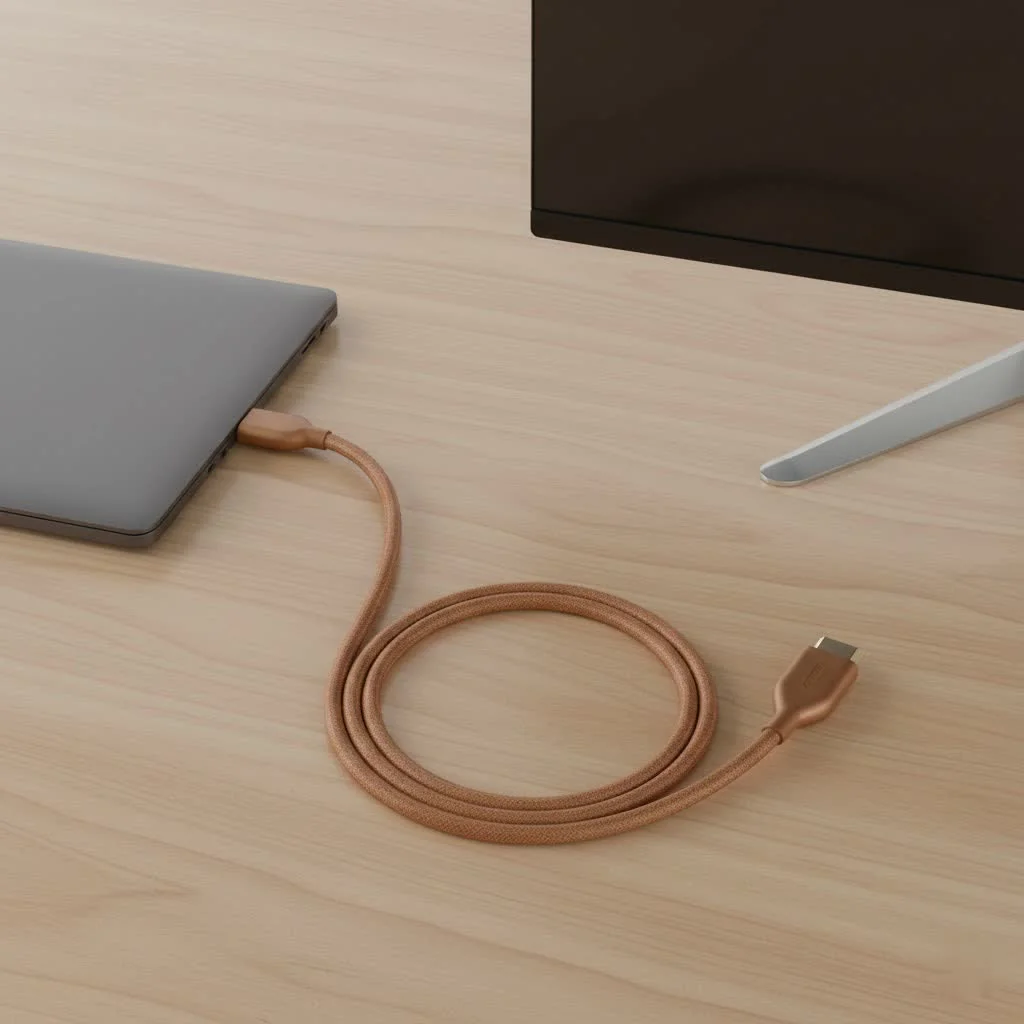
Welcome to Iecfl Tech, your definitive source for all things HDMI. Today, we’re diving deep into the world of 50 ft HDMI cables. We’ll explore the technology, break down the different types, and give you the expert knowledge you need to make the perfect choice for your home theater, gaming setup, or conference room.
The Challenge of Length: Signal Integrity Over Distance
An HDMI cable transmits an incredible amount of data—up to 48 Gigabits per second (Gbps) with the latest HDMI 2.1 standard. This data travels as a high-frequency electrical signal through copper wires. Over short distances, this is no problem. But as the length increases, so does the resistance of the copper, causing the signal to weaken. This is called signal degradation or attenuation.
For a 50 ft HDMI cable, this degradation can become significant enough to prevent the receiving device (your TV or projector) from correctly interpreting the data. The result?
- HDCP Handshake Issues: Your devices fail to authenticate, resulting in a black screen.
- Sparkles or “Snow”: Random pixels on the screen flash white, indicating data errors.
- Intermittent Signal: The picture cuts in and out.
- Lower Resolution: Your devices might negotiate a lower resolution (e.g., 1080p instead of 4K) to establish a stable connection.
To overcome this, manufacturers have developed specialized long-distance HDMI cables.
Passive vs. Active: The Critical Choice for 50 Feet
When shopping for a 50 ft HDMI cable, you’ll encounter two main types: passive and active. The difference is crucial for a successful installation.
Passive HDMI Cables
A passive cable is a simple set of copper wires connecting two HDMI ports. It has no electronic components to boost or clean up the signal. While they work perfectly for shorter runs (typically under 15-20 feet), they are highly unreliable at 50 feet, especially if you’re trying to transmit a 4K HDR signal. A passive 50 ft cable might work for a 1080p signal, but it’s a gamble that often doesn’t pay off.
Active (Booster) HDMI Cables
|
Our Picks for the Best HDMI Cable in 2026
As an Amazon Associate I earn from qualifying purchases.
|
||
| Num | Product | Action |
|---|---|---|
| 1 | Highwings 8K 10K 4K HDMI Cable 48Gbps 6.6FT/2M, Certified Ultra High Speed HDMI Cable Braided Cord-4K@120Hz 8K@60Hz, DTS:X, HDCP 2.2 & 2.3, HDR 10 Compatible with Roku TV/PS5/HDTV/Blu-ray |

|
| 2 | 15 Pack of 10 Foot hdmi Cables |
|
| 3 | Highwings 4K HDMI Cable 6.6FT/2m - High-Speed HDMI 2.0 Quality Cord 4K@60Hz, Braided Nylon & Gold Connectors, HDR, Ethernet, ARC, 3D, HDCP 2.2, Compatible for PS-5/4/3/ HDTV/Monitor/DVD/Streaming |
|
| 4 | Highwings Long HDMI Cable 20 FT, 10K 8K 4K Ultra HD High Speed 2.1 HDMI Cable 48Gbps Braided Cord-4K@120Hz 8K@60Hz, DTS:X, HDCP 2.2&2.3, Dynamic HDR 10 Compatible with Roku TV/PS5/HDTV/Blu-ray |
|
| 5 | Highwings Long HDMI Cable 15 FT, 4K 8K 10K HDMI 2.1 Cord Ultra High Speed [in-Wall CL3 Rated, 8K@60Hz 4K@120Hz Video 48Gbps], Fit, Durable, Flexible, eARC, HDCP, Compatible for Ethernet SoundBar |
|
| 6 | Highwings High Speed 8K 60Hz HDMI Cable 3.3FT/1M, 2.1 48Gbps HDMI Braided Cable-4K@120Hz 7680P,DTS:X,HDCP 2.2 & 2.3, HDR 10,eARC,Dynamic HDR,Compatible for Laptop, Monitor, Roku TV |
|
| 7 | Anker HDMI Cable 8K@60Hz, 6FT Ultra HD 4K@120Hz HDMI Cord,48 Gbps Certified Ultra High-Speed,Compatible with PlayStation 5,Xbox,Samsung TVs,and More |
|
| 8 | Highwings 8K@60 HDMI Cable 10FT/3M, 48Gbps 2.1 High Speed HDMI Braided Nylon 4K120 144Hz RTX 3090 eARC HDR10 4:4:4 HDCP 2.2&2.3 Compatible for PS5, PS4, UHD TV and PC |
|
| 9 | 10K 8K HDMI 2.1 Cable 2-Pack 6.6FT, Highwings Certified 48Gbps Ultra High Speed Slim HDMI Cord,Support 4K@120Hz 8K@60Hz, HDCP 2.2&2.3, Dynamic HDR,eARC,DTS:X, Compatible with Roku TV/HDTV/PS5/Blu-ray |
|
| 10 | Short HDMI Cable 1 FT 2-Pack, 8K HDMI 2.1 48Gbps Ultra High Speed Braided HDMI Cords, 1 Foot HDMI Cable for Camera, Field Monitor, External Recorder, Laptop, PC |
|
An active HDMI cable has a small integrated circuit—a signal booster or equalizer—built into one of the connector heads. This chip takes the incoming HDMI signal, cleans it up, and boosts it so it can travel the full 50-foot distance without significant degradation.
Key Feature: Active cables are directional. They have a designated “Source” end (to be plugged into your Blu-ray player, gaming console, or PC) and a “Display” end (for your TV or projector). Plugging them in backward will result in no signal.
For any 4K signal at 50 feet, an active copper cable is the minimum requirement for a stable, reliable picture.
The Gold Standard: Fiber Optic HDMI Cables
For the absolute best performance and future-proofing, the fiber optic 50 ft HDMI cable is the undisputed champion. Instead of transmitting data as electrical signals through copper, these advanced cables convert the HDMI signal into pulses of light.
Here’s why fiber optic is superior for long runs:
- Zero Signal Loss: Light travels through the fiber optic strands with virtually no degradation over distances far exceeding 50 feet. It guarantees your 4K or 8K signal arrives at the display just as it left the source.
- Immunity to Interference: Because they use light, fiber optic cables are completely immune to electromagnetic and radio frequency interference (EMI/RFI) from nearby power cables, appliances, or Wi-Fi routers.
- Thinner and More Flexible: Fiber optic cables are significantly thinner and lighter than their copper counterparts, making them much easier to route through walls, conduit, and around tight corners.
- Full Bandwidth Support: These cables can easily handle the highest bandwidth demands of HDMI 2.1 (48Gbps), making them perfect for 4K@120Hz gaming and 8K video.
Like active copper cables, fiber optic HDMI cables are also directional, so paying attention during installation is essential.
What to Look For When Buying a 50 ft HDMI Cable
Now that you know the types, let’s focus on the key specifications to ensure you get the right cable for your needs.
Bandwidth and HDMI Version
Don’t just look for an “HDMI 2.1” logo. Look for the certified bandwidth rating.
- Premium High Speed (18Gbps): This is the certification for HDMI 2.0. It guarantees support for 4K resolution at 60Hz with HDR. This is sufficient for most movie watching and previous-gen gaming (PS4 Pro, Xbox One X).
- Ultra High Speed (48Gbps): This is the official certification for HDMI 2.1. You need this bandwidth for next-gen gaming features like 4K@120Hz (PlayStation 5, Xbox Series X) and 8K@60Hz.
In-Wall Safety Rating (CL2/CL3)
If you plan to run your 50 ft HDMI cable inside a wall or ceiling, it must have a fire-safety rating.
- CL2 (Class 2): Rated for in-wall use for voltages up to 150 volts.
- CL3 (Class 3): Rated for in-wall use for voltages up to 300 volts.
Using a non-rated cable inside a wall is a fire hazard and likely violates local building codes.
Expert Advice from the Field
We spoke with David Chen, a professional AV installer with over a decade of experience in custom home theaters.
“For any client needing a run over 30 feet, I don’t even present passive copper as an option anymore. It’s a recipe for service calls. An active cable is the baseline, but for anyone with a high-end projector or a next-gen console, a fiber optic 50 ft HDMI cable is the only way to go. It eliminates all the variables and guarantees a flawless picture every time. It’s a small price to pay for peace of mind.”
Frequently Asked Questions (FAQ)
Can a 50 ft HDMI cable support 4K at 120Hz?
Yes, but only if it is a certified Ultra High Speed (48Gbps) cable. At this length, this performance is almost exclusively achieved with a fiber optic HDMI cable.
Is there a loss of picture quality with a long HDMI cable?
With a high-quality active or fiber optic cable, there is no loss in picture quality. The digital signal either arrives perfectly, or it doesn’t arrive at all (resulting in a black screen). A poor-quality passive cable can introduce data errors that appear as “sparkles,” which is a form of quality degradation.
Are expensive 50 ft HDMI cables a rip-off?
Not necessarily. While you don’t need gold-plated connectors for a 6-foot cable, the engineering required to transmit a stable 4K or 8K signal over 50 feet is complex. The cost of active electronics or fiber optic technology is higher, so a more expensive cable is often a reflection of its superior capability and reliability.
What if my passive 50 ft cable isn’t working?
Before replacing it, you could try an HDMI signal repeater or extender. This is a small box placed in the middle of the run (or at the end) that boosts the signal. However, buying a proper active or fiber optic cable from the start is a more reliable solution.
Do I need to provide external power for an active or fiber cable?
Most active and fiber optic HDMI cables draw the small amount of power they need directly from the HDMI port of your source device. Only in very rare cases with non-standard devices might you need a cable with a separate USB power input.
Conclusion: The Right Cable for a Flawless Connection
Navigating the world of A/V technology can be complex, but choosing the right 50 ft HDMI cable doesn’t have to be. The key takeaway is to match the cable’s technology to the demands of the distance and your signal.
For low-demand 1080p signals, a high-quality active copper cable is a reliable choice. For any 4K content, especially with HDR and high frame rates, a certified active or fiber optic cable is essential. And for the demanding world of 8K video and next-generation gaming, a fiber optic HDMI cable is the only choice that guarantees the flawless performance you paid for.
By investing in the right type of 50 ft HDMI cable, you ensure a stable, high-quality connection that will let you enjoy your content without compromise, today and for years to come.
Get our weekly buyer guide
Practical specs, not advice. Unsubscribe anytime.
