In a world filled with countless gadgets, connecting them seamlessly is more important than ever. You have your beautiful 4K TV, your high-performance DSLR camera, and maybe a new graphics card, but they all have different-sized ports. This is where the mighty Mini Hdmi To Hdmi Cable comes into play, acting as the essential bridge to unlock the full potential of your portable devices on a bigger screen. If you’ve ever felt confused by the different types of HDMI or wondered which cable to buy, you’re in the right place. Welcome to the definitive guide from Iecfl Tech, where we untangle the wires and give you the straight scoop.
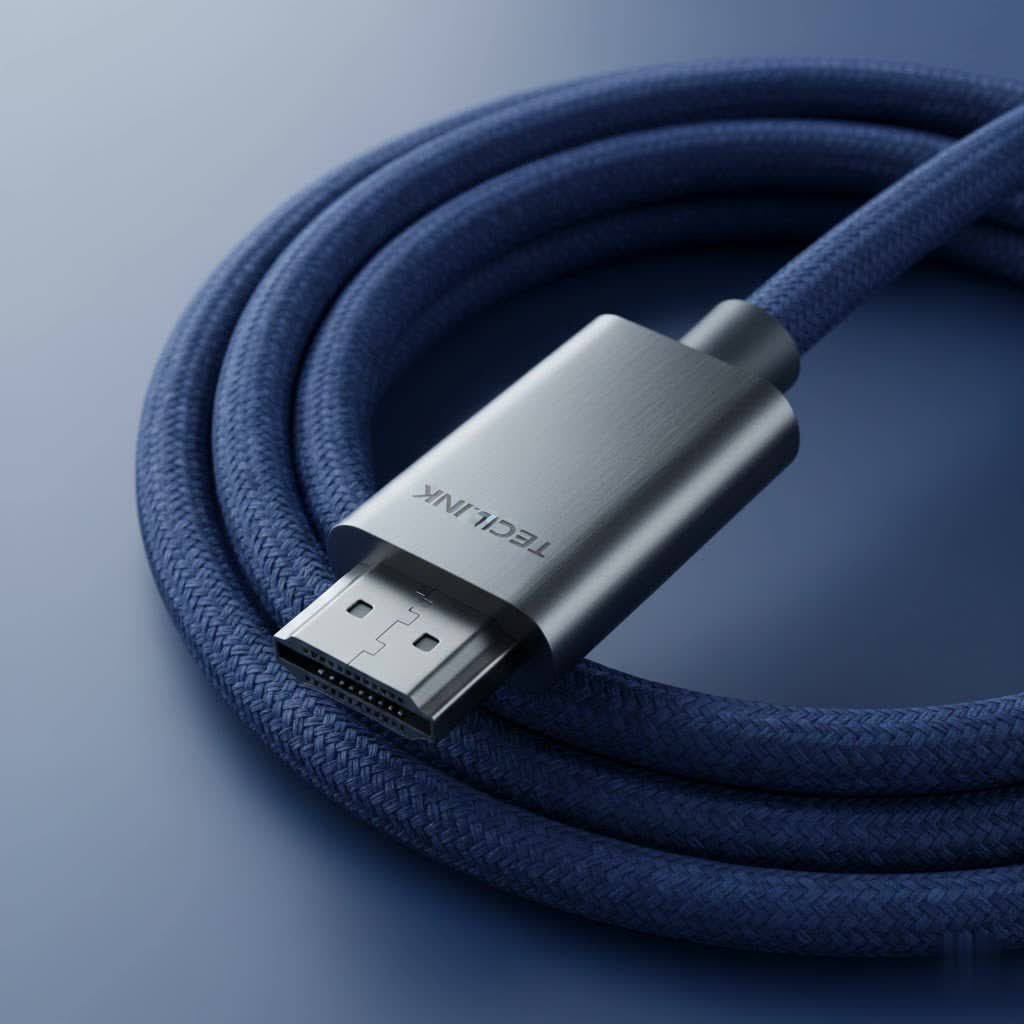
Think of this cable as a translator. It takes the high-quality video and audio signal from your compact camera, tablet, or camcorder and flawlessly displays it on your full-sized monitor, TV, or projector. No signal loss, no compression—just pure, unadulterated digital goodness. Let’s dive deep into what makes this humble cable a must-have in any tech enthusiast’s toolkit.
What Exactly is a Mini HDMI to HDMI Cable?
At its core, a mini HDMI to HDMI cable is a simple yet brilliant solution. It features a standard HDMI connector (Type A) on one end, which is the one you see on virtually all TVs and monitors, and a smaller Mini HDMI connector (Type C) on the other. This Type C connector is significantly more compact than its standard counterpart, making it perfect for device manufacturers who need to save space on smaller gadgets without sacrificing video quality.
Despite its smaller size, a Mini HDMI port packs the same 19-pin configuration as a standard one, meaning it carries the exact same high-definition audio and video signals. Whether you’re streaming 1080p video or even 4K content, a quality mini HDMI cable ensures there’s no degradation in performance. It’s the same powerful engine, just in a smaller chassis.
Who Really Needs a Mini HDMI Cable? Common Devices and Uses
You might be surprised to learn which of your devices is hiding a Mini HDMI port. This connector is the unsung hero for a wide range of portable electronics where a full-sized port just wouldn’t fit.
Here are some of the most common devices that rely on a mini HDMI to HDMI cable:
- DSLR and Mirrorless Cameras: For photographers and videographers, a Mini HDMI port is essential. It allows them to connect their camera directly to a larger monitor for a live preview, making it easier to frame shots, check focus, and review footage on set.
- Camcorders: Just like cameras, camcorders use Mini HDMI to output video for playback on a big screen, allowing you to share your freshly shot home movies or professional recordings instantly.
- Tablets and Laptops: While less common now with the rise of USB-C, many older or specialized tablets and ultra-slim laptops included a Mini HDMI port as their primary video output.
- Graphics Cards: Some PC graphics cards, especially smaller form-factor models, utilize a Mini HDMI port to save space on the rear bracket, allowing for more ventilation or other connections.
- Single-Board Computers: Hobbyists and developers often use boards like the Raspberry Pi Zero, which frequently features a Mini HDMI port to connect to a display.
Mini HDMI vs. Micro HDMI vs. Standard HDMI: A Clear Comparison
One of the biggest points of confusion for consumers is the difference between the three main HDMI types. Grabbing the wrong one is a frustratingly common mistake. Let’s break it down simply.
“I can’t tell you how many service calls I’ve been on where the client bought the wrong cable,” says James Peterson, a professional home theater installer with over a decade of experience. “They all do the same job—transmit digital video and audio—but the physical connector is the only difference. Always double-check your device’s port before you buy.”
Here is a simple table to help you identify which connector you’re dealing with:
| Connector Type | Also Known As | Approximate Size | Common Devices |
|---|---|---|---|
| Standard HDMI | Type A | 13.9 mm x 4.45 mm | TVs, Monitors, Gaming Consoles, Blu-ray Players |
| Mini HDMI | Type C | 10.42 mm x 2.42 mm | DSLR Cameras, Camcorders, some Laptops/Tablets |
| Micro HDMI | Type D | 6.4 mm x 2.8 mm | Smartphones, Action Cameras (like GoPro), very small devices |
The key takeaway is this: functionality is identical across all three types. The only difference is the physical size of the plug. Never try to force a connector into the wrong port, as you can easily damage both the cable and your device.
How to Choose the Right Mini HDMI to HDMI Cable
Now that you know what it is and what it’s for, how do you pick the best mini HDMI to HDMI cable for your needs? Not all cables are created equal. Here are the key factors to consider to ensure you get a reliable, high-performance product.
1. Check the HDMI Version
HDMI technology has evolved, with newer versions supporting higher resolutions and more features. For most modern uses, you should look for a cable that is certified for at least HDMI 2.0. This ensures support for:
- 4K resolution at 60Hz (frames per second)
- High Dynamic Range (HDR) for better color and contrast
- Bandwidth of up to 18 Gbps
|
Our Picks for the Best HDMI Cable in 2026
As an Amazon Associate I earn from qualifying purchases.
|
||
| Num | Product | Action |
|---|---|---|
| 1 | Highwings 4K HDMI Cable 6.6FT/2m - High-Speed HDMI 2.0 Quality Cord 4K@60Hz, Braided Nylon & Gold Connectors, HDR, Ethernet, ARC, 3D, HDCP 2.2, Compatible for PS-5/4/3/ HDTV/Monitor/DVD/Streaming |

|
| 2 | Highwings 8K@60 HDMI Cable 10FT/3M, 48Gbps 2.1 High Speed HDMI Braided Nylon 4K120 144Hz RTX 3090 eARC HDR10 4:4:4 HDCP 2.2&2.3 Compatible for PS5, PS4, UHD TV and PC |
|
| 3 | Highwings 8K 10K 4K HDMI Cable 48Gbps 6.6FT/2M, Certified Ultra High Speed HDMI Cable Braided Cord-4K@120Hz 8K@60Hz, DTS:X, HDCP 2.2 & 2.3, HDR 10 Compatible with Roku TV/PS5/HDTV/Blu-ray |
|
| 4 | Short HDMI Cable 1 FT 2-Pack, 8K HDMI 2.1 48Gbps Ultra High Speed Braided HDMI Cords, 1 Foot HDMI Cable for Camera, Field Monitor, External Recorder, Laptop, PC |
|
| 5 | Highwings High Speed 8K 60Hz HDMI Cable 3.3FT/1M, 2.1 48Gbps HDMI Braided Cable-4K@120Hz 7680P,DTS:X,HDCP 2.2 & 2.3, HDR 10,eARC,Dynamic HDR,Compatible for Laptop, Monitor, Roku TV |
|
| 6 | 15 Pack of 10 Foot hdmi Cables |
|
| 7 | Highwings Long HDMI Cable 15 FT, 4K 8K 10K HDMI 2.1 Cord Ultra High Speed [in-Wall CL3 Rated, 8K@60Hz 4K@120Hz Video 48Gbps], Fit, Durable, Flexible, eARC, HDCP, Compatible for Ethernet SoundBar |
|
| 8 | Anker HDMI Cable 8K@60Hz, 6FT Ultra HD 4K@120Hz HDMI Cord,48 Gbps Certified Ultra High-Speed,Compatible with PlayStation 5,Xbox,Samsung TVs,and More |
|
| 9 | 10K 8K HDMI 2.1 Cable 2-Pack 6.6FT, Highwings Certified 48Gbps Ultra High Speed Slim HDMI Cord,Support 4K@120Hz 8K@60Hz, HDCP 2.2&2.3, Dynamic HDR,eARC,DTS:X, Compatible with Roku TV/HDTV/PS5/Blu-ray |
|
| 10 | Highwings Long HDMI Cable 20 FT, 10K 8K 4K Ultra HD High Speed 2.1 HDMI Cable 48Gbps Braided Cord-4K@120Hz 8K@60Hz, DTS:X, HDCP 2.2&2.3, Dynamic HDR 10 Compatible with Roku TV/PS5/HDTV/Blu-ray |
|
If you have a device that supports HDMI 2.1 features (like 8K video or 4K at 120Hz), you’ll need an “Ultra High Speed” cable, but such features are still rare on devices with Mini HDMI ports. For now, a “High Speed” HDMI 2.0 cable is the safe bet for nearly all applications.
2. Consider the Cable Length
Longer isn’t always better. For connecting a camera to a tripod-mounted monitor, a short 3-6 foot (1-2 meter) cable is ideal to avoid clutter and potential tripping hazards. If you need to connect a laptop to a projector across a room, you might need a longer cable. However, be aware that passive HDMI cables can start to lose signal integrity over long distances (typically over 15 feet or 5 meters). For runs longer than that, you may need an active (amplified) cable to ensure a stable signal.
3. Don’t Skimp on Build Quality
The Mini HDMI connector is inherently more delicate than its standard-sized sibling. This makes build quality incredibly important.
- Connectors: Look for gold-plated connectors. This isn’t just for show; gold is highly resistant to corrosion and oxidation, ensuring a clean connection for years to come.
- Strain Relief: The point where the cable meets the connector is a major weak spot. Good cables will have thick, flexible strain relief molding to prevent the internal wires from breaking due to bending.
- Jacket Material: A durable jacket protects the internal wiring. Braided nylon jackets offer excellent protection against abrasion and tangling, making them a great choice for field use. Standard PVC jackets are more flexible but can be less durable over the long term.
4. Shielding is Key
Electromagnetic interference (EMI) from nearby power cords, Wi-Fi signals, or other electronics can disrupt your video signal, causing flickering, “sparkles,” or a complete signal drop. A well-made cable will have multiple layers of shielding (like aluminum foil and copper braid) to protect the signal and ensure it arrives at your screen perfectly.
Frequently Asked Questions (FAQ)
What is the main difference between Mini HDMI and a USB-C port?
While they may look vaguely similar to the untrained eye, they are completely different. Mini HDMI is a dedicated audio/video interface. USB-C is a multi-purpose connector that can handle data, power, and video (if the device supports DisplayPort or HDMI Alternate Mode). You cannot plug a Mini HDMI cable into a USB-C port or vice-versa.
Can a Mini HDMI to HDMI cable carry audio?
Absolutely. Just like standard HDMI, the Mini HDMI interface carries both high-definition video and multi-channel digital audio over a single cable. This includes formats like Dolby Digital and DTS.
Will a Mini HDMI cable support 4K resolution?
Yes, as long as you have a “High Speed” certified cable (compliant with HDMI 1.4 or, preferably, 2.0 standards) and both your source device and display support 4K. An older “Standard” speed cable may only reliably transmit 1080p.
Why does my Mini HDMI cable feel loose in the port?
The Mini HDMI connector does not have a locking mechanism. Due to its small size, it can sometimes feel less secure than a standard HDMI plug. This is why good build quality with a snug-fitting connector is so important. If you’re moving around a lot (for example, with a camera rig), consider using a cable clamp or securing the cable to prevent it from accidentally disconnecting.
Are expensive Mini HDMI cables better?
Not necessarily. While you should avoid the absolute cheapest, no-name options that likely cut corners on shielding and build quality, you don’t need to spend a fortune. A cable from a reputable brand in the $10-$20 range will perform identically to a “premium” cable costing many times more for standard lengths. The digital signal either gets there or it doesn’t—there is no difference in picture quality between two working cables.
The Final Connection
Choosing the right mini HDMI to HDMI cable doesn’t have to be complicated. By understanding what your devices need and focusing on a few key quality indicators—HDMI 2.0 certification, solid build quality, and the right length for your setup—you can ensure a perfect, reliable connection every time. This small but essential cable is the key to unlocking a bigger, better viewing experience for your portable gadgets. Now go forth and connect with confidence
